
Discount settings
AI Overview
Explains the Discount setting in Tipo Related Products, which applies your store's existing Shopify discounts to products added to the cart from the related products widget. It does not create a new discount, and products not eligible for a discount stay at full price.
View moreView less
- Uses discounts already set up in your Shopify store; it creates none.
- Open the app, then Settings > General.
- In the Discount section, tick Enable, then click Save.
- When disabled, related products are added at full price.
Summary generated by AI. It can make mistakes, so check the full guide below.
The Discount settings let you apply your store’s existing discounts to products that are added to the cart from the related products widget.
⚠️ This feature does not create a new discount.
It uses the discounts already set up in your Shopify store.
✅ How it works
Section titled “✅ How it works”What this does
When enabled, any store discount that applies to a product will also apply when that product is added to the cart via the related products box.
When enabled
- Customer adds a related product to cart
- Shopify automatically applies:
- Automatic discounts
- Discount codes
- Collection / product discounts
- Discount appears in the cart as usual
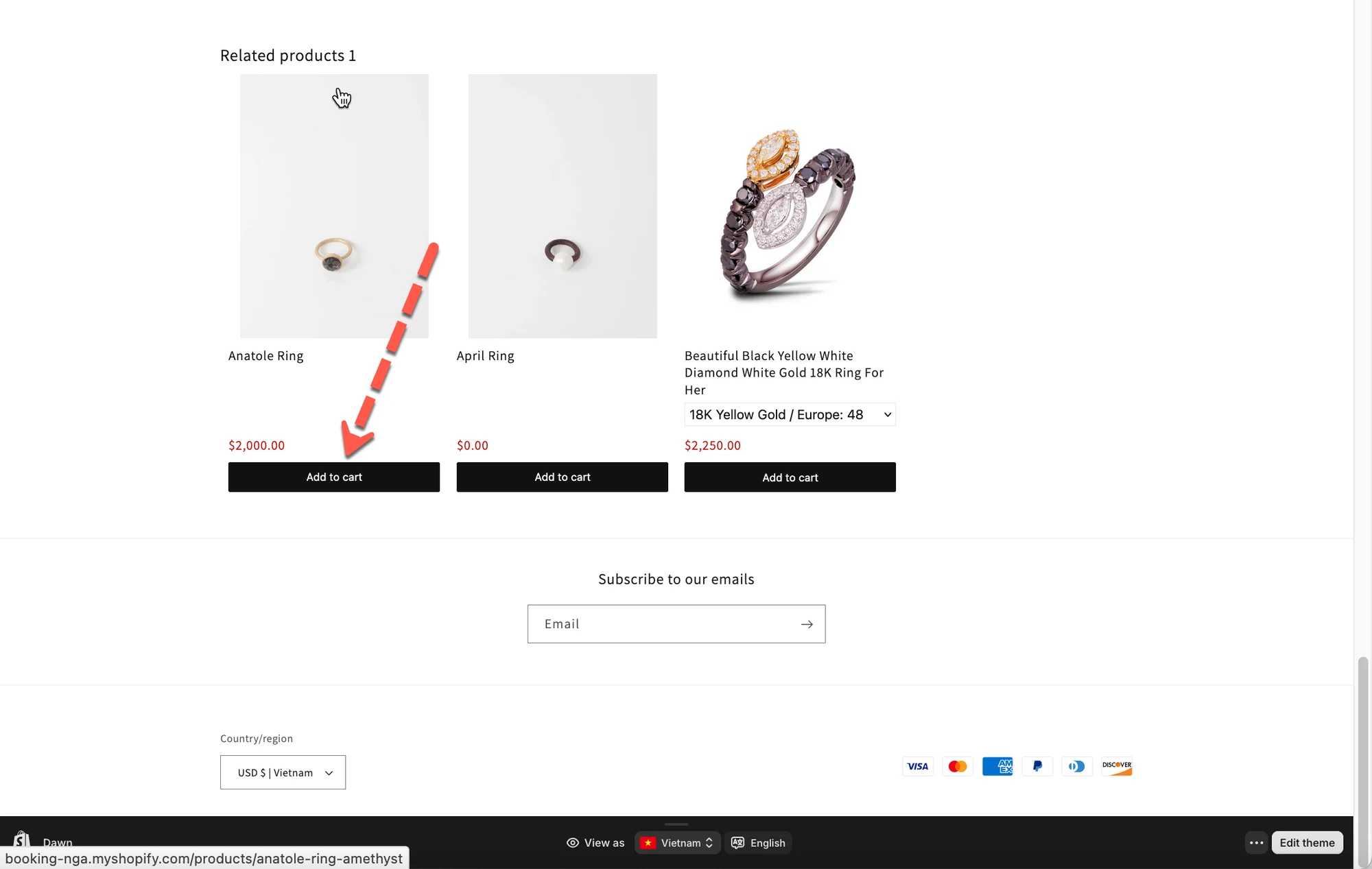
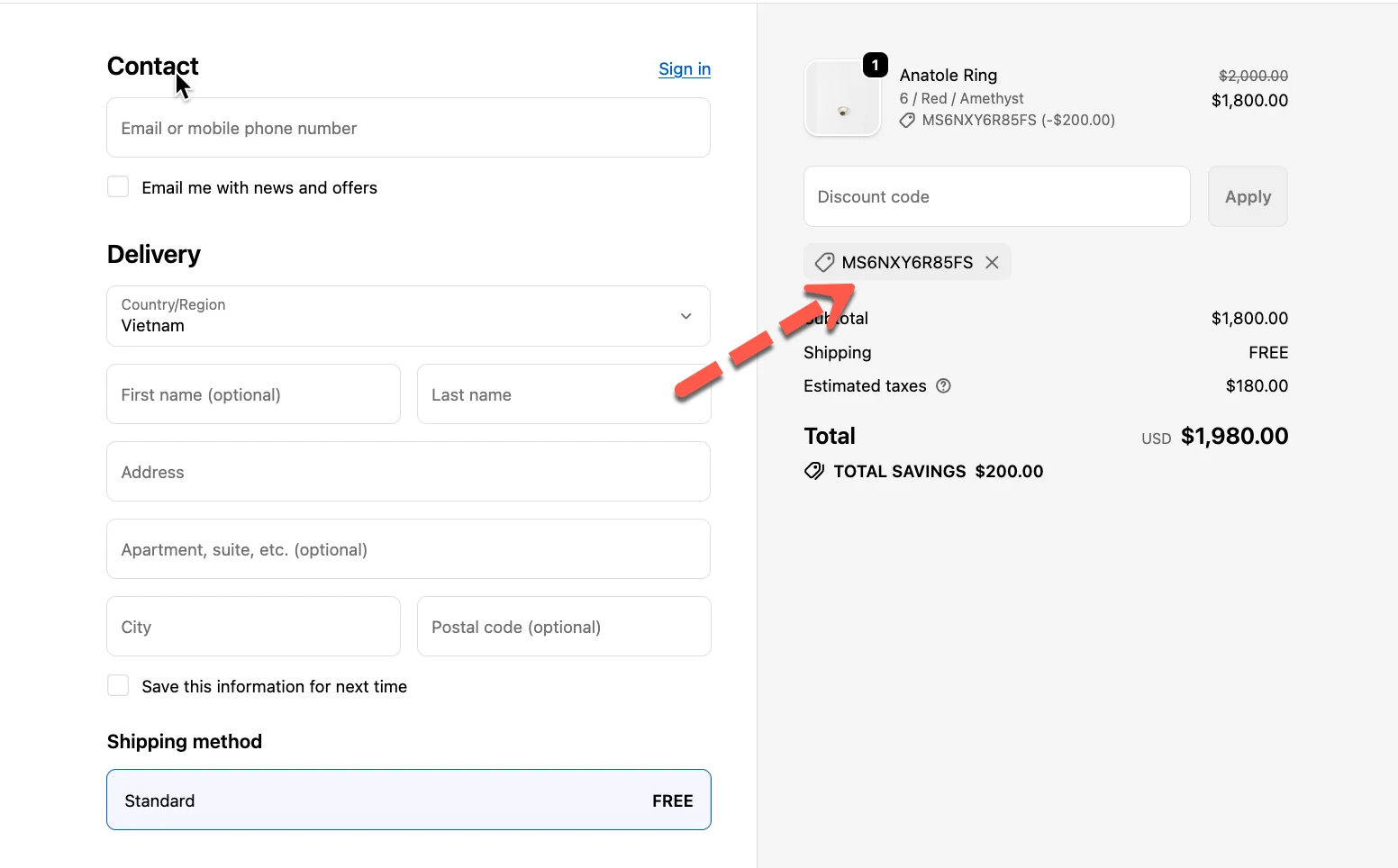
When disabled
- Related products are added at full price
- Discounts will not be applied automatically
🛠️ Enable discount for related products
Section titled “🛠️ Enable discount for related products”- Open the app > click Settings > General
- Find Discount section > tick on Enable checkbox
- Click Save
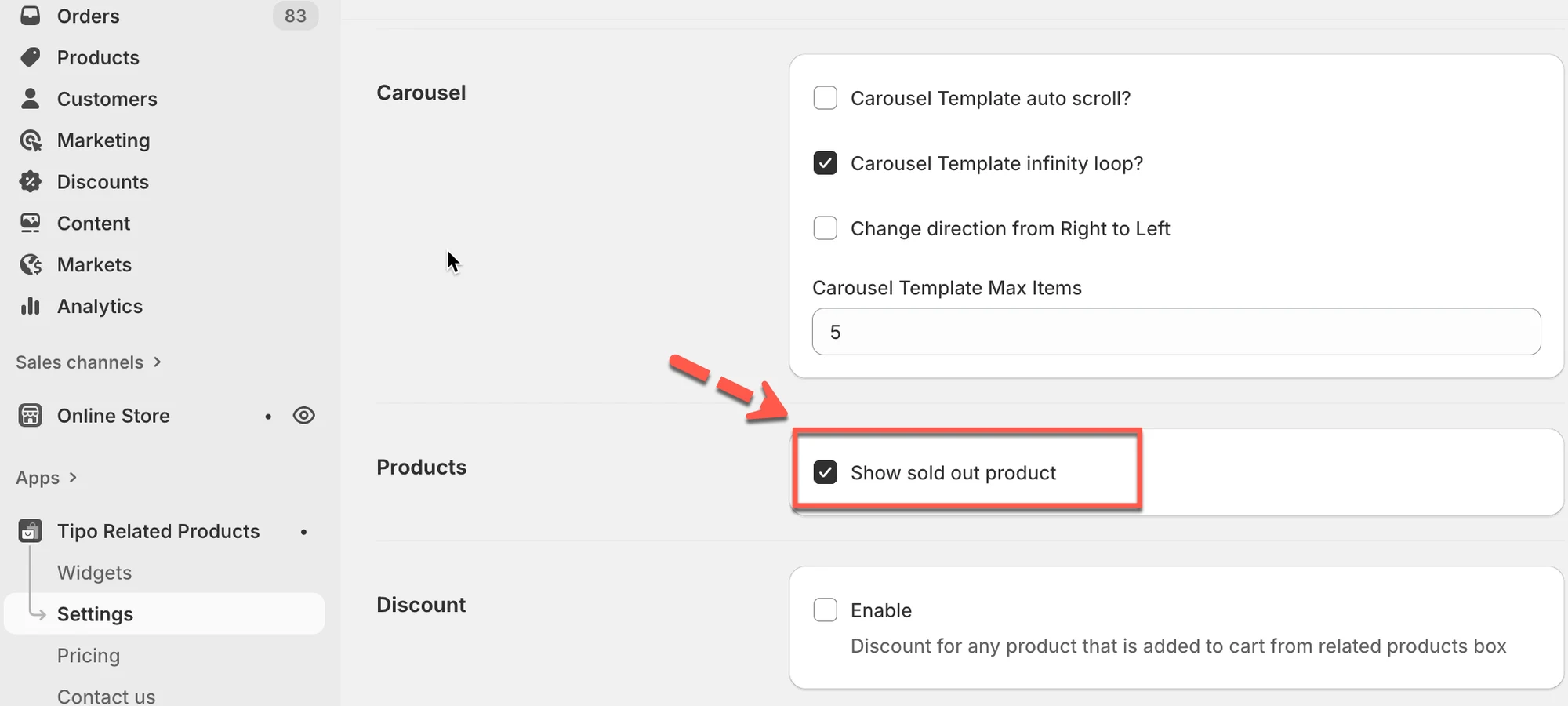
🧪 Example
Section titled “🧪 Example”Store setup
Section titled “Store setup”- You have a 10% automatic discount on rings
- A customer views Product A
- The widget shows related rings
Customer action
Section titled “Customer action”- Customer clicks Add to cart on a related ring
Result
Section titled “Result”- ✅ The 10% discount is applied automatically
- The discounted price appears in the cart
⚠️ Important notes
Section titled “⚠️ Important notes”- Discounts follow Shopify’s discount rules
- If a product is not eligible for a discount, no discount is applied
- This works with:
- Automatic discounts
- Discount codes
- Collection-based discounts
- Product-based discounts
💡 When should you enable this?
Section titled “💡 When should you enable this?”Enable this option if you want to:
- Encourage upsells with discounts
- Keep pricing consistent across your store
- Increase conversion from related products
Disable it if you want:
- Related products to always show full price
- Full control over discount usage
🙋 Still need support?
If you still need help, please feel free to contact us at hi@tipo.io. We’ll be happy to assist you further.