
Manual Recommendations
AI Overview
Manual Recommendations in Tipo Related Products let you fully control which products are shown together instead of using automatic rules. You define relationships by product, collection, product type or tag, and the widget shows only what you set. They are not updated automatically when products change.
View moreView less
- Use it for specific accessories, custom bundles, upsells or to override automatic recommendations.
- In a widget under Choose Recommended Products, select Manual Recommendations and click Configure.
- Choose Manual Product, Manual Collection, Manual Product Type or Manual Tag.
- Add your products or collections and click Save.
- You must update manual recommendations yourself when products change.
Summary generated by AI. It can make mistakes, so check the full guide below.
Manual Recommendations let you fully control which products are shown together.
Instead of automatic rules, you manually define relationships between products, collections, product types, or tags.
This is best when you want exact, curated recommendations.
ℹ️ When should I use Manual Recommendations?
Section titled “ℹ️ When should I use Manual Recommendations?”Use Manual Recommendations when you want to:
- Recommend specific products together (e.g. accessories)
- Create custom bundles or upsells
- Override automatic or Shopify recommendations
- Control recommendations for important products
⚙️ How Manual Recommendations work
Section titled “⚙️ How Manual Recommendations work”Manual Recommendations let you decide exactly which products appear together, instead of letting the app choose automatically.
- You choose Manual Recommendations in the widget
- You select a recommendation condition:
- Product
- Collection
- Product Type
- Tag
- You manually assign which items should be recommended
- The widget shows only the relationships you defined.
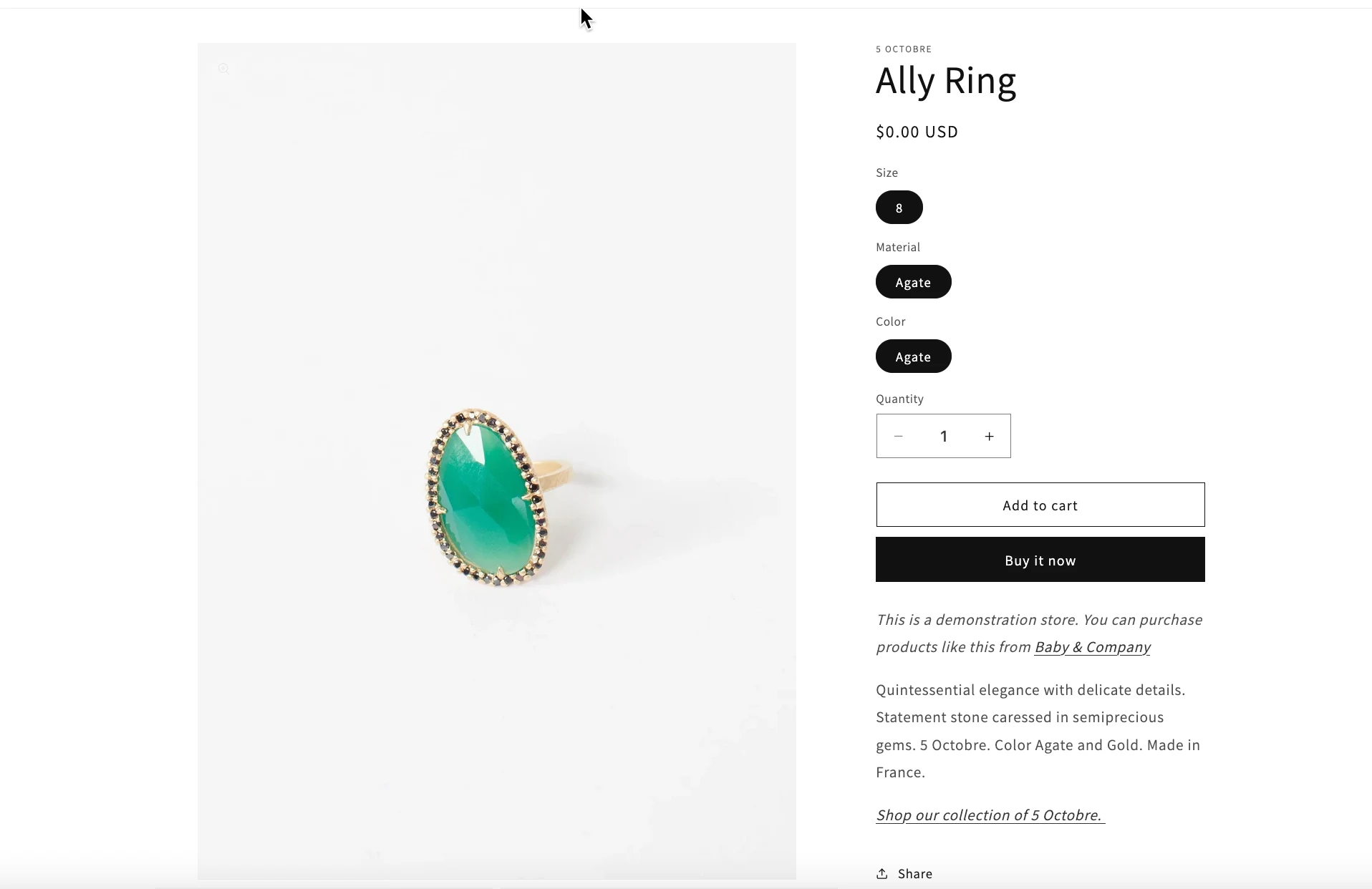
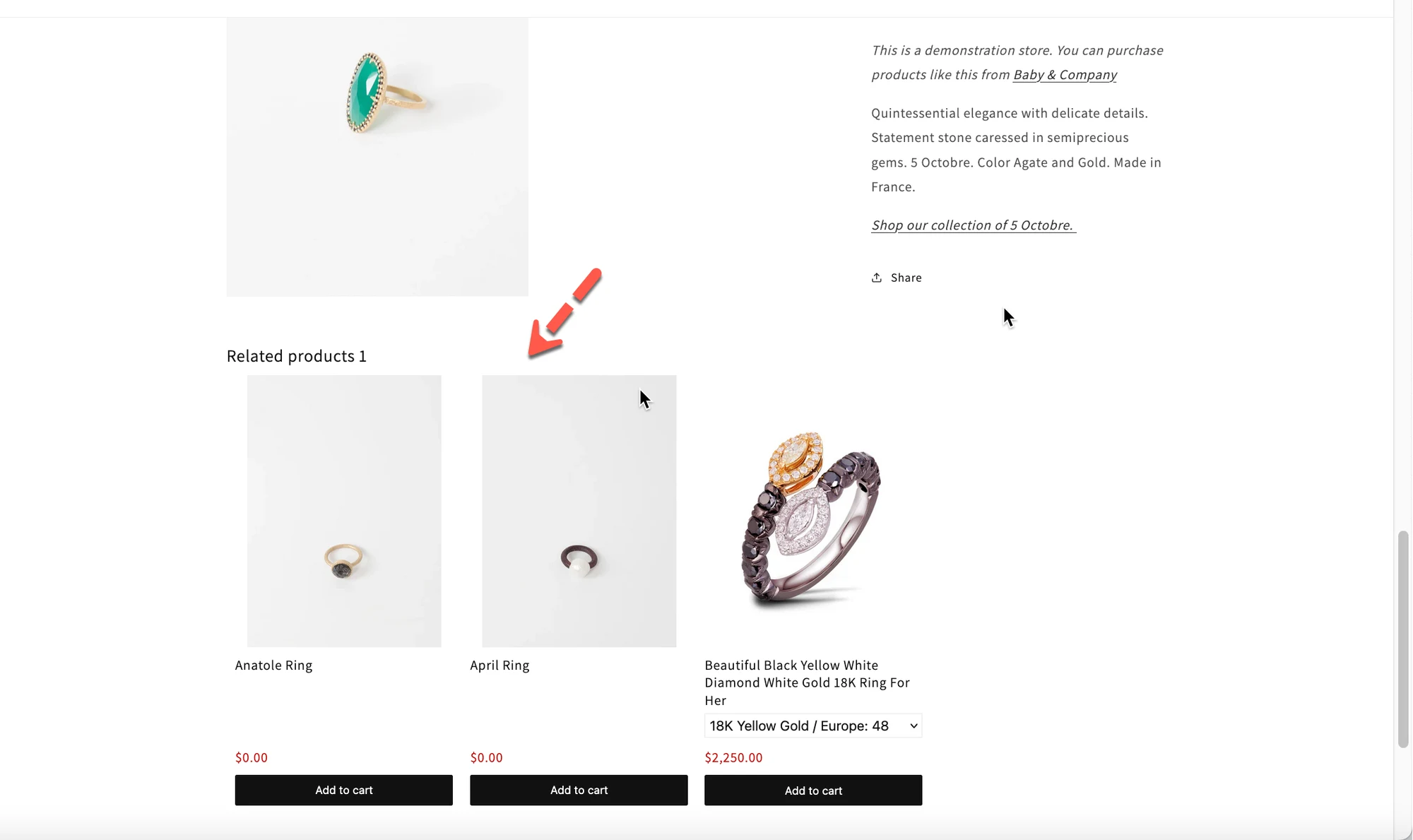
In this example, we are using Manual Product recommendations.
What is configured
Section titled “What is configured”- Main product:
Ally Ring - Recommended products:
- Ally Ring
- Anatole Ring
- April Ring
- Beautiful Black Yellow White Diamond White Gold 18K Ring For Her
How this works on your store
Section titled “How this works on your store”- When a customer visits the Ally Ring product page
- The widget will show only the products listed in Related Products
- No other products will appear, even if:
- They are in the same collection
- They share the same tag
- They are from the same vendor
✅ The recommendations are 100% controlled by you
⚙️ How to set up Manual Recommendations
Section titled “⚙️ How to set up Manual Recommendations”- Go to the app > click Widgets
- Open a widget or create a new one
The widget layout is Related
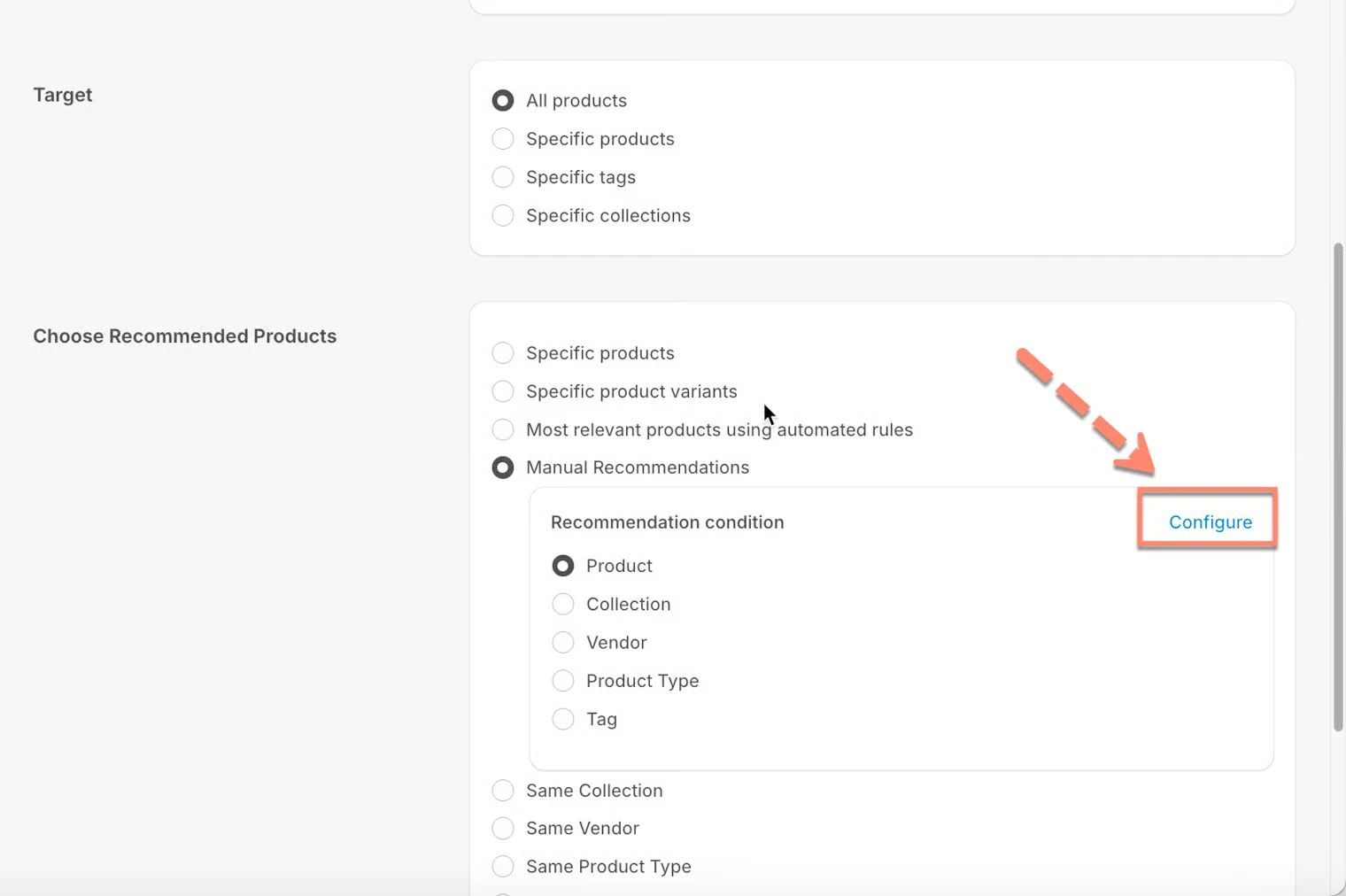
- Under Choose Recommended Products, select Manual Recommendations
- Click Configure
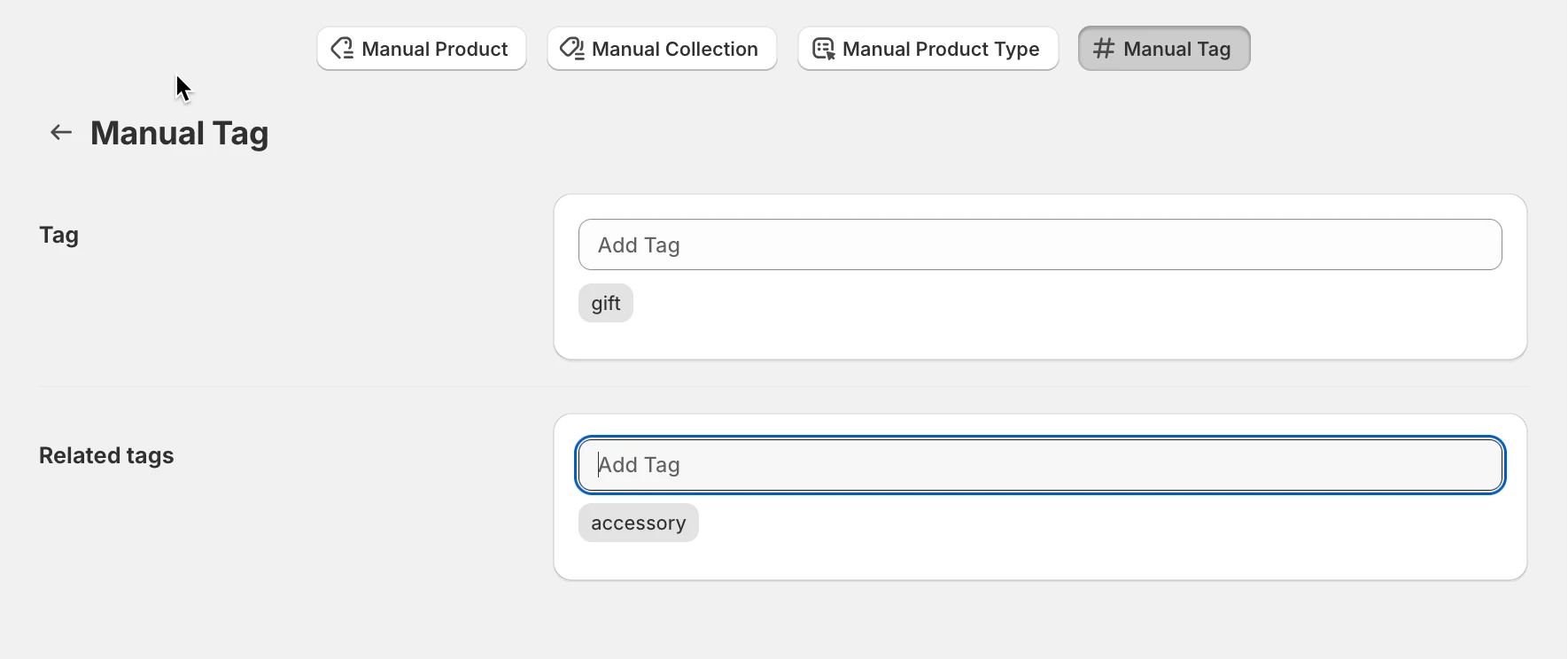
- Choose one option:
- Manual Product
- Manual Collection
- Manual Product Type
- Manual Tag
- Add your products or collections
- Click Save
🧩 Available manual recommendation types
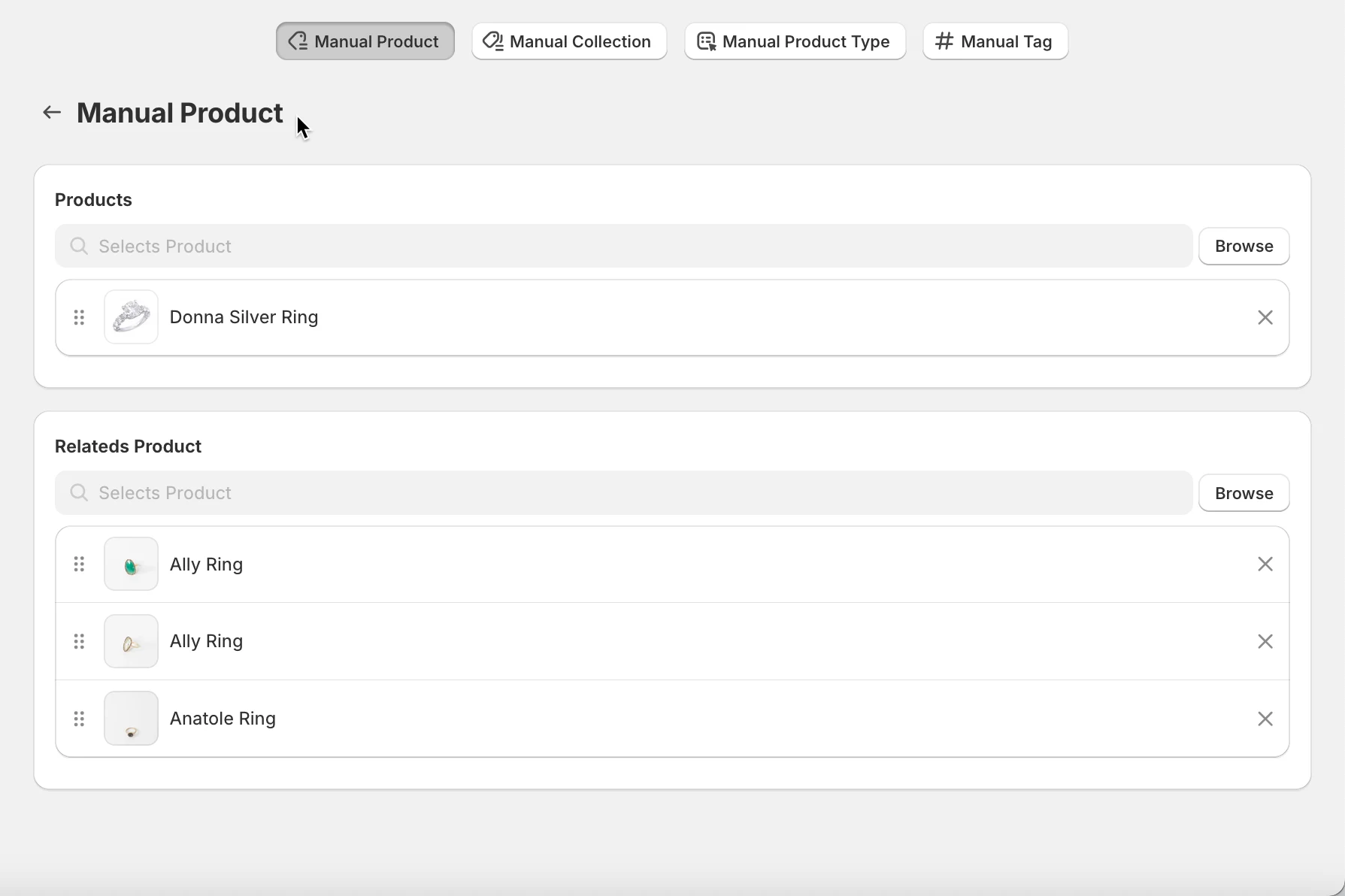
Section titled “🧩 Available manual recommendation types”1) Manual Product
Section titled “1) Manual Product”Best for: Specific product-to-product recommendations.
How it works
You select one product, then manually choose which products should be recommended for it.
Example
- Product:
Donna Silver Ring - Recommended products:
Ally RingAlly Ring
Ally RingAlly Ring
Anatole RingAnatole Ring
✅ When a customer views Donna Silver Ring, they will see only these products.
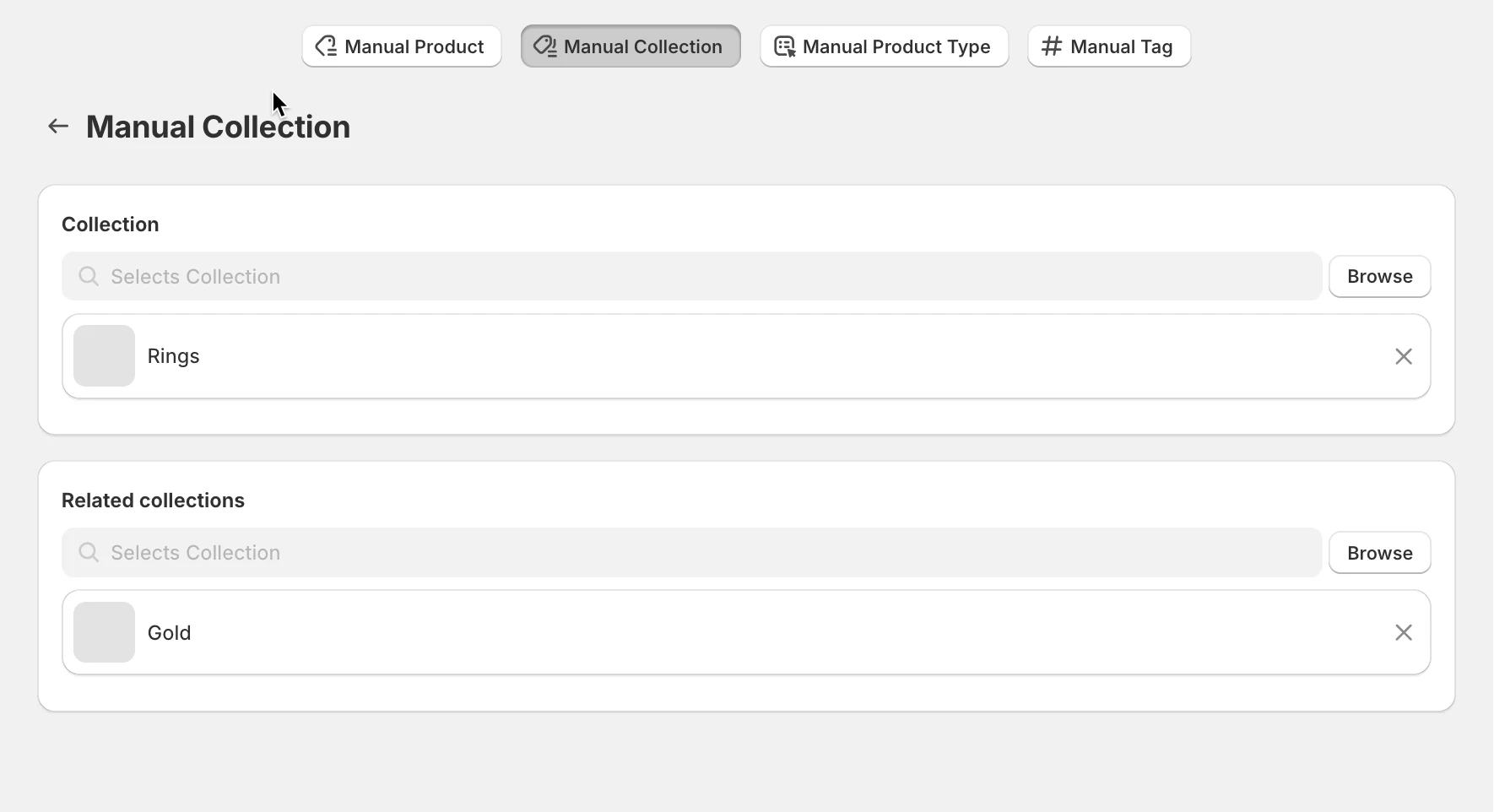
2) Manual Collection
Section titled “2) Manual Collection”Best for: Collection-based recommendations.
How it works
You select a collection, then assign other collections to recommend.
Example
- Collection:
Rings - Recommended collections:
Silver
✅ Products from the related collections will be shown.
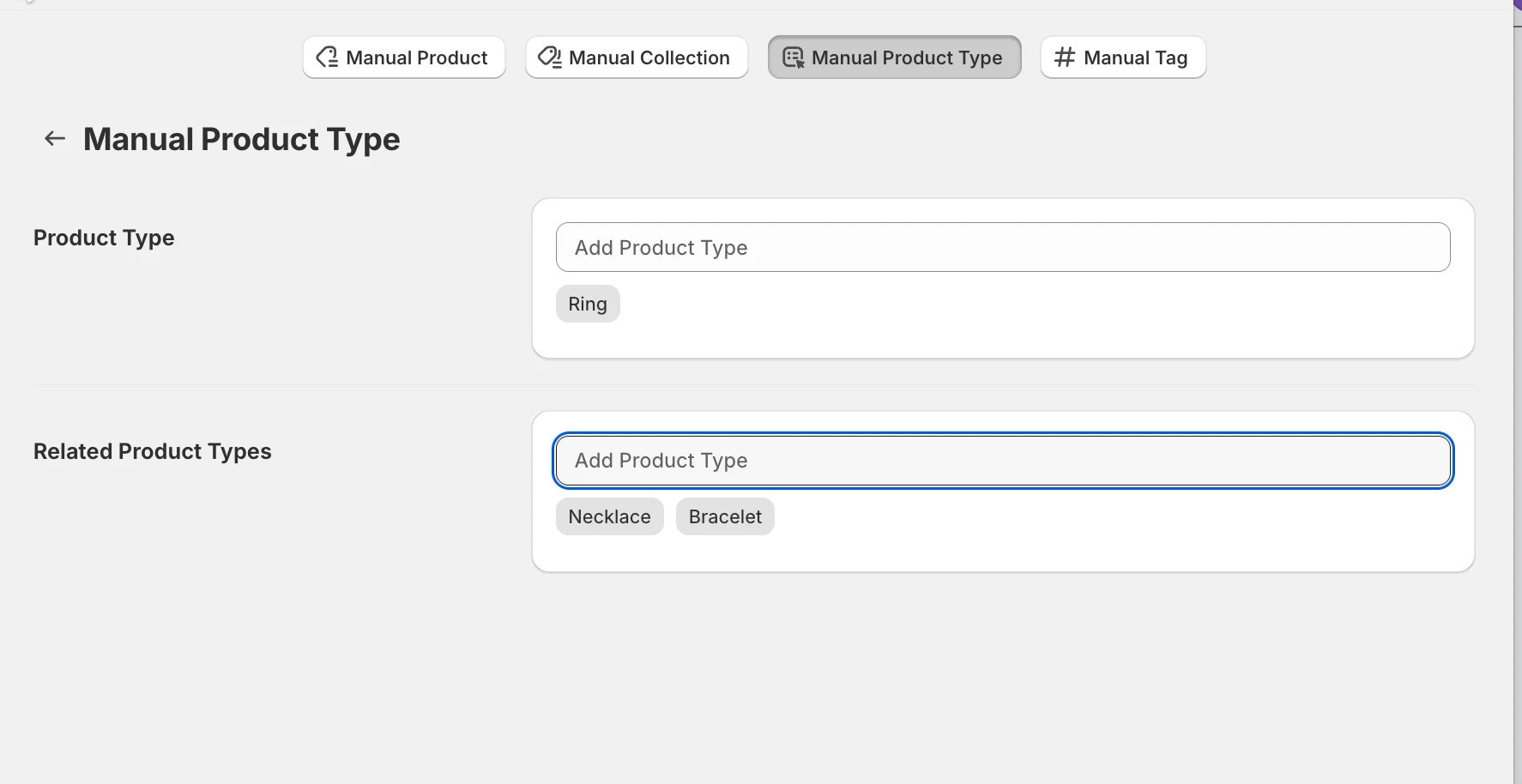
3) Manual Product Type
Section titled “3) Manual Product Type”Best for: Product category upsells.
How it works
You select a product type (e.g. Ring, Necklace), then define which product types should be recommended.
Example
- Product type: Ring
- Recommended product types:
- Necklace
- Bracelet
✅ When viewing any Ring, customers will see Necklaces and Bracelets.
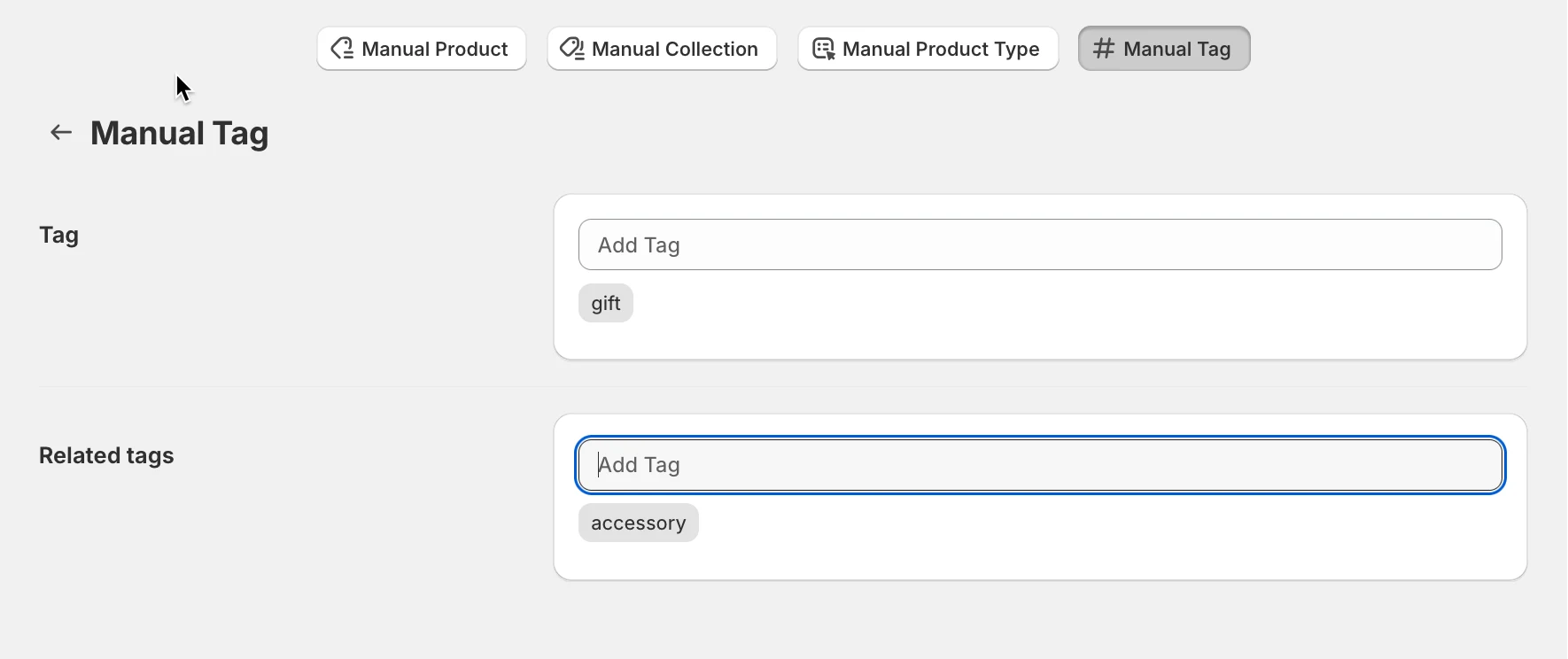
4) Manual Tag
Section titled “4) Manual Tag”Best for: Flexible, tag-based logic.
How it works
You choose a tag, then define which tagged products should be recommended.
Example
- Tag:
gift - Recommended products: Items tagged
accessory
✅ Any product with the gift tag will show accessory recommendations.
❓ FAQs
Section titled “❓ FAQs”Q: Do manual recommendations update automatically?
No. You must update them manually when products change.
Q: Can I use Manual Recommendations with multiple widgets?
Yes. Just control priority using Display order.
Q: What happens if no manual rule matches?
The widget will not display recommendations unless another rule applies.
▶️ Tutorial video
Section titled “▶️ Tutorial video ”🙋 Still need support?
If you still need help, please feel free to contact us at hi@tipo.io. We’ll be happy to assist you further.