> For the complete documentation index, see [llms.txt](https://docs.tipo.io/llms.txt). Markdown versions of documentation pages are available by appending `.md` to page URLs; this page is available as [Markdown](https://docs.tipo.io/tipo-auction/~/revisions/PEkBh9esJi9c1nGTtNyz/winner-and-checkout-flow/order-for-the-auction-winner.md).
# Order for the auction winner
After an auction ends, the winner needs a way to complete their purchase.\
Tipo Auction automatically creates a special order flow so only the winner can check out the auction product.
This guide explains how the order for the winner works and what both admins and customers experience.
### ℹ️ What is “Order for winner”?
An **Order for winner** is a restricted checkout process where:
* Only the **winning bidder** can place an order
* The order price is based on the **final winning bid**
* Other customers cannot buy the product
This ensures the auction result is respected and secure.
***
### 🔄 How the winner checkout flow works
#### Step 1: Auction ends
* The auction reaches its end time or is manually stopped
* A winner is selected automatically or manually
***
#### Step 2: Winner is assigned
* The highest bidder becomes the auction winner
* The product is locked for that customer only
***
#### Step 3: Winner receives checkout access
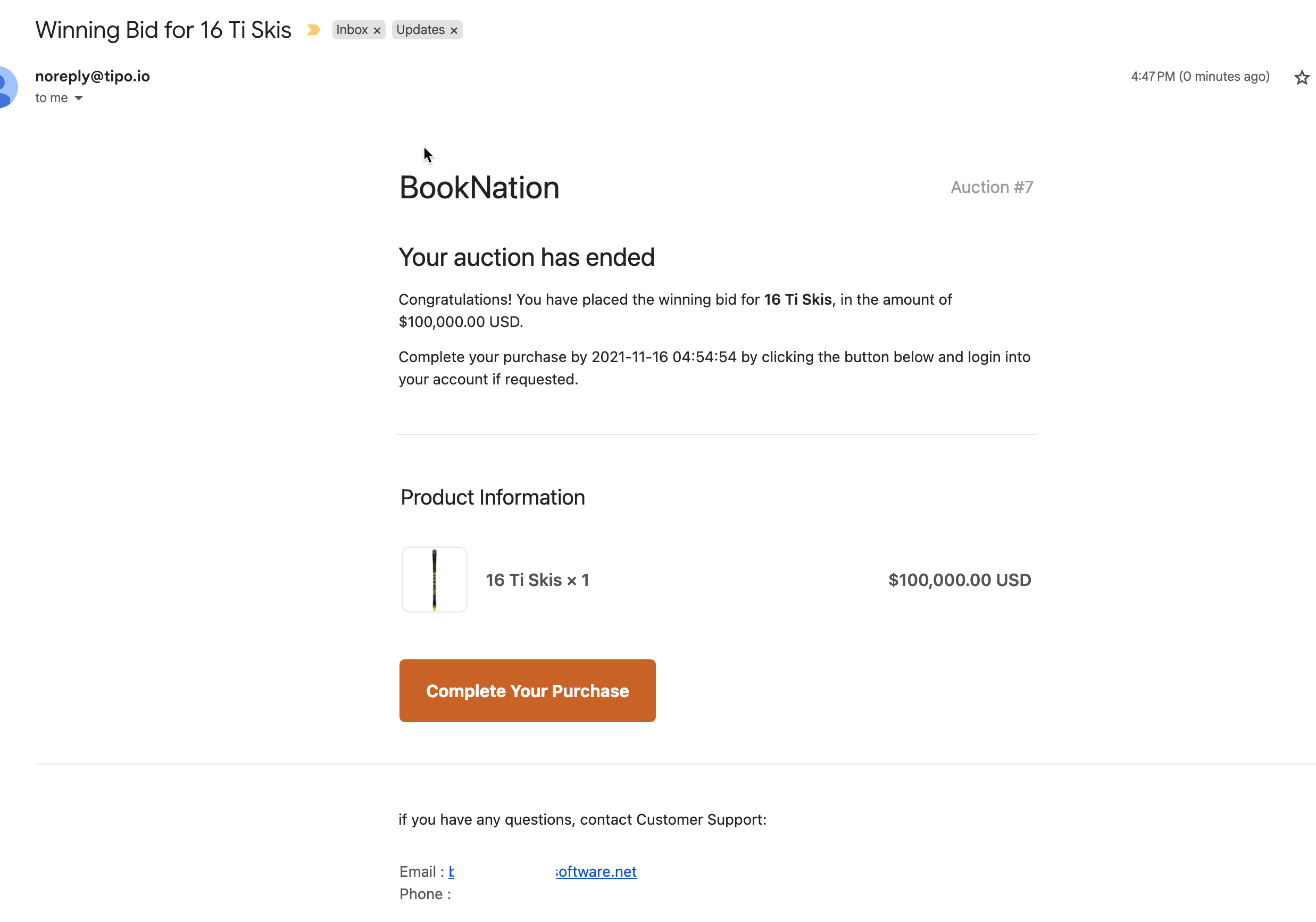
A winning email notification will be sent to the winner’s email address
1. The winner clicks on **Complete your purchase** button on the email
2. He will be directed to the Shopify checkout screen
3. Payment is completed like a normal Shopify order
#### Another option:
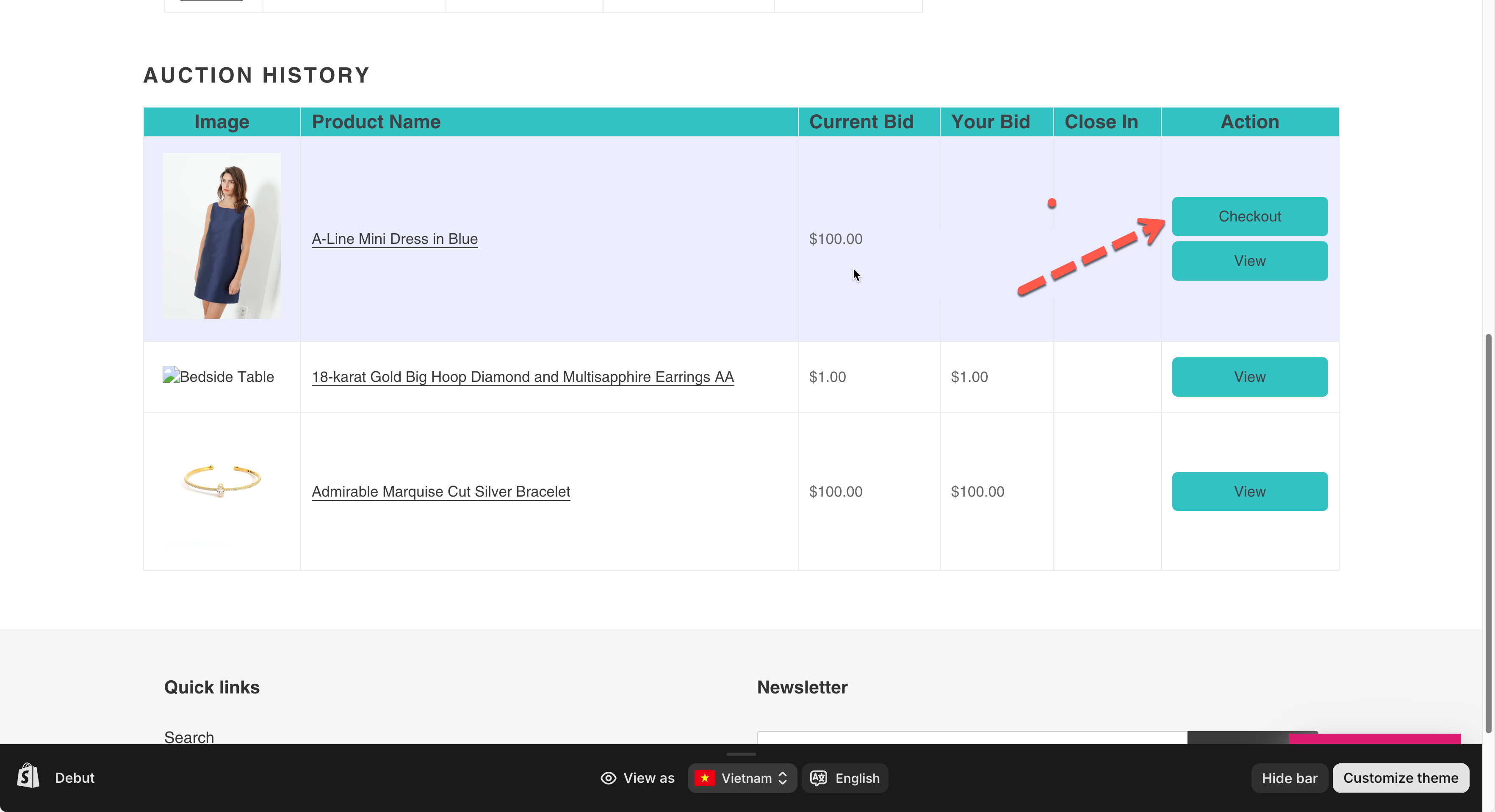
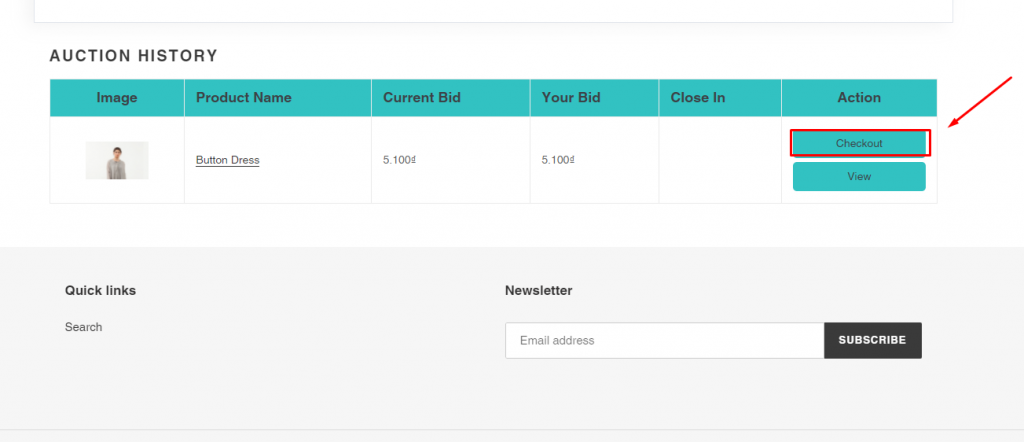
1. The winner logs in his customer account > go to his account page on the Shopify store
2. Check **Auction history** > Click **Checkout** button
3. Complete the checkout process to purchase the auction item
### ✅ What admins see in Shopify
In Shopify Admin:
* An order is created for the winner
* The order shows:
* auction product
* final bid price
* winner’s customer details
* Order status follows normal Shopify workflows
***
### 🔍 Troubleshooting
If the winner cannot place an order:
* Confirm a winner has been selected
* Check that payment time has not expired. [Learn more](https://docs.tipo.io/tipo-auction/~/revisions/3uOn584ZFy41DoorDGbA/winner-and-checkout-flow/set-payment-time-for-winners)
* Make sure purchase buttons are enabled for auction ended status
* Verify theme integration is active