> For the complete documentation index, see [llms.txt](https://docs.tipo.io/llms.txt). Markdown versions of documentation pages are available by appending `.md` to page URLs; this page is available as [Markdown](https://docs.tipo.io/tipo-auction/~/revisions/PEkBh9esJi9c1nGTtNyz/winner-and-checkout-flow/auto-assign-next-winner.md).
# Auto-assign next winner
Sometimes the auction winner does not complete payment.\
The **Auto-assign next winner** feature automatically assigns the next highest bidder as the new winner, keeping the auction moving without manual work.
This guide explains how auto-assign works and how to enable it.
### 🎯 Why use auto-assign next winner?
Using auto-assign helps you:
* Avoid stalled auctions
* Reduce manual winner management
* Complete orders faster
* Ensure fair and smooth auction results
***
### 🛠️ Step-by-step: Enable auto-assign next winner
#### **Step 1: Set a payment deadline**
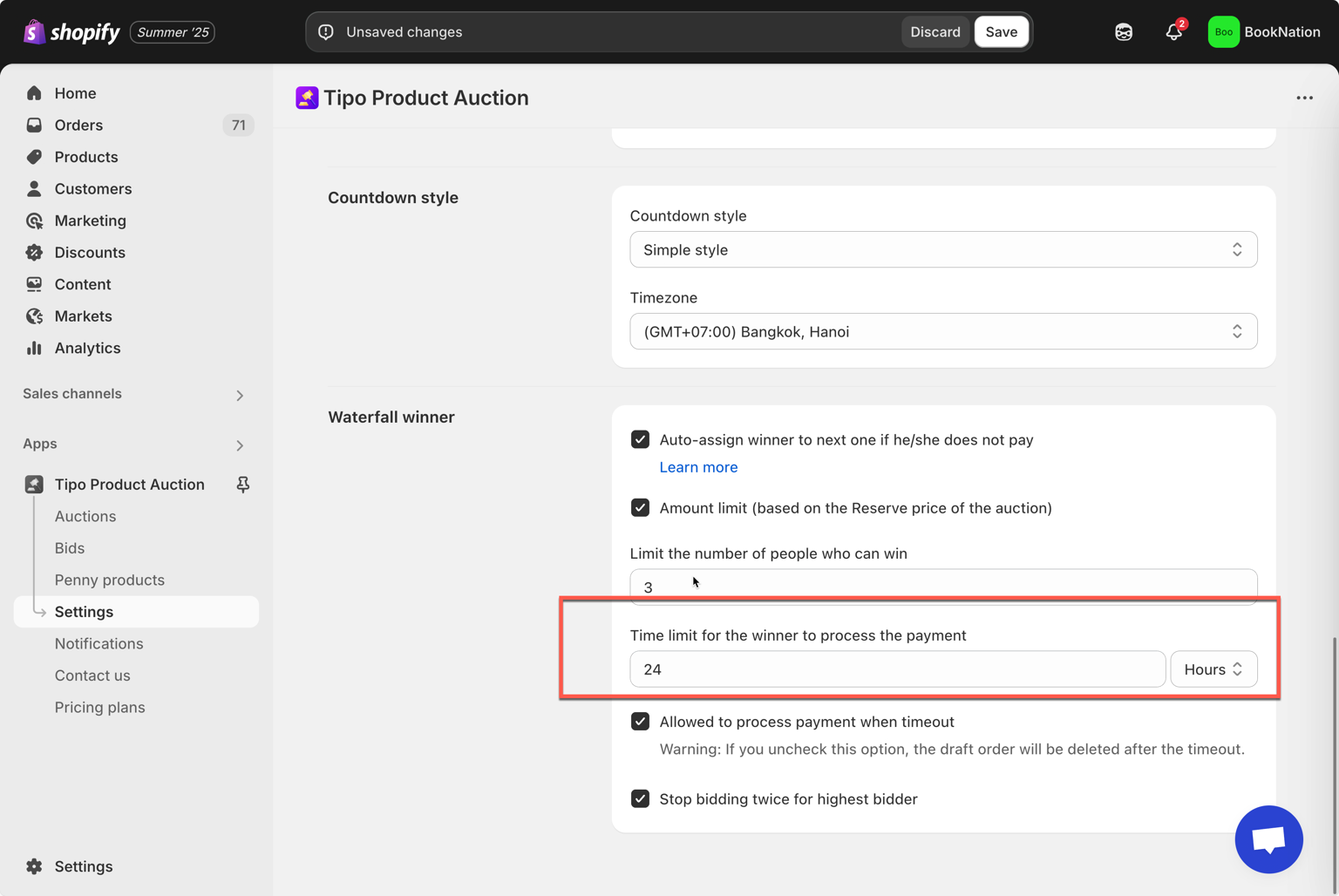
1\. Open the app > go to **Settings** > **General** > scroll down to **Waterfall winner**
2\. In the **Time limit for the winner to process the payment** field, enter the time amount by hours/minutes you want
3\. Click **Save**
#### **Step 2: Enable Auto-Assign feature**
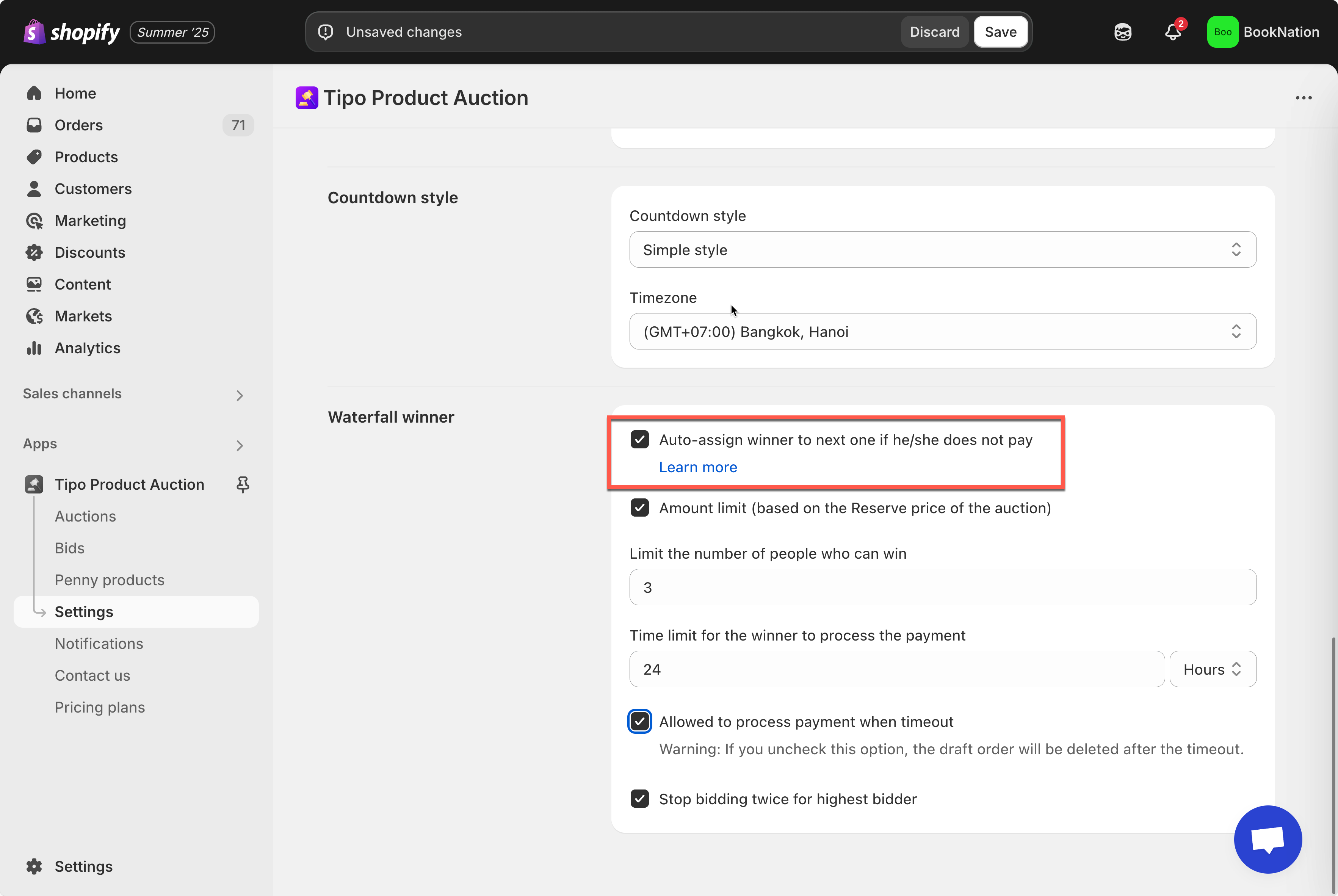
* Within the same **Waterfall Winner** settings, enable the option **Auto-assign winner to next one if he/she does not pay**
* Tick on the checkbox **Amount limit (based on the Reserve price of the auction)** – optional if you want the current price of next winner to be bigger than the **Reserve** **price** of the auction
* Click **Save**
***
### 🔄 How auto-assign next winner works
1. The auction ends and a winner is selected
2. The winner receives checkout access
3. The payment time countdown starts
4. If the winner does **not** pay in time:
* The system automatically assigns the **next highest bidder** as the new winner
5. The new winner receives checkout access
This process repeats until a payment is completed or no bidders remain.
#### Examples: First winner does not pay
**Scenario:**
* Winner A wins the auction
* Payment time: 24 hours
* Winner A does not complete payment
**Result:**
* Winner A loses checkout access
* Winner B (next highest bidder) becomes the new winner
* Winner B can now complete checkout
***
### ⚙️ Recommended settings
For best results, use auto-assign together with:
* **Set payment time for winners**
* **Allowed to process payment when timeout** → OFF
This ensures:
* Clear payment deadlines
* Automatic progression to the next bidder
* No manual admin action needed