> For the complete documentation index, see [llms.txt](https://docs.tipo.io/llms.txt). Markdown versions of documentation pages are available by appending `.md` to page URLs; this page is available as [Markdown](https://docs.tipo.io/tipo-auction/~/revisions/PEkBh9esJi9c1nGTtNyz/mail-notifications/customize-auction-email-templates.md).
# Customize auction email templates
### 🧩 Types of Auction Email Templates
#### 1) Admin Email Templates
Used for emails sent to store admins, such as:
* New bid notifications
* Auction winner alerts
* Bid summary emails
#### 2) Customer Email Templates
Used for emails sent to bidders, such as:
* Bid confirmation
* Outbid alerts
* Win / lose notifications
* Auction reminders
Each template can be customized independently
***
### 🛠️ **Steps to edit templates**
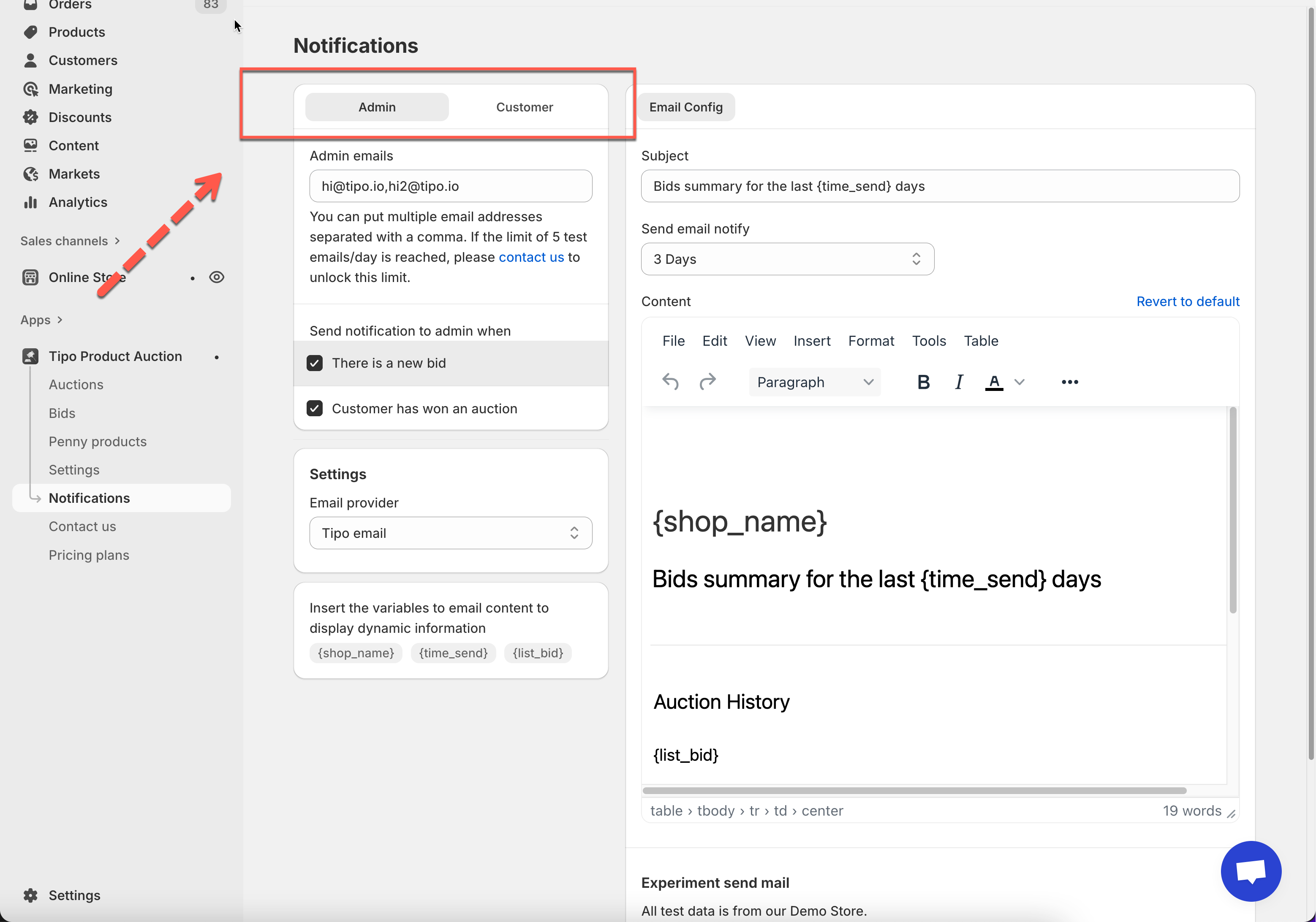
1. Open the app > click **Notifications**
2. Select:
* **Admin** tab → Admin email templates
* **Customer** tab → Customer email templates
3. Edit email subject
Example subjects:
* `You have a new bid on {product_name}`
* `You won the auction for {product_name}`
* `You have been outbid on {product_name}`
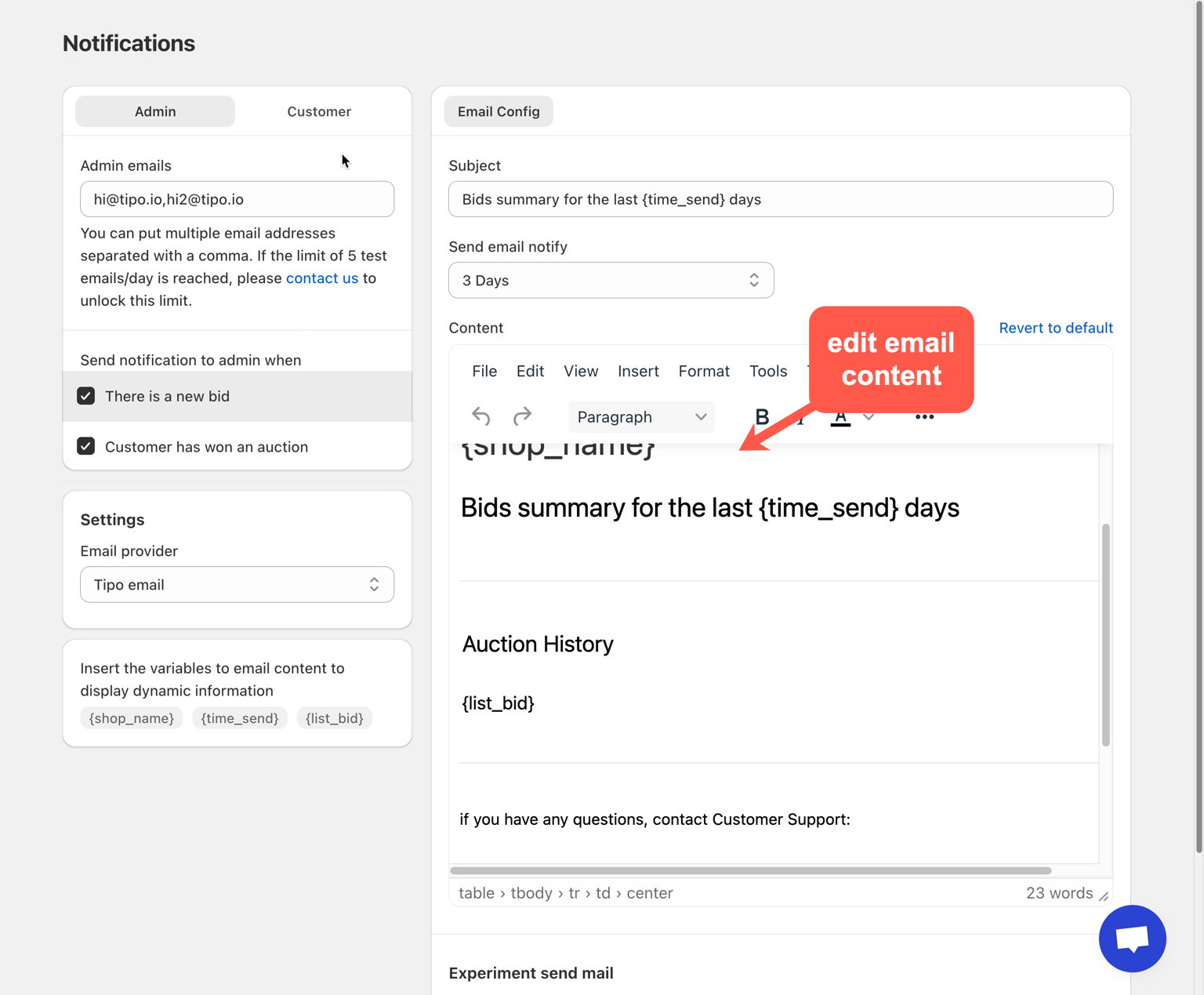
4. Customize email content
In the content editor, you can:
* Edit text
* Add headings
* Format paragraphs
* Insert dynamic variables
The editor supports basic formatting (bold, lists, alignment).
5. Click Save.
***
### 🧪 Example: Customer Outbid Email
**Template content:**
> Someone has placed a higher bid on **{product\_name}**.\
> Your last bid was **{bid\_amount}**.\
> Visit the product page to place a new bid.
**Result for customer:**
> Someone has placed a higher bid on *Gold Diamond Ring*.\
> Your last bid was **$800**.