> For the complete documentation index, see [llms.txt](https://docs.tipo.io/llms.txt). Markdown versions of documentation pages are available by appending `.md` to page URLs; this page is available as [Markdown](https://docs.tipo.io/tipo-auction/~/revisions/PEkBh9esJi9c1nGTtNyz/auction-widget-and-storefront-display/add-auction-collection-to-the-main-menu.md).
# Add auction collection to the main menu
Adding an auction collection to your store’s **main menu** makes it easy for customers to find all live auctions in one place (for example, a **Live Auctions** page).
This guide shows you how to add an auction collection to your storefront menu.
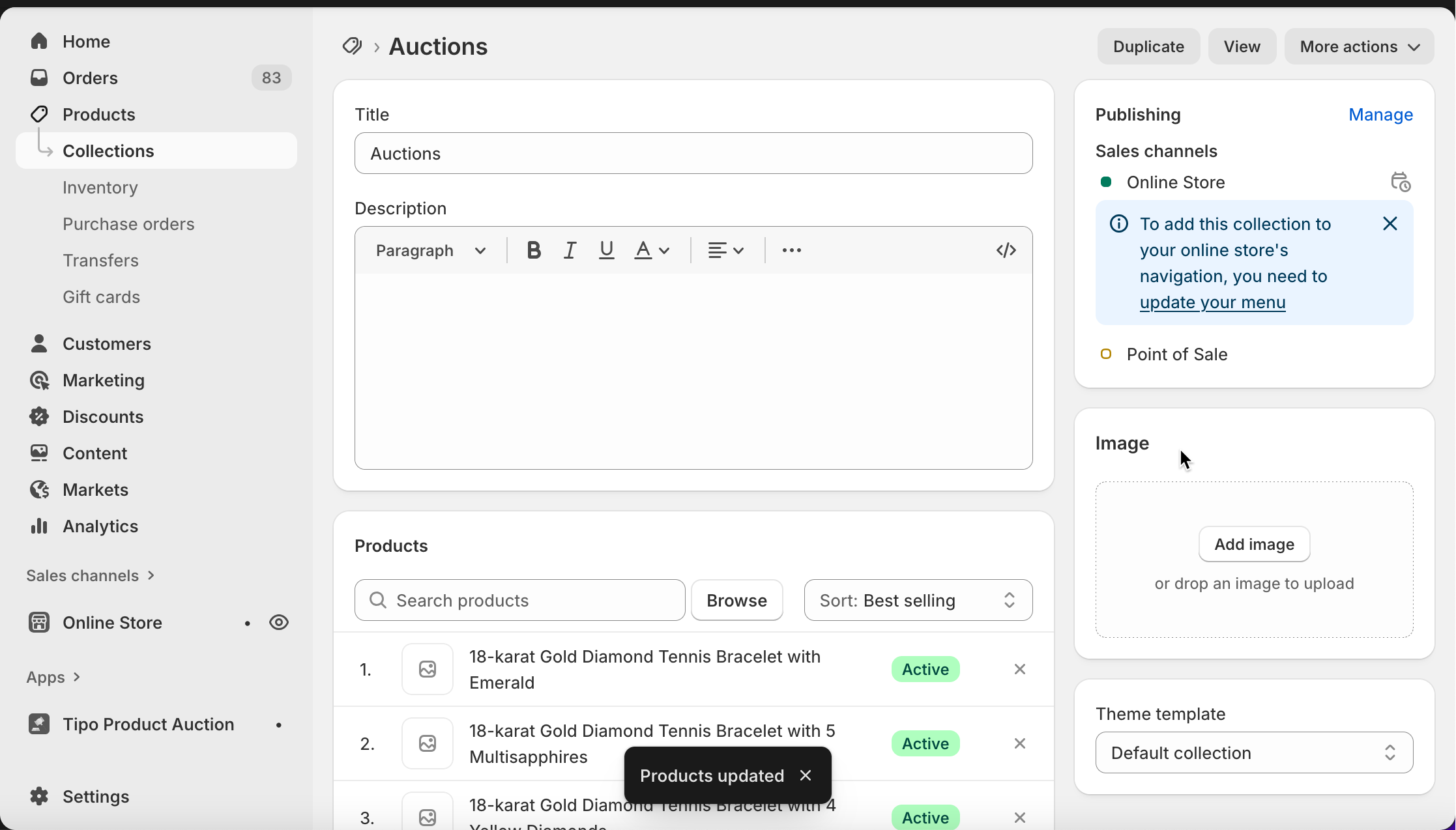
Before you start: You already have a Shopify **collection** that contains auction products\
(for example: *Live Auctions*)
***
### 🛠️ Step to manage
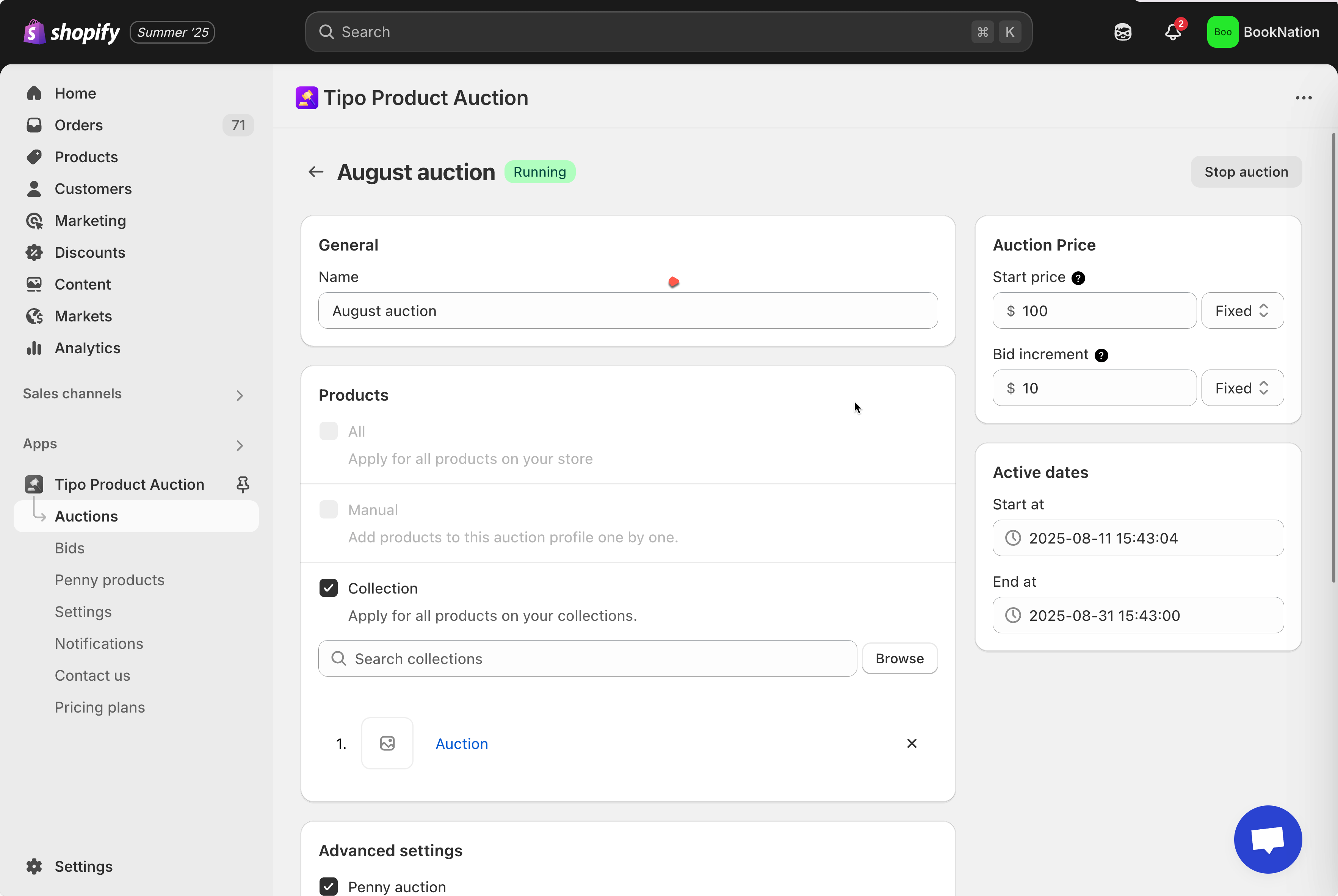
1\. In the app, you already created an auction for a collection
If you haven’t had an auction collection, please view this article for more detail about how to create an auction: [Set up an auction – tipo.io](https://tipo.io/index.php/kb/set-up-an-auction/)
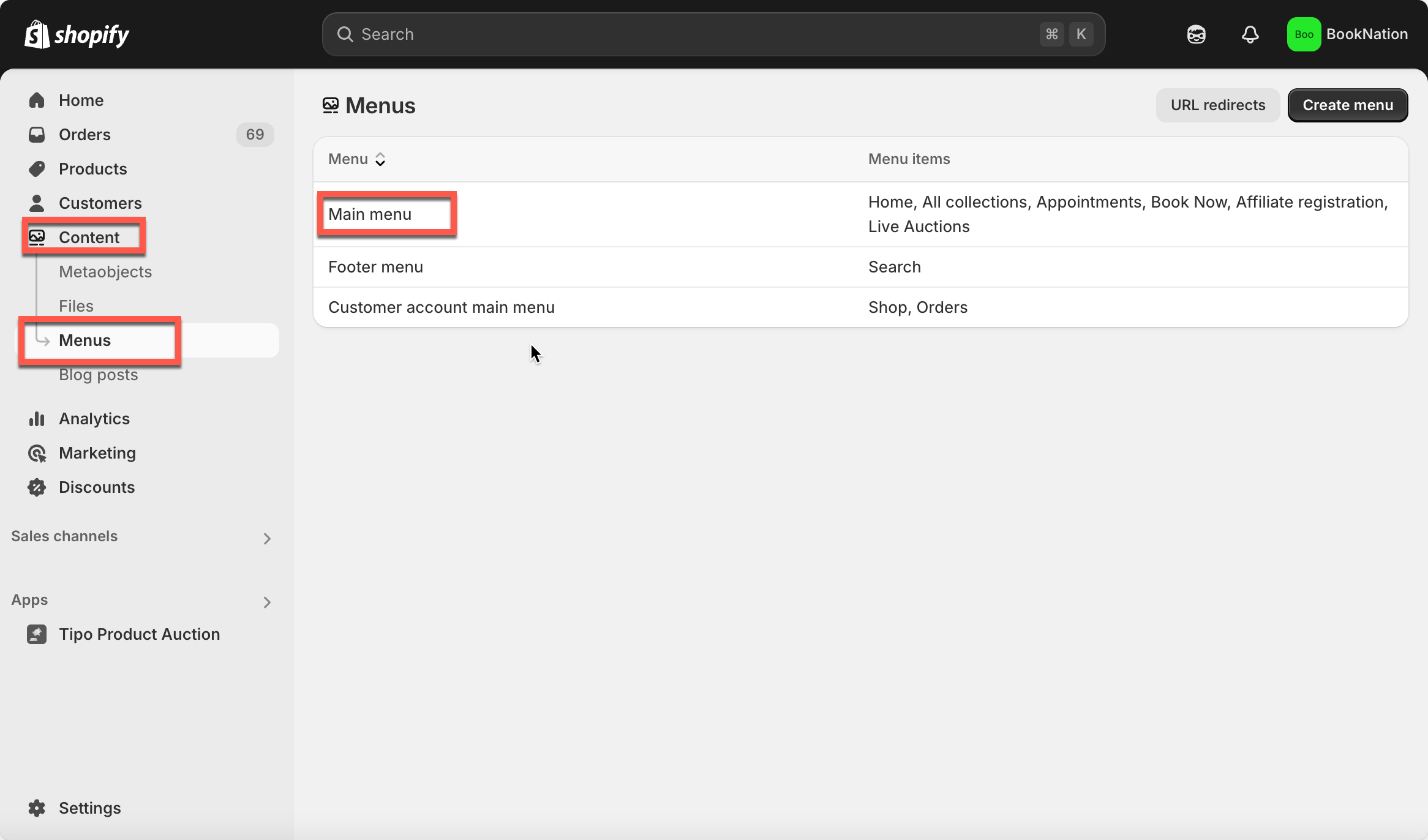
2\. From the Shopify admin page, click **Content** > **Menus** > go to **Main menu**
3\. Click **Add menu item** > name the menu item as you want and link it to the collection (used to created auction)
4\. Click **Save**
Now go the front store to check the result.
***
### ✅ What customers see on the storefront
On your store:
* Customers click **Auctions** in the main menu
* They see all products currently running as auctions
* Clicking a product opens the auction product page with the auction widget
This makes auctions more visible and easier to discover.
***
### ▶️ Tutorial video
{% embed url="" %}
**🙋 Still need support?**
If you still need help, please feel free to contact us at . We’ll be happy to assist you further.