> For the complete documentation index, see [llms.txt](https://docs.tipo.io/llms.txt). Markdown versions of documentation pages are available by appending `.md` to page URLs; this page is available as [Markdown](https://docs.tipo.io/tipo-auction/~/revisions/PEkBh9esJi9c1nGTtNyz/auction-rules-and-bidding-features/delete-a-bid.md).
# Delete a bid
Sometimes you may need to remove a bid. For example, if it was placed by mistake, a test bid, or a suspicious bid.
This guide shows you how to find a bid and delete it safely.
#### Step-by-step: Delete a bid
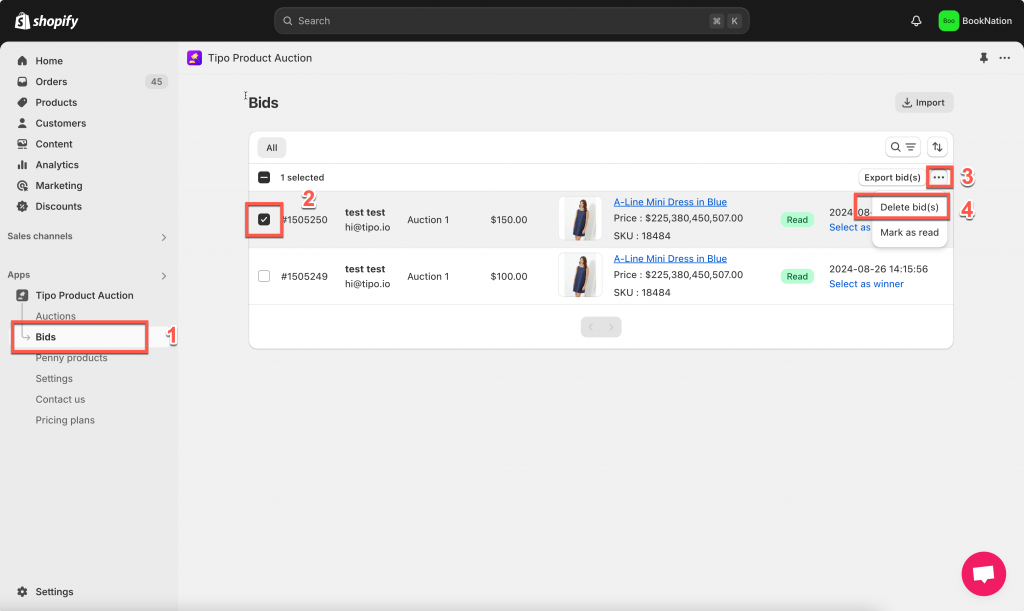
1. Open the app > click **Bids**
2. Filter by:
* Status
* Auction profile
* Product
* Amount range
* Auction status
3. Find the bid you want to remove > Click the **checkbox** next to the bid
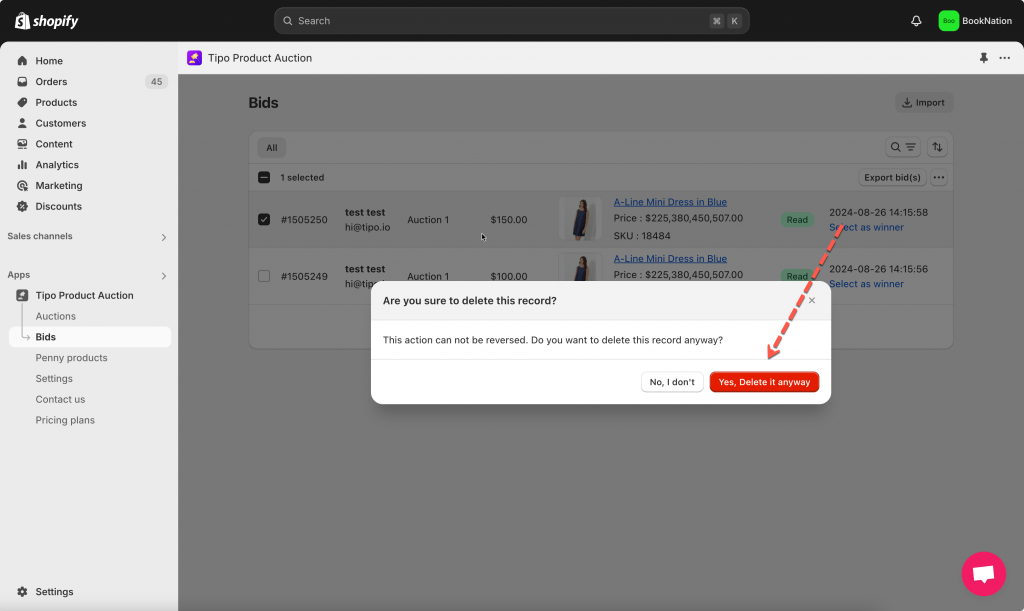
4. Click **More actions** > **Delete bid(s)**> **Yes, delete it anyway**
And the bid(s) will be deleted both in the app and in the Bid History on the font store.
#### After deletion
* The bid is removed from the list
* The current bid may update automatically
* The winner may change if the auction has ended
If the deleted bid was the highest, the system will fall back to the next valid bid.
***
**🙋 Still need support?**
If you still need help, please feel free to contact us at . We’ll be happy to assist you further.