> For the complete documentation index, see [llms.txt](https://docs.tipo.io/llms.txt). Markdown versions of documentation pages are available by appending `.md` to page URLs; this page is available as [Markdown](https://docs.tipo.io/tipo-auction/~/revisions/PEkBh9esJi9c1nGTtNyz/auction-rules-and-bidding-features/automatic-bidding.md).
# Automatic bidding
### ℹ️ What Is Automatic Bidding?
**Automatic bid,** also known as **Proxy bidding** lets a bidder set a maximum bid amount.\
The system then automatically places bids for them to keep them in the lead, without needing to bid manually each time.
This makes bidding easier and more competitive.
* The bidder sets a maximum amount they are willing to pay
* The system bids on their behalf
* Bids increase only when someone else places a bid
* The bidder never pays more than their maximum bid
***
### 🛠️ Set up Automatic bid
**Steps to manage**
1\. Open the app > click **Auctions** > create a new auction or open a current auction
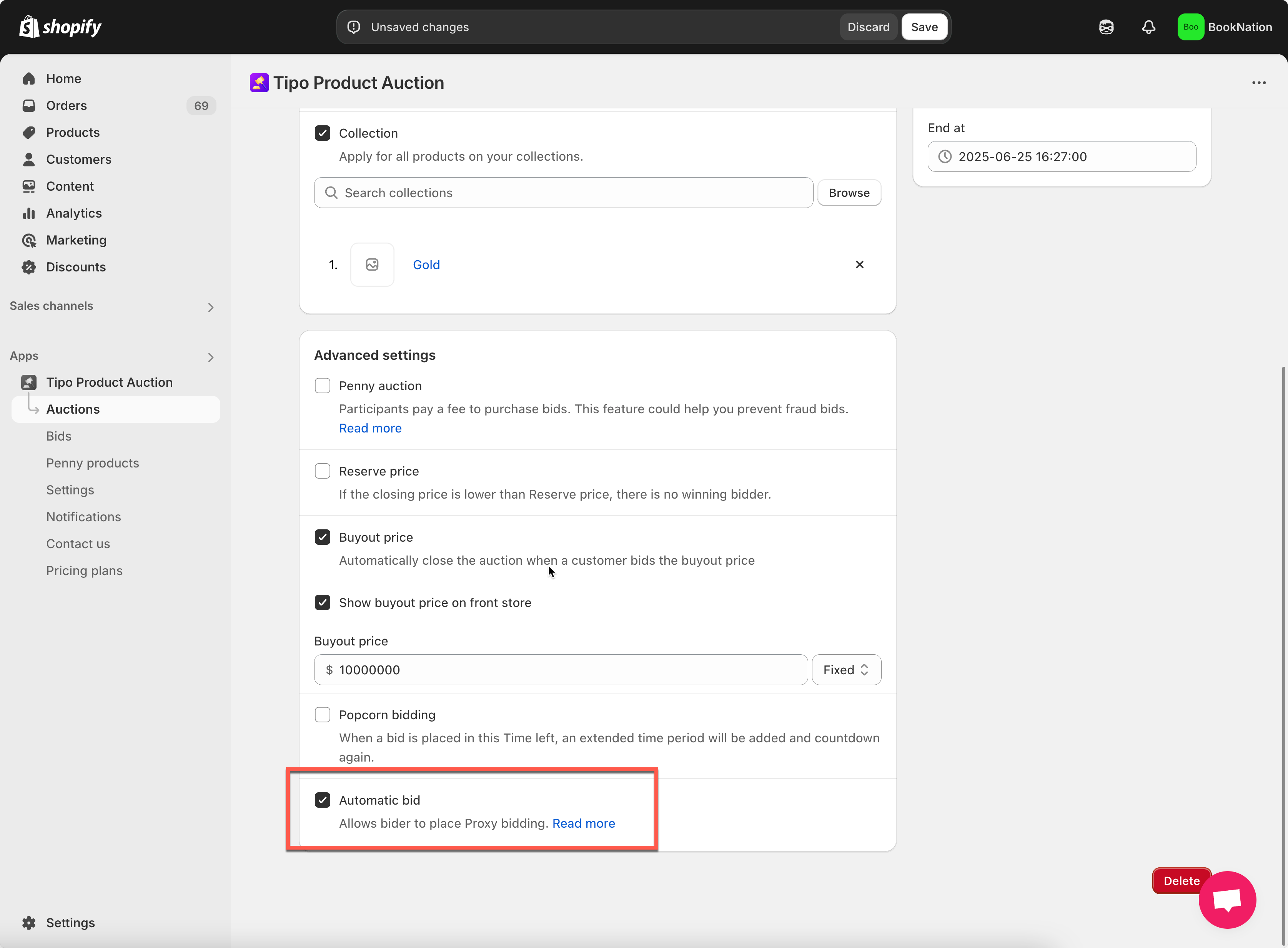
2\. In **Advance setting** sessions, tick to **Automatic bid** checkbox
3\. Click **Save**
***
### ✅ How the Automatic bid works
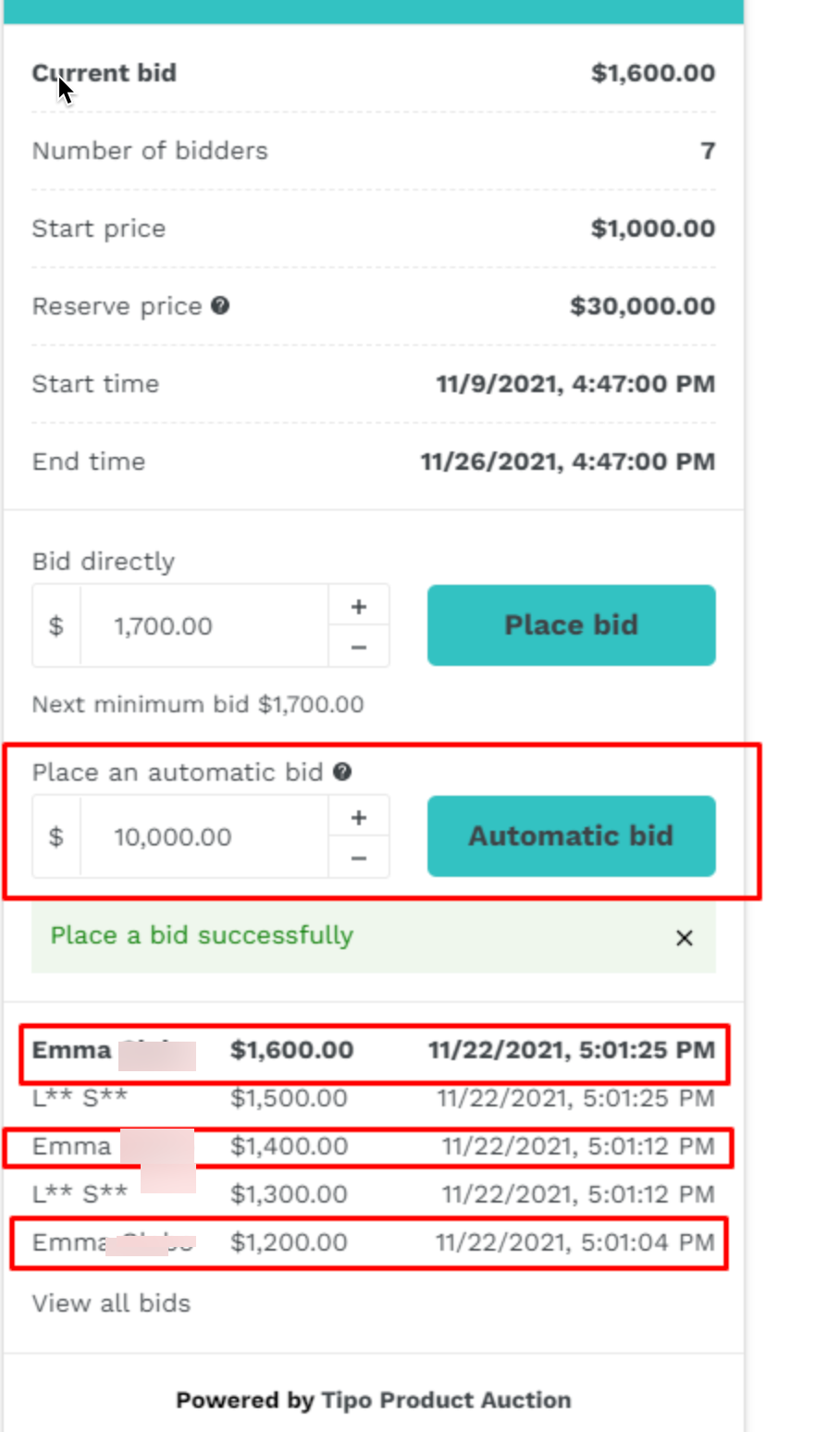
1. A customer enters a **maximum bid amount**
2. The system places the **minimum required bid**
3. When another bidder places a bid:
* The system automatically raises the bid (based on bid increment)
4. This continues until:
* The maximum bid is reached, or
* The auction ends
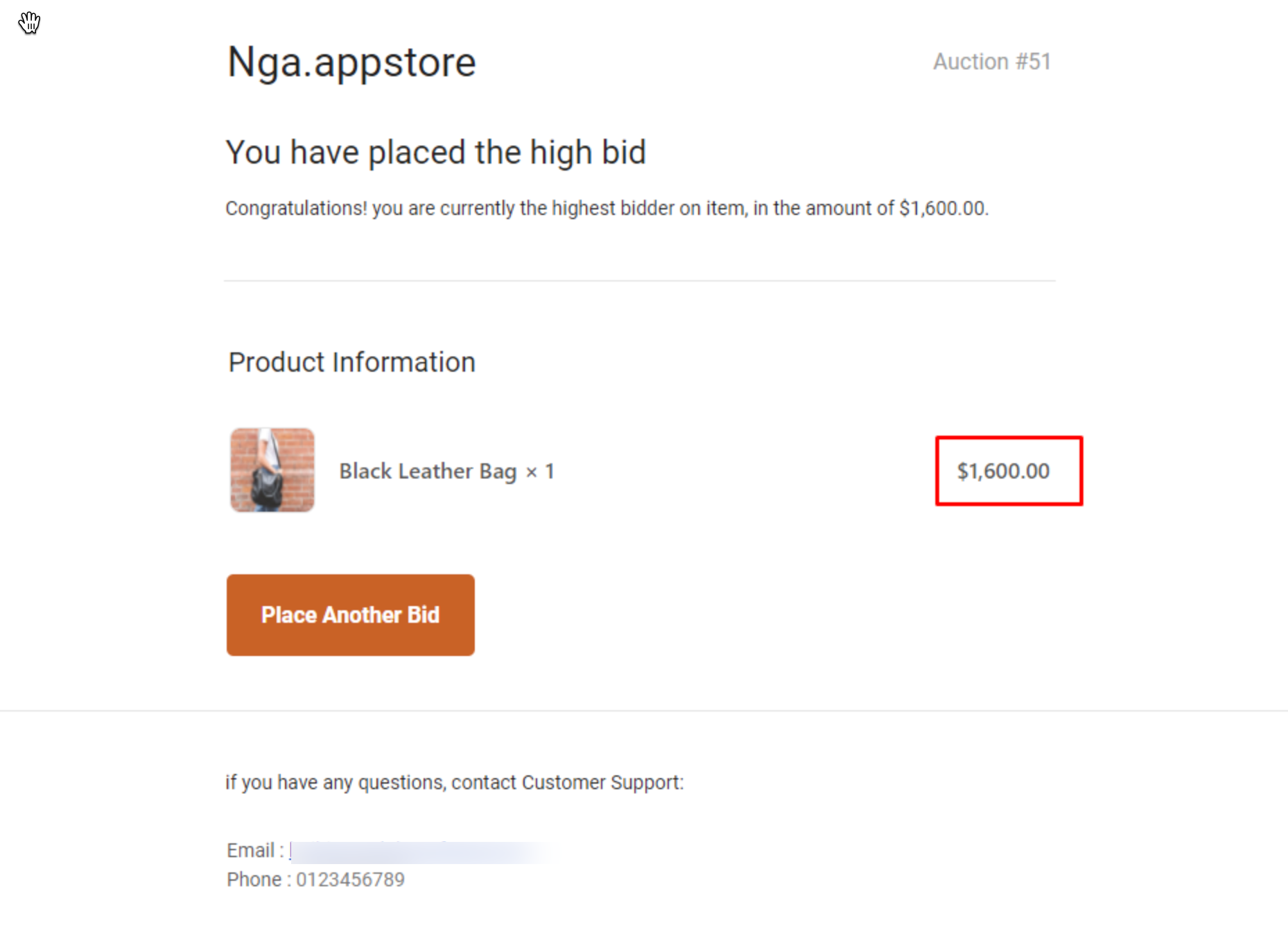
[ ](https://tipo.io/wp-content/uploads/2021/12/Screenshot_82.png)Here is an email sent to bidder who places automatic bid:
#### Example: Automatic Bidding in Action
**Auction settings**
* Current bid: **$100**
* Bid increment: **$10**
**Step 1: First auto-bidder**
* Customer A sets a maximum bid of **$200**
* System places a bid at **$110**
***
**Step 2: Another bidder joins**
* Customer B places a manual bid of **$130**
* System automatically bids **$140** for Customer A
***
**Step 3: Maximum reached**
* Customer B bids **$200**
* Customer A’s maximum is reached
* Customer B becomes the highest bidder
***
**What Happens at Auction End?**
* If the highest bidder used automatic bidding: They win at the lowest possible price needed to stay ahead
* Winner checkout follows the normal winner flow