# Google Sheet 整合

將預約匯出到 Google Sheets，方便您追蹤預約、製作報表，並與團隊分享資料。

### 🔌 將 Tipo 連接到 Google Sheets

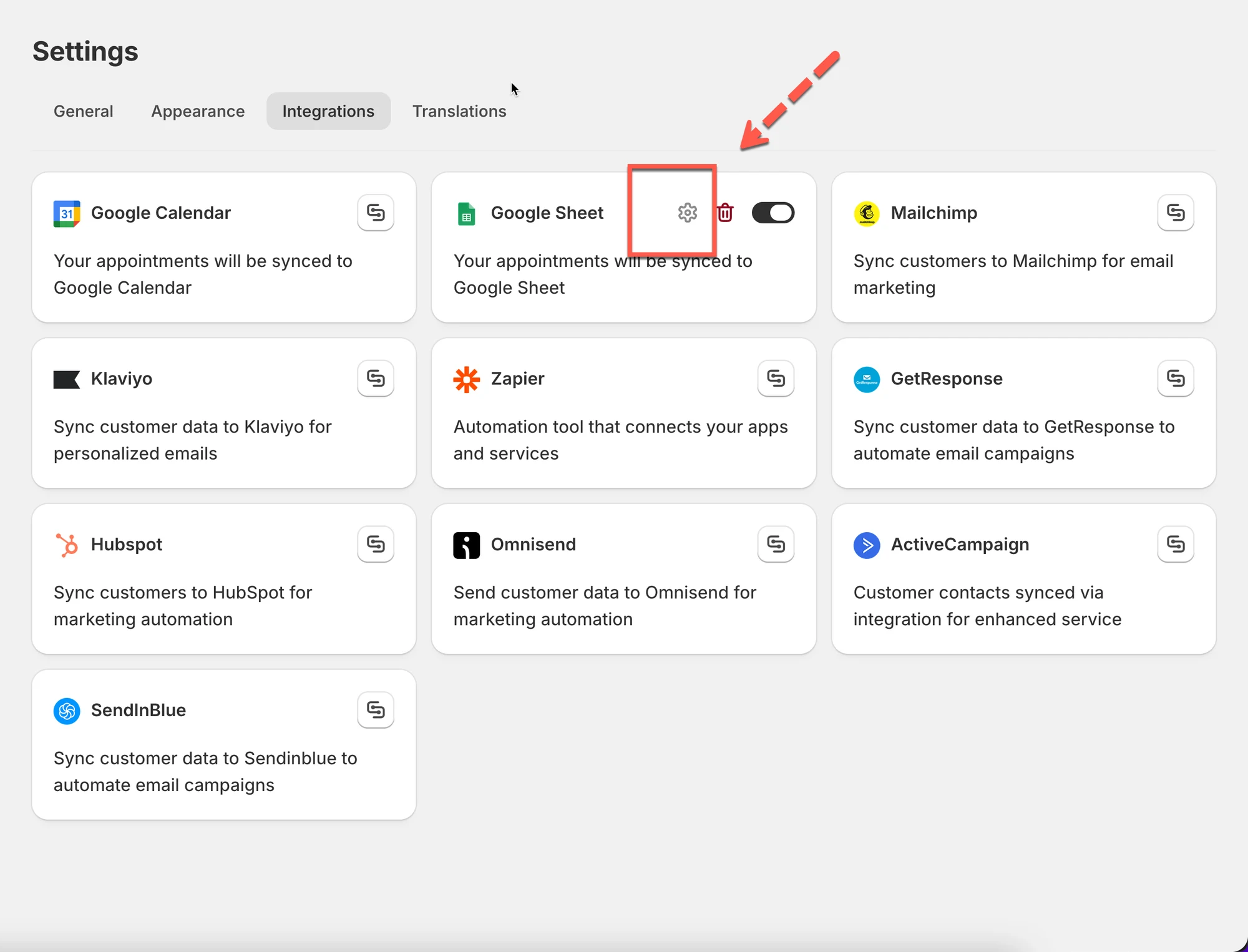
1\. 開啟應用程式 > 點擊 **Settings** > **Integrations** > 找到 **Google Sheets** 選項

2. 將 **Google Sheets** 選項開啟為 ON
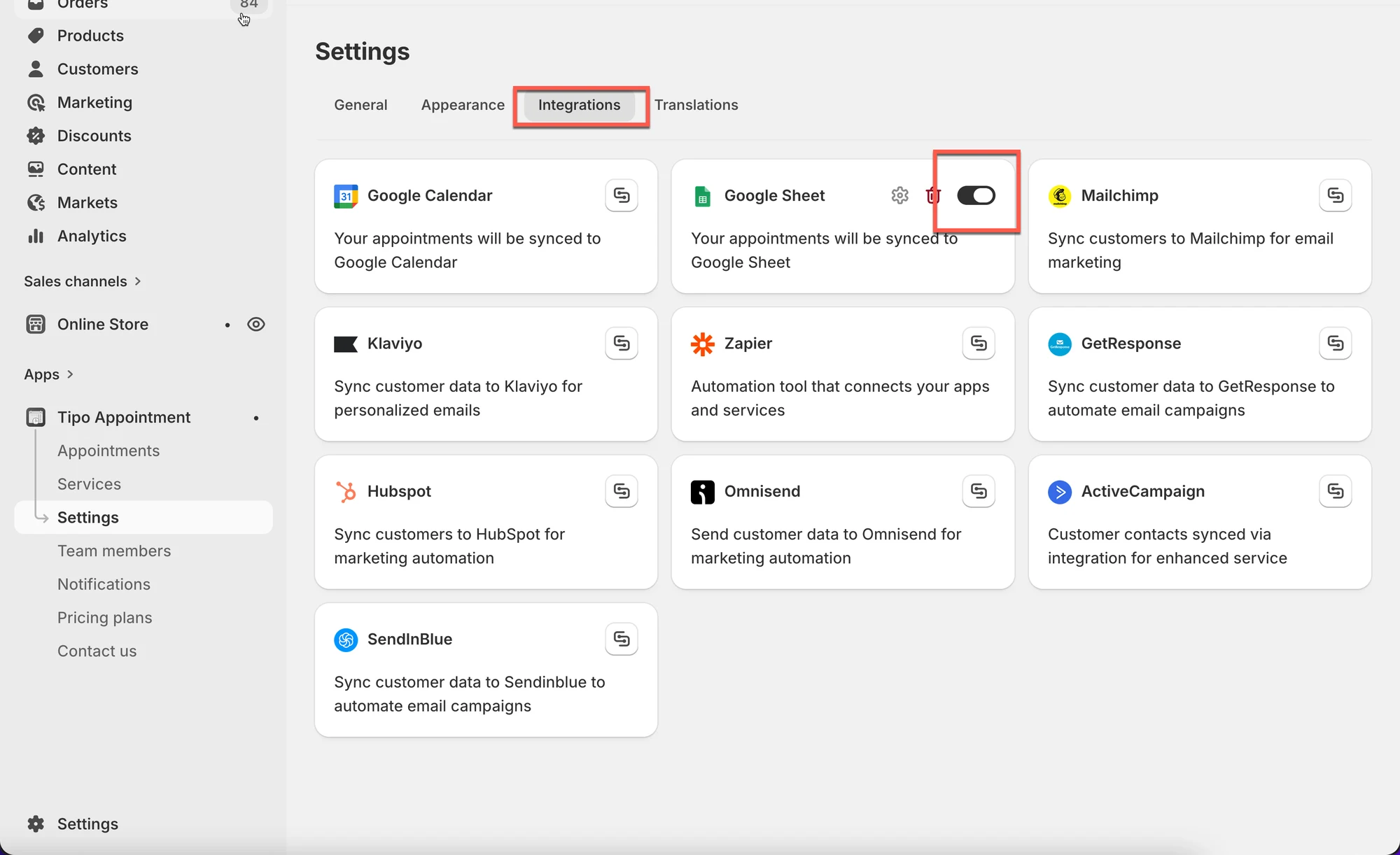
<figure><img src="/media/6d47b21fe4672eaf6e2e.webp" alt="" loading="lazy" decoding="async"><figcaption></figcaption></figure>

3. 點擊齒輪圖示進行設定

<figure><img src="/media/975ef4383de2d103f7bc.webp" alt="" loading="lazy" decoding="async"><figcaption></figcaption></figure>

3. 登入您的 Google 帳號&#x20;
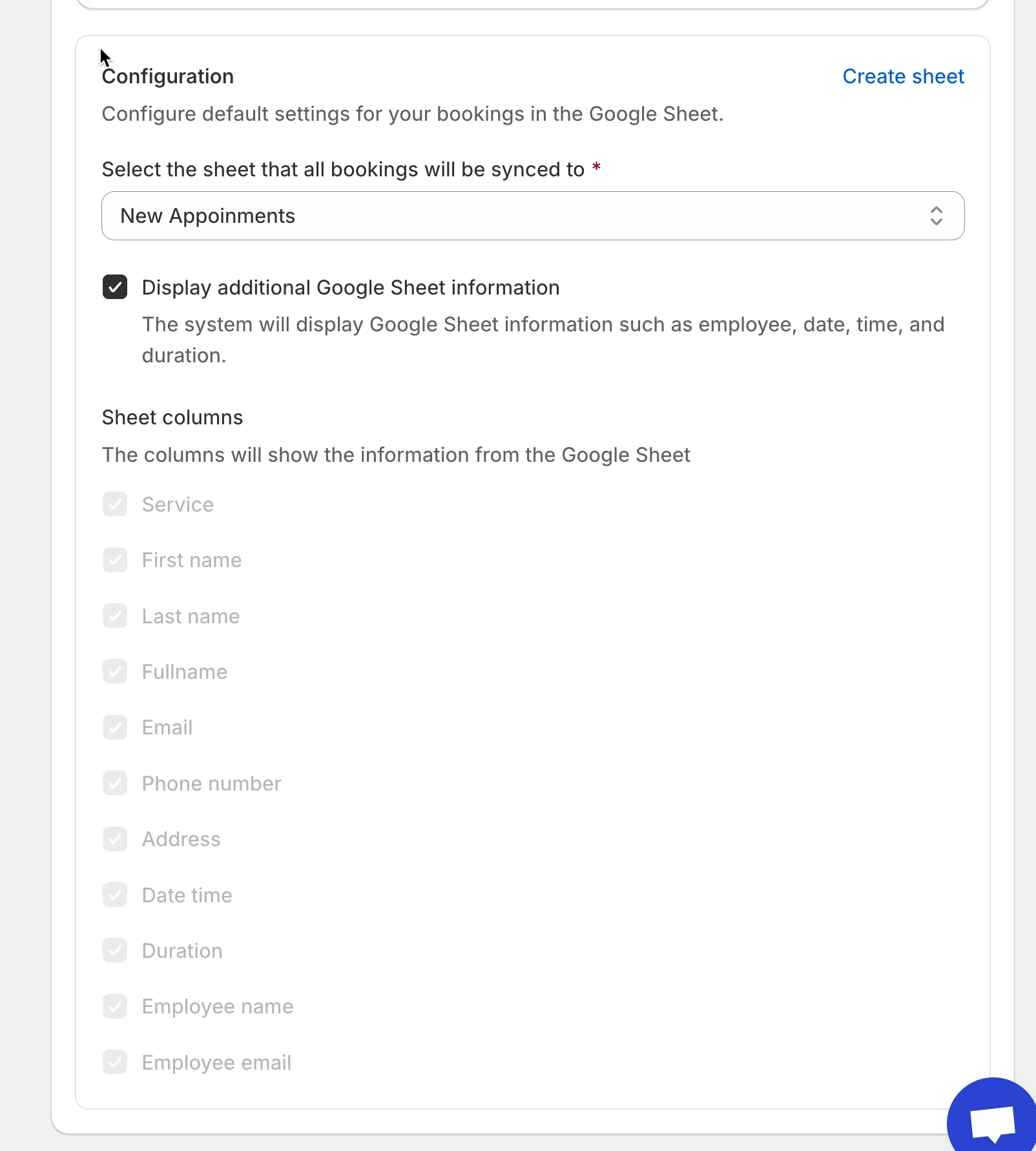
4. 選擇您帳號中現有的 **sheet**，或點擊 **Create sheet** 建立新的清單

<figure><img src="/media/93b8e69c88b004e8fca8.webp" alt="" loading="lazy" decoding="async"><figcaption></figcaption></figure>

5. 勾選核取方塊 **Show appointment booking information (service, employee, date time, duration, …)**（選填）
6. 點擊 **Save**

***

### ✅ **運作方式**

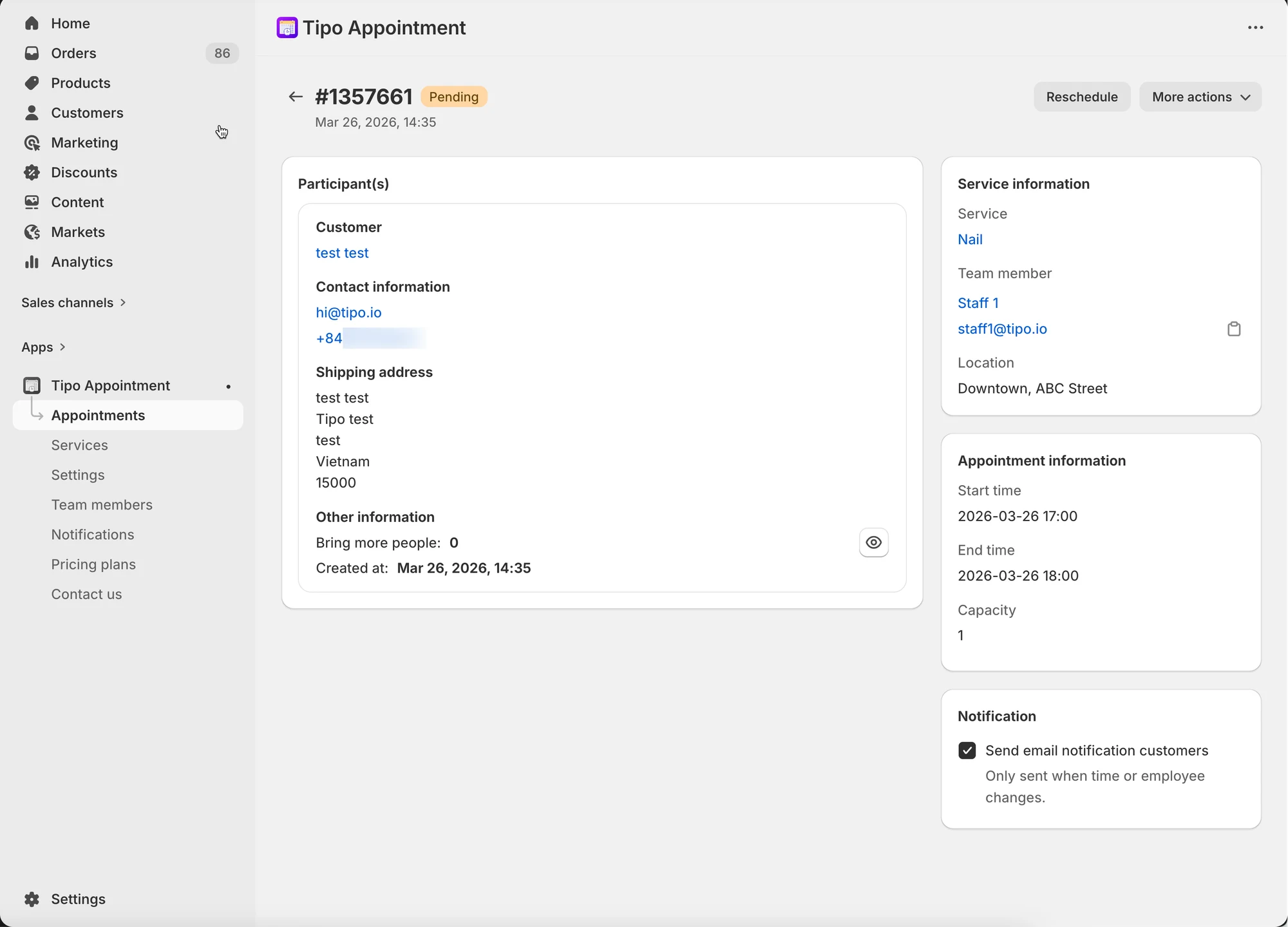
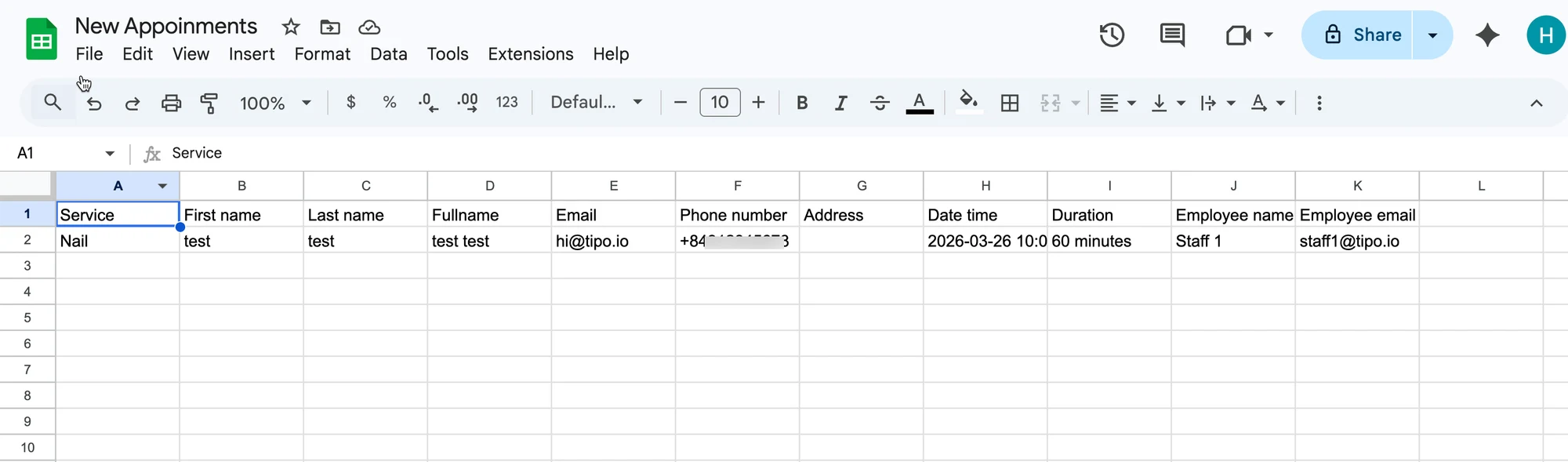
在應用程式中完成預約後，資料會自動新增到您 Google Sheet 中所選的表格。

應用程式中的預約：&#x20;

<figure><img src="/media/53f03f63551ac150ec95.webp" alt="" loading="lazy" decoding="async"><figcaption></figcaption></figure>

資料已新增到 Google Sheets 中所選的 sheet：

<figure><img src="/media/45abc953be644a1b6258.webp" alt="" loading="lazy" decoding="async"><figcaption></figcaption></figure>

<figure><span class="missing-media" role="note">原始文件中無法提供此螢幕截圖。</span><figcaption></figcaption></figure>

***

**🙋 還需要協助嗎？**

如果您仍需要協助，歡迎隨時寄信至 <hi@tipo.io> 與我們聯繫，我們很樂意為您提供進一步的協助。