# 選擇要同步哪些商品資訊
Tipo 應用程式可讓您選擇要將哪些商品資訊從 Source 商店同步到 Destination 商店。
這讓您能完全掌控在各商店之間更新哪些資料。
* **Product Fields** – 標題、說明、狀態、SEO 欄位、圖片、標籤、供應商、分類等。
* **Variant Fields** – 款式標題、條碼、重量、稅務設定、庫存追蹤等。
* **Price Fields** – 價格、單位價格、單件成本。
***
### 🛠️ **設定方式**
1\. 在 **Destination** store 中開啟應用程式 > 點選 **Settings > Product Fields to Synchronize**
3\. 為每個商品欄位選擇一個選項。共有 3 個選項:
* **Sync** – 建立並更新
* **Create only** – 僅在建立新商品時設定該值
* **Ignore** – 永不同步此欄位
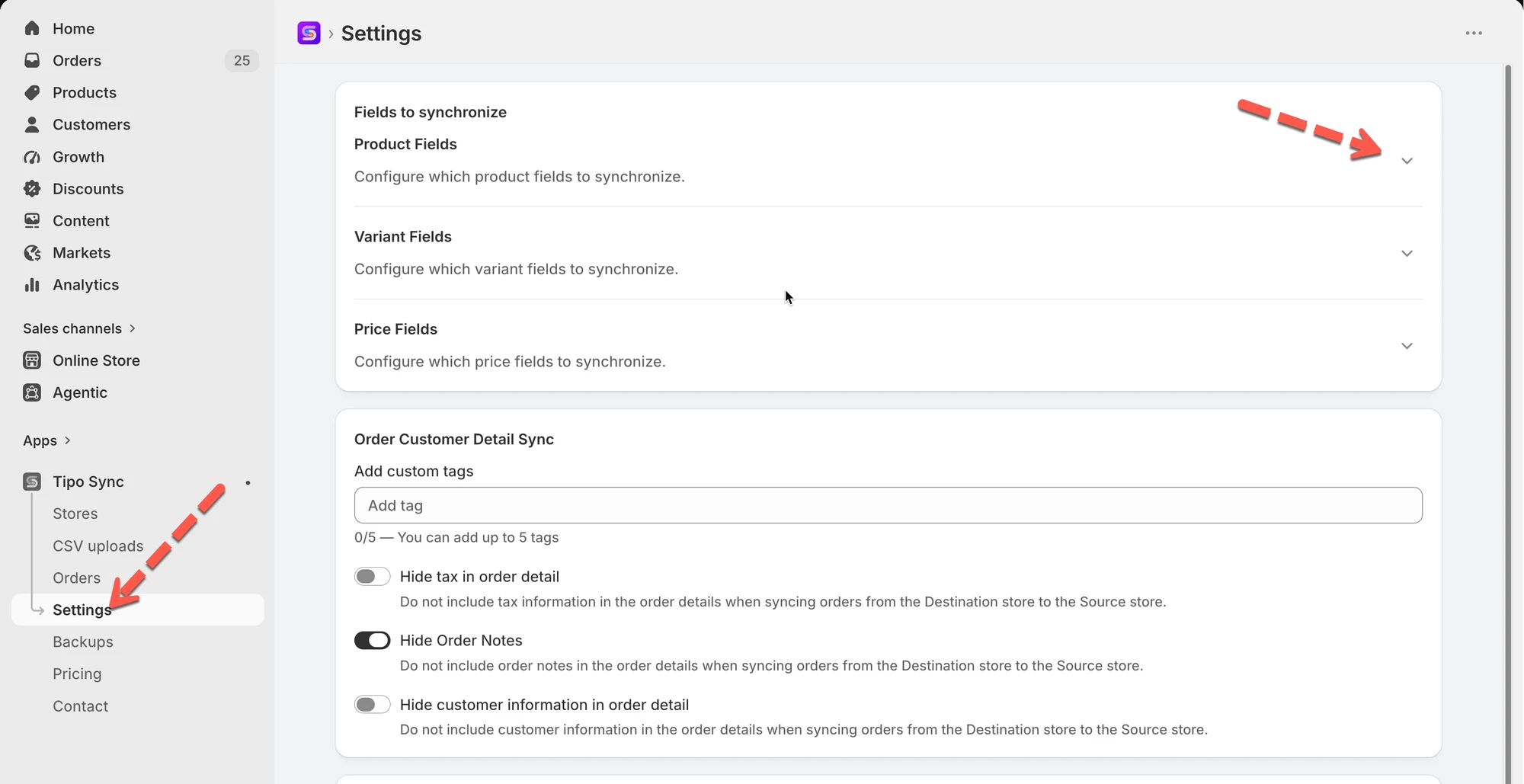
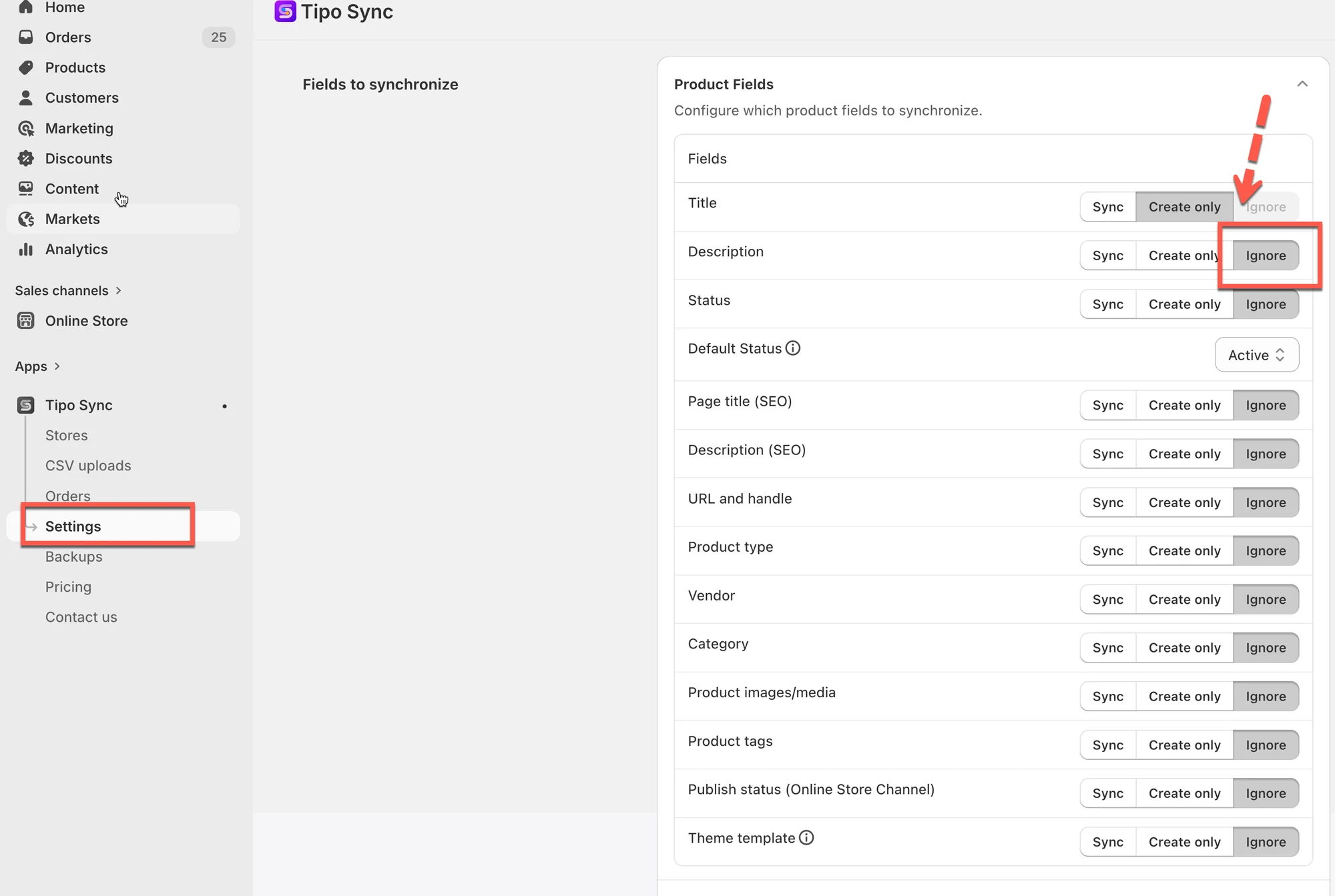 4\. 點選 **Save** 完成設定
例如:
* 如果您想將商品標題從 Source store 同步到 Destination store,請選擇 **Sync** 選項
* 如果您不想將商品價格從 Source store 同步到 Destination store,請選擇 **Ignore** 選項
> 注意:從 Source 商店同步新商品時,**Product Title** 和 **Variant Title** 為必填欄位,因此無法選擇 **Ignore** 選項。
***
### 範例
#### 🔄 Sync
| 階段 | Source Store | Destination Store |
| ------------------ | -------------------------- | -------------------------- |
| 初次同步 | Summer Linen Shirt | Summer Linen Shirt |
| 標題變更後 | Premium Summer Linen Shirt | Premium Summer Linen Shirt |
**結果:** 此欄位會保持同步。在 Source Store 中所做的變更,會自動更新到 Destination Store。
#### 📝 Create only
| 階段 | Source Store | Destination Store |
| ------------------ | -------------------------- | ------------------ |
| 初次同步 | Summer Linen Shirt | Summer Linen Shirt |
| 標題變更後 | Premium Summer Linen Shirt | Summer Linen Shirt |
**結果:** 此欄位會在建立商品時複製,但日後的變更不會同步。
#### 🚫 Ignore
| 階段 | Source Store | Destination Store |
| ------------------ | -------------------------- | ------------------ |
| 初次同步 | Summer Linen Shirt | Custom Store Title |
| 標題變更後 | Premium Summer Linen Shirt | Custom Store Title |
**結果:** 此欄位永遠不會同步。Source Store 中的變更不會影響 Destination Store。
***
### 🔗 商品比對的運作方式
同步商品之前,Tipo Sync 會先檢查該商品是否已存在於 Destination store。
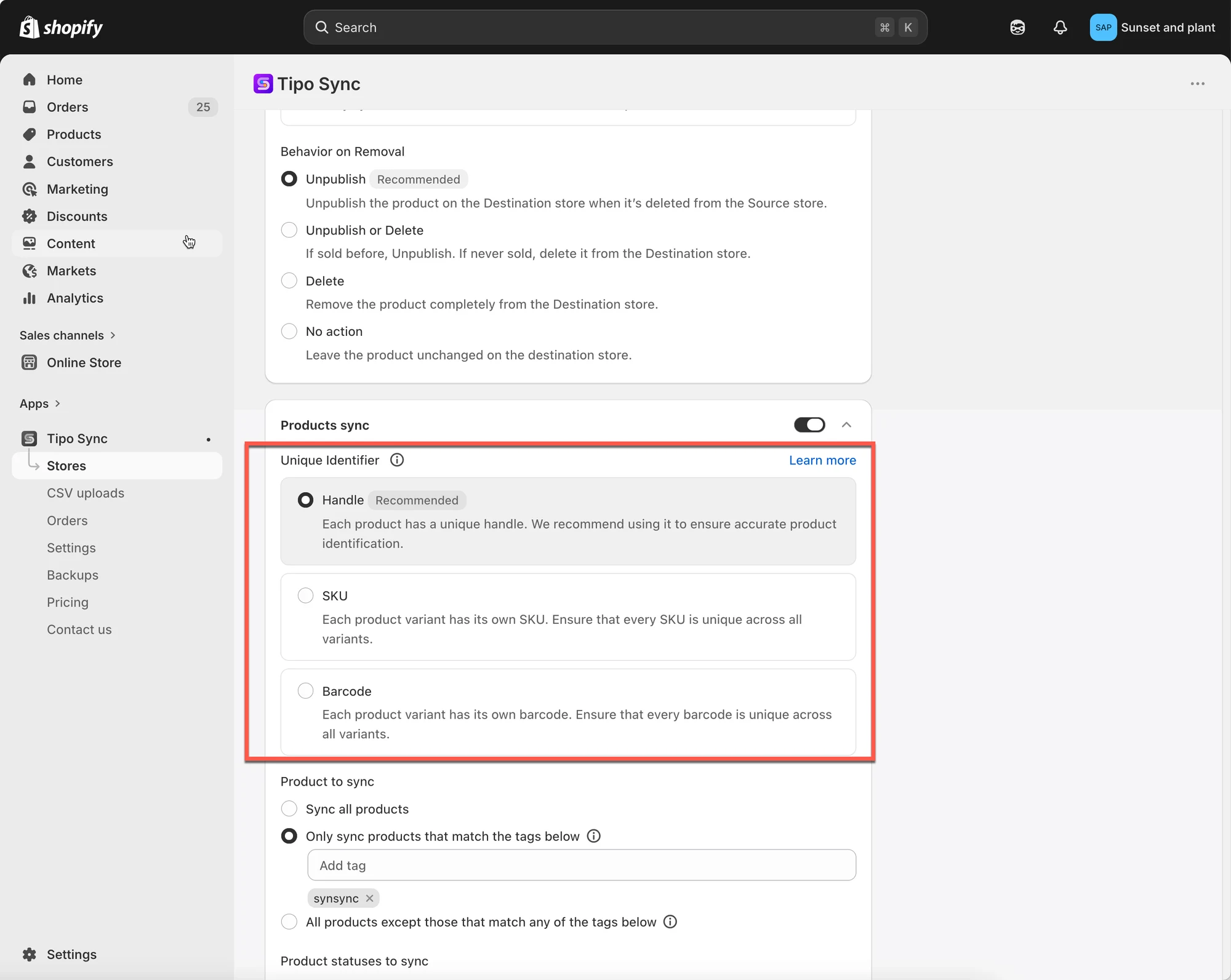 應用程式會使用所選的比對識別碼(Matching Identifier)來比較商品:
* Handle(建議)
* SKU
* 條碼
檢查比對結果後,Tipo Sync 會依據所選的同步模式執行。
***
### 📊 快速比較
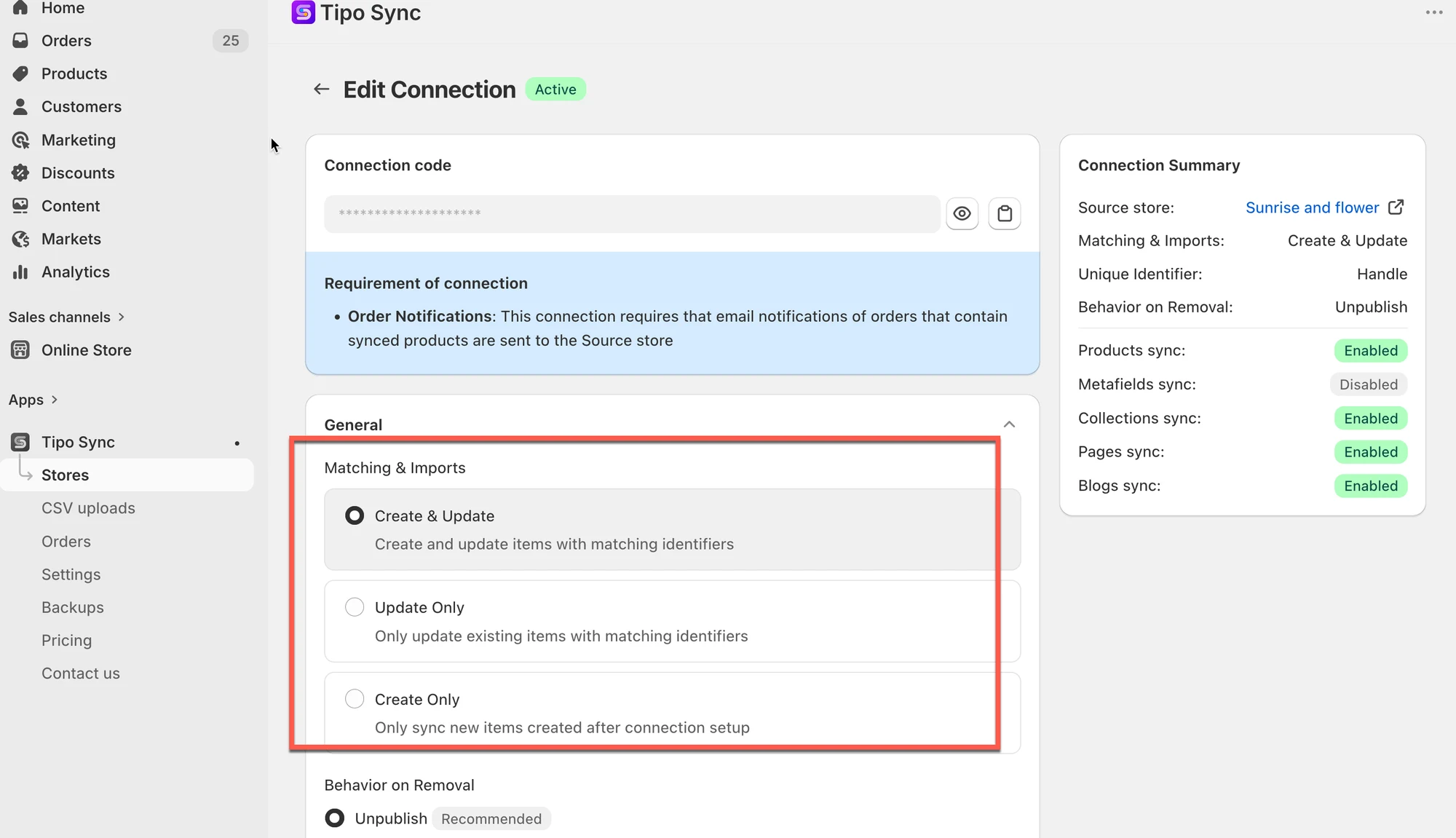 | 同步模式 | 找到相符商品 | 找不到相符商品 |
| ------------------ | ---------------------- | ------------------------- |
| 🔄 Create & Update | 更新商品 | 建立商品 |
| 🔁 Update Only | 更新商品 | 忽略商品 |
| ➕ Create Only | 忽略商品 | 建立商品 |
此表格說明三種模式之間的核心差異。
***
#### 🙋 還需要協助嗎?
如果您仍需要協助,歡迎隨時透過 **\[your support email or link]** 與我們聯絡。我們很樂意為您提供進一步的協助。