# 快速入门
\
欢迎使用 **Tipo Related Products, Upsell**!
此应用通过在商品、购物车、搜索和感谢等关键页面上展示相关商品、追加销售和交叉销售,帮助您提高销量。
***
### ✨ 主要功能
* **根据标签、集合、供应商、商品类型等自动显示相关商品小组件**
* **手动选择相关商品**,完全由您掌控(亲自挑选要推荐的商品)
* 使用常见的推荐布局,例如:
* “You may also like”
* “Frequently bought together”
* **自定义设计**:小组件的布局、商品数量、颜色、按钮和间距
* **跟踪效果:**展示次数、点击次数、转化次数
* **支持多种语言:**翻译小组件文字
***
### 🚀 快速入门
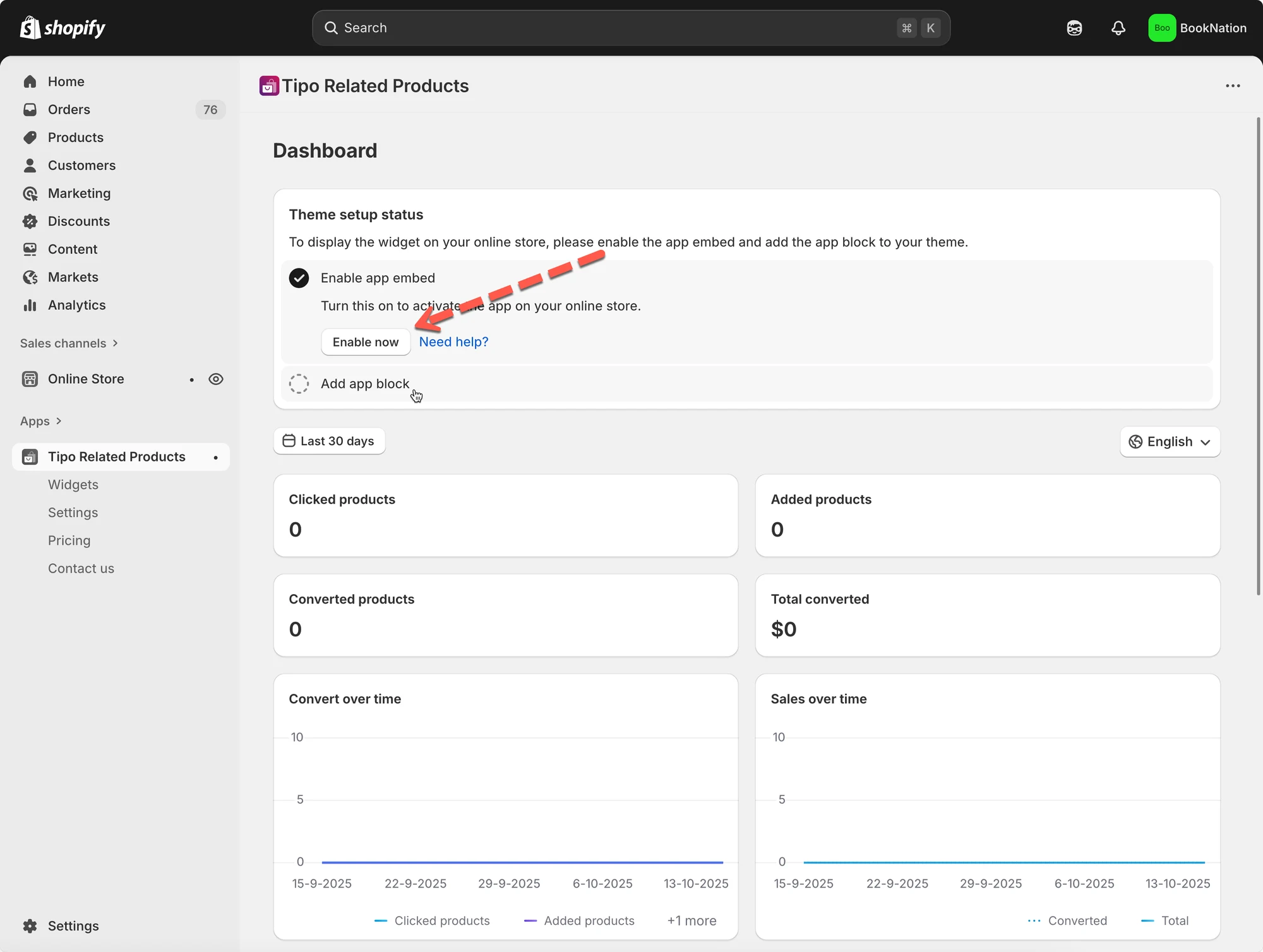
#### 第 1 步:在主题中启用应用
您可以在主题编辑器中激活 **Inventory Sync, Multi store TP** 应用的应用嵌入。
更多详情请见[此处](/tipo-related-products/general-settings-and-translations/theme-integration/activate-the-app-embed)
 ***
#### 第 2 步:创建您的第一个小组件
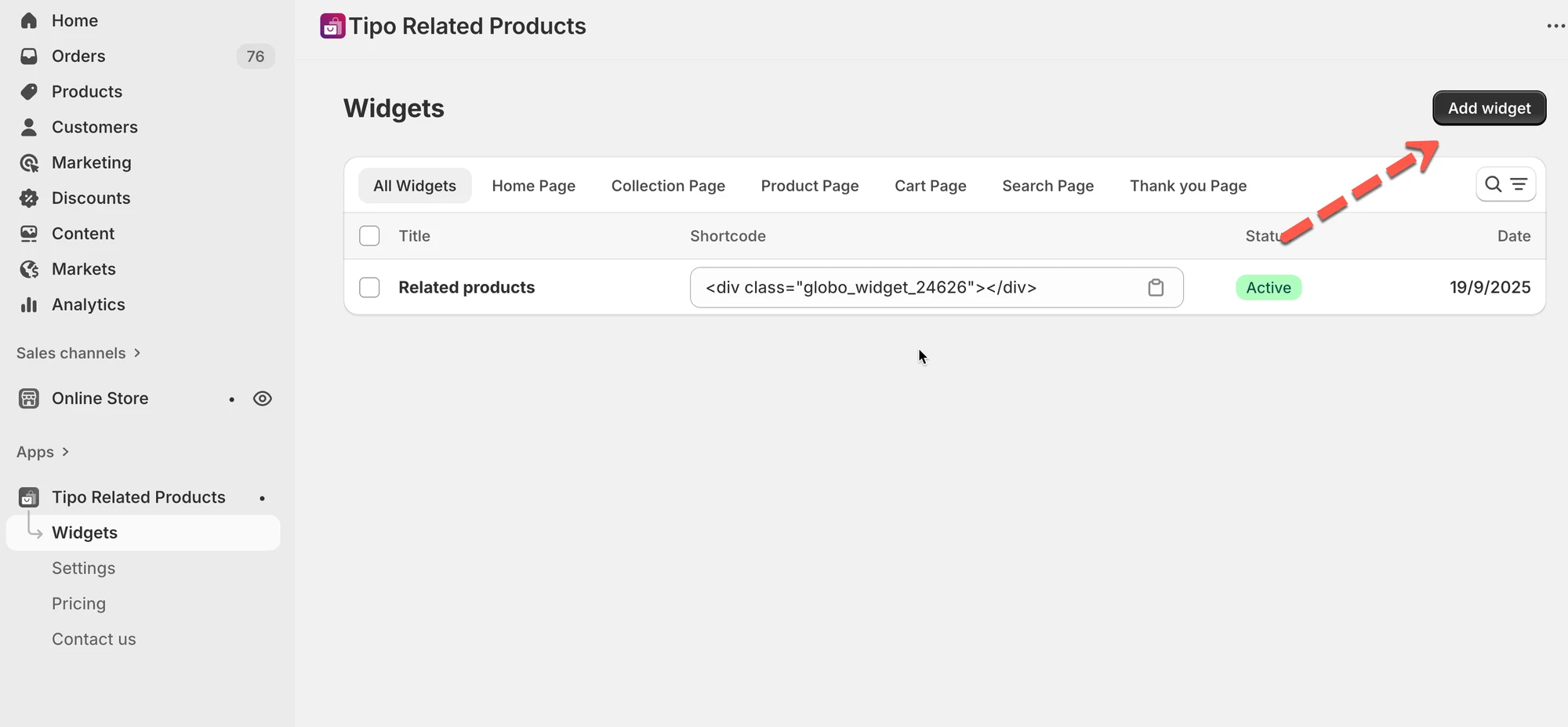
1. 前往 **Widgets**。
2. 点击 **Add widget**。
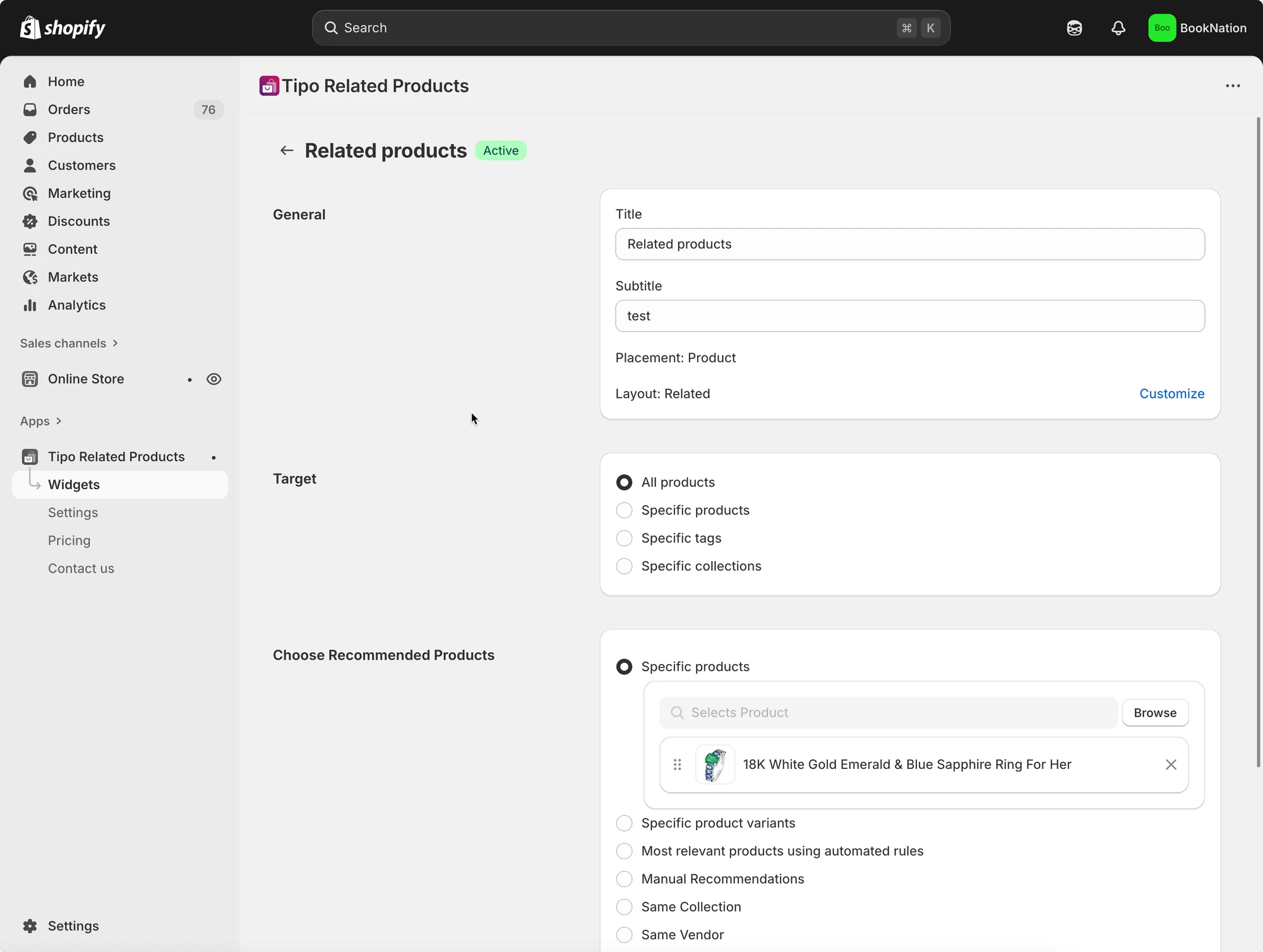
3. 选择:
* **Placement**(商品页面、购物车页面等)
* **Layout**(Related、Frequently Bought Together、Add-on、Recently viewed……)
* 在小组件详情中设置商品
了解更多请见[此处](/tipo-related-products/getting-started/types-of-widgets)
 #### 小组件类型(可以在哪里展示推荐)
Tipo 支持在以下页面上使用小组件:
* 商品页面
* 首页
* 集合页面
* 购物车页面
* 搜索页面
* 感谢页面
#### 选择要推荐的商品
编辑小组件时,您通常需要设置 2 项内容:
**1) 目标(此小组件适用的范围)**
* 所有商品
* 指定商品
* 指定标签
* 指定集合
**2) 推荐规则(显示什么)**
示例:
* 相同的集合 / 标签 / 供应商 / 商品类型
* 手动推荐
* 自动的“最相关”规则(在布局支持时)
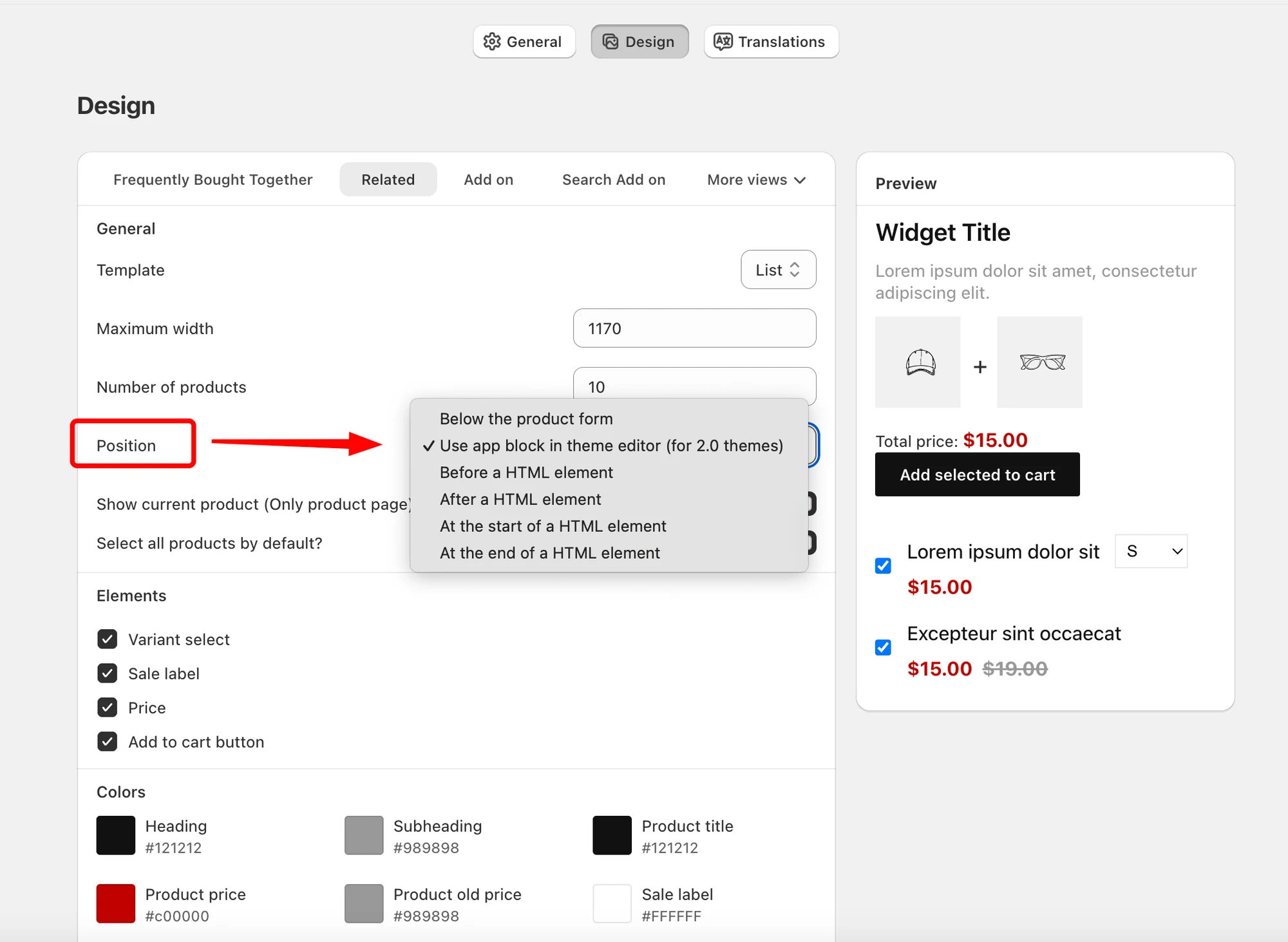
#### 第 3 步:**配置外观**
前往应用的 **Settings** > **Design** 页面。设置商品数量上限、小组件位置、元素,并配置颜色。
 #### 第 4 步:在店面发布小组件
添加小组件的方式取决于您的主题类型:
* **Online Store 2.0 主题**:在主题编辑器中添加应用区块(推荐)
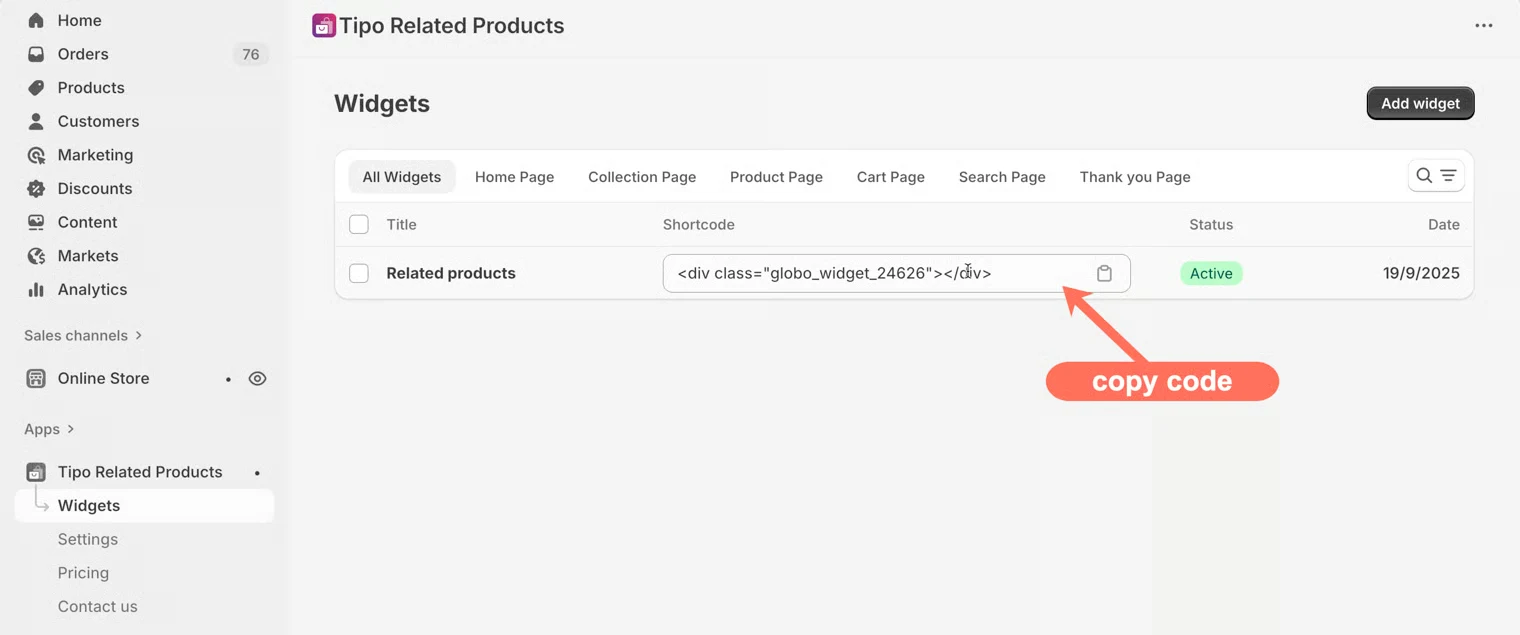
* **旧版主题**:将小组件短代码粘贴到主题代码中
 ***
### 📚 **参考**
[创建小组件 ](/tipo-related-products/widget-setup/create-a-widget)
[在网站上显示小组件](/tipo-related-products/widget-setup/display-a-widget)
[小组件类型](/tipo-related-products/getting-started/types-of-widgets)
支持邮箱:
***
### **▶️** 参考视频
应用可以做什么:
设置方法:
***
**🙋 还需要支持吗?**
如果您仍需要帮助,请随时通过 联系我们。我们很乐意为您提供进一步协助。