# 手动停止拍卖

通常，拍卖会在预定的结束时间自动结束。\
但有时您可能想提前停止拍卖，例如出现定价错误或想暂停竞价。

本指南介绍如何手动停止拍卖，以及停止后会发生什么。

开始之前

* 您必须至少已创建一场拍卖
* 拍卖应处于 **Running** 或 **Pending**（已安排）状态

### 🛠️ **停止拍卖的步骤**

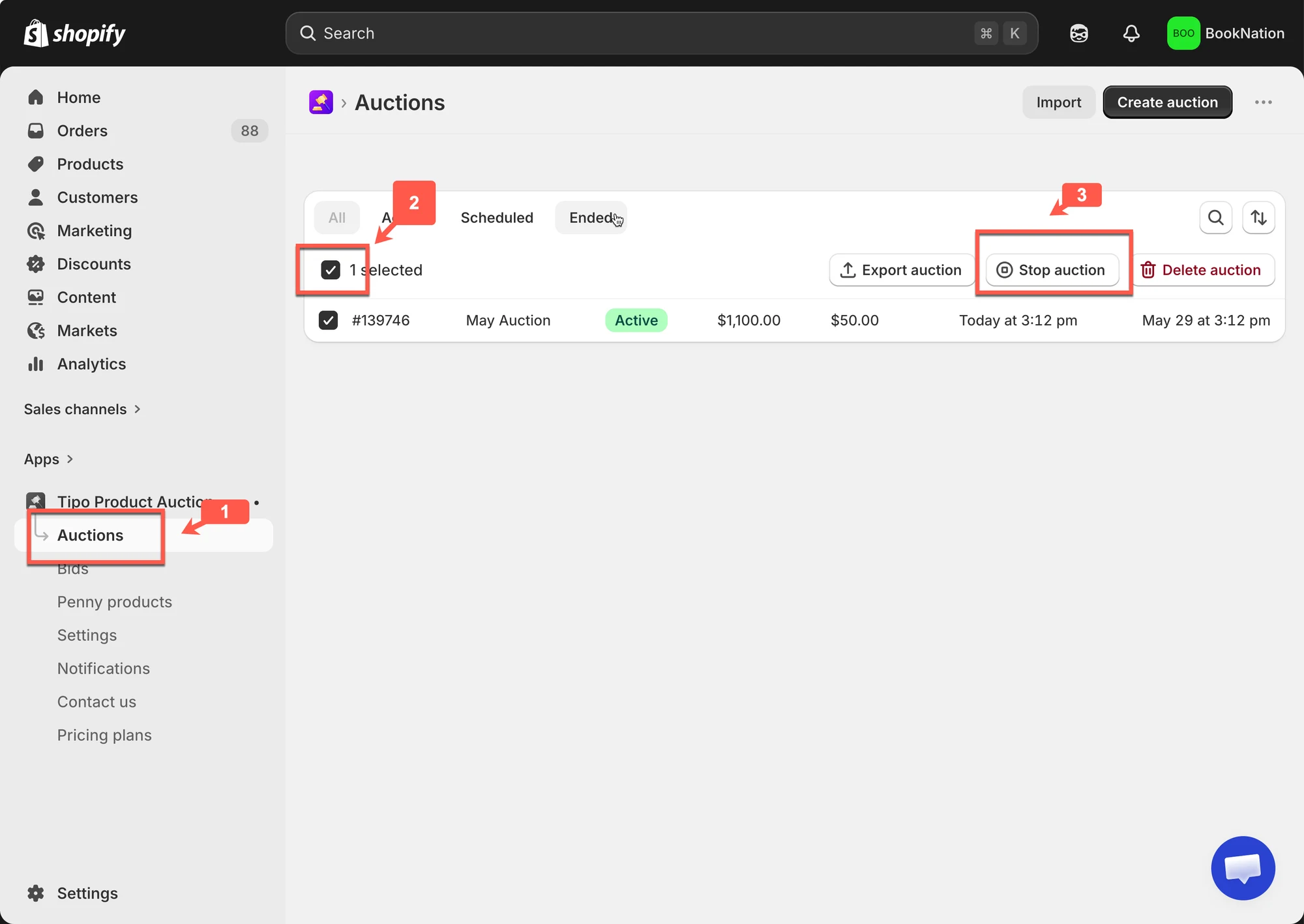
&#x20;1\. 打开应用 > 点击 **Auctions**

&#x20;2\. 勾选要删除的拍卖的复选框

3\. 点击 **Stop auction**
<figure><img src="/media/0b1aa0f7d12a684492e3.webp" alt="" loading="lazy" decoding="async"><figcaption></figcaption></figure>

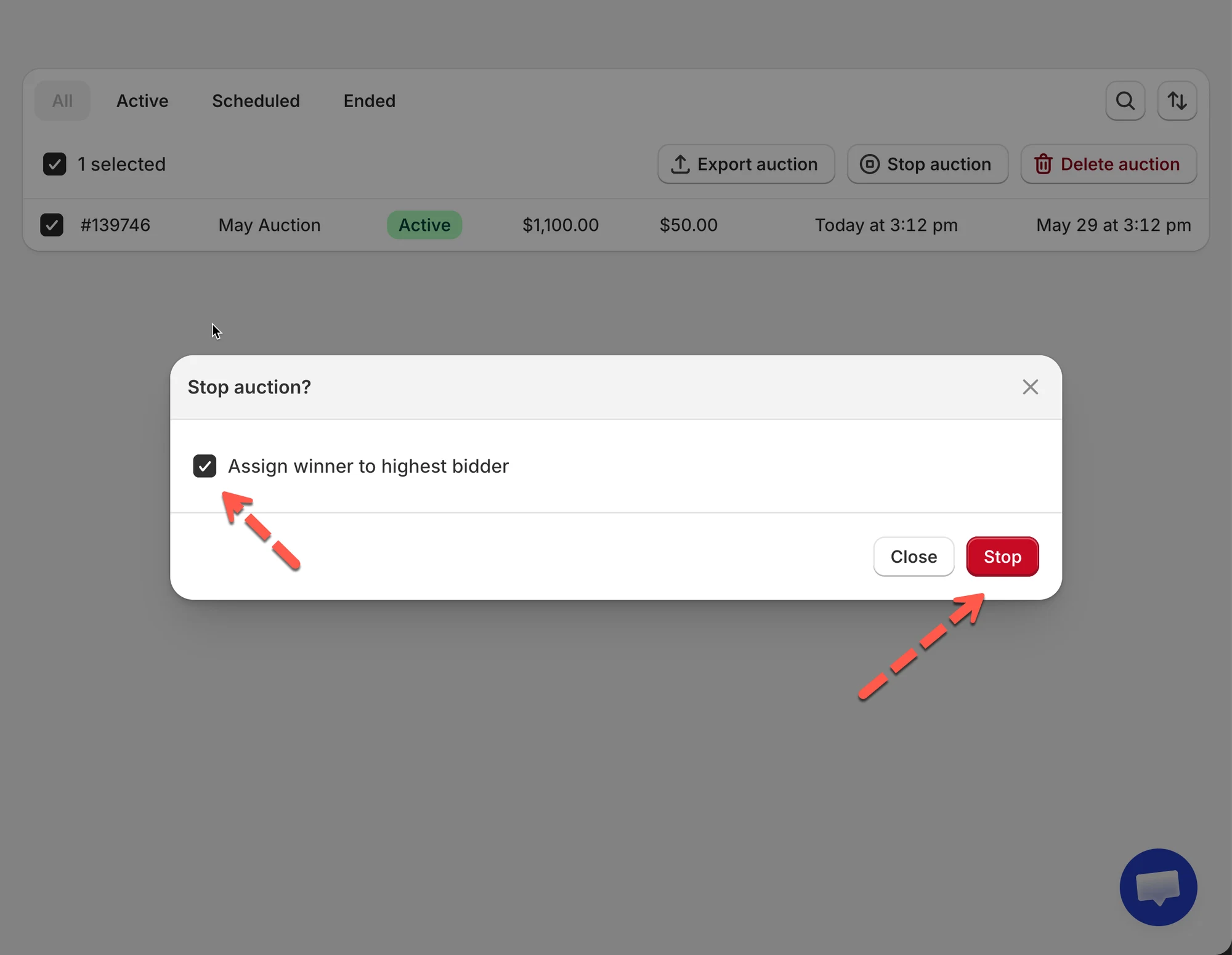
4\. 在确认弹窗中，您可以勾选 **Also select a winner** 复选框以立即选择获胜者，然后点击 **Yes, Stop it anyway button**

<figure><img src="/media/a93150da433b00a5516f.webp" alt="" loading="lazy" decoding="async"><figcaption></figcaption></figure>

***

### ✅ 停止拍卖后会发生什么？

手动停止拍卖时：

* 拍卖状态变为 **Stopped**
* 客户无法再出价
* 商品页面上的拍卖小组件将被隐藏

***

### ▶️ 教程视频&#x20;

<iframe class="video-embed" src="https://www.youtube-nocookie.com/embed/WyRe89T3nEU" title="Video tutorial: Manually stop an auction" loading="lazy" allowfullscreen></iframe>

***

**🙋 还需要支持吗?**

如果您仍需要帮助,请随时通过 <hi@tipo.io> 联系我们。我们很乐意为您提供进一步协助。