# 客户邮件
客户邮件是在预约创建或其状态变化时,您的客户收到的消息。Tipo 为客户提供 5 个开箱即用的邮件模板。
* **Appointment Approved**\
\
**Appointment Pending**\
\
**Appointment Rejected**\
\
**Appointment Rescheduled**\
\
**Appointment Next Day Reminder**
***
#### 🛠️ 如何设置
1. 打开应用 > 点击 **Notifications** > 点击 **Customer** 标签页
2. 在触发器列表中(例如“Appointment Approved”“Appointment Pending”),确保模板旁边的复选框已勾选
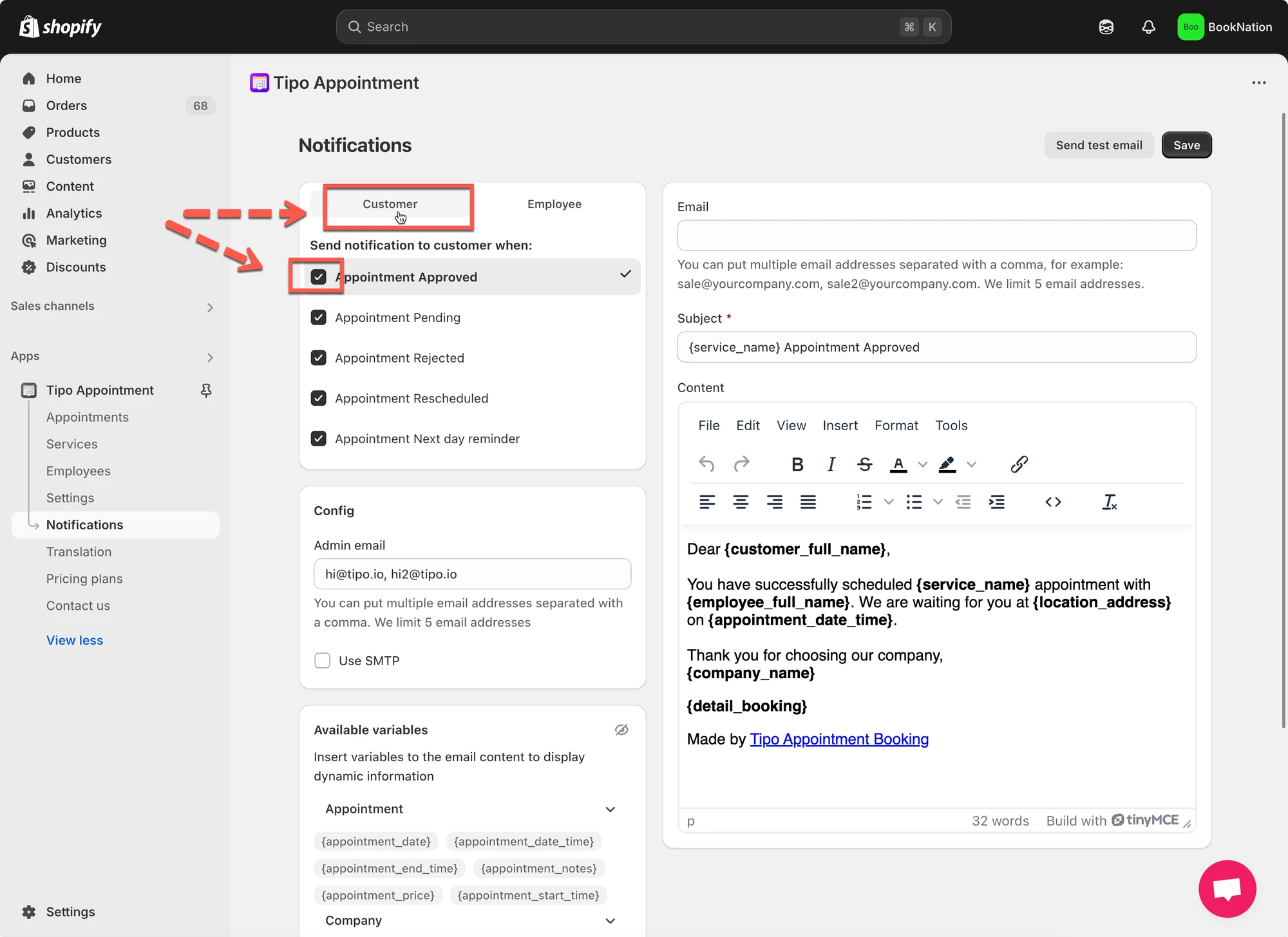 3. 点击模板名称以打开其编辑器
* 更新 **Subject** 行。
* 修改 **Content:**您可以根据需要添加文字、变量、链接或格式。
4. 保存。
***
**🙋 还需要支持吗?**
如果您仍需要帮助,请随时通过 联系我们。我们很乐意为您提供进一步协助。