# 基于唯一标识符同步商品
该应用允许您使用以下任一唯一标识符,将商品从 Source store 同步到 Destination store:
* **Handle**(推荐)
* **SKU**
* **Barcode**
**唯一标识符**是在两个商店中保持一致、可用于准确匹配商品的商品值。
商品匹配成功后,Tipo 应用即可根据您的设置同步更新(价格、标题、图片等)。
### ✅ 我应该使用哪种标识符?
#### 1. Handle(推荐)
**说明:**\
Handle 是每件商品网址中使用的唯一字符串。它由商品标题自动生成,但可以在 Shopify 中手动修改。
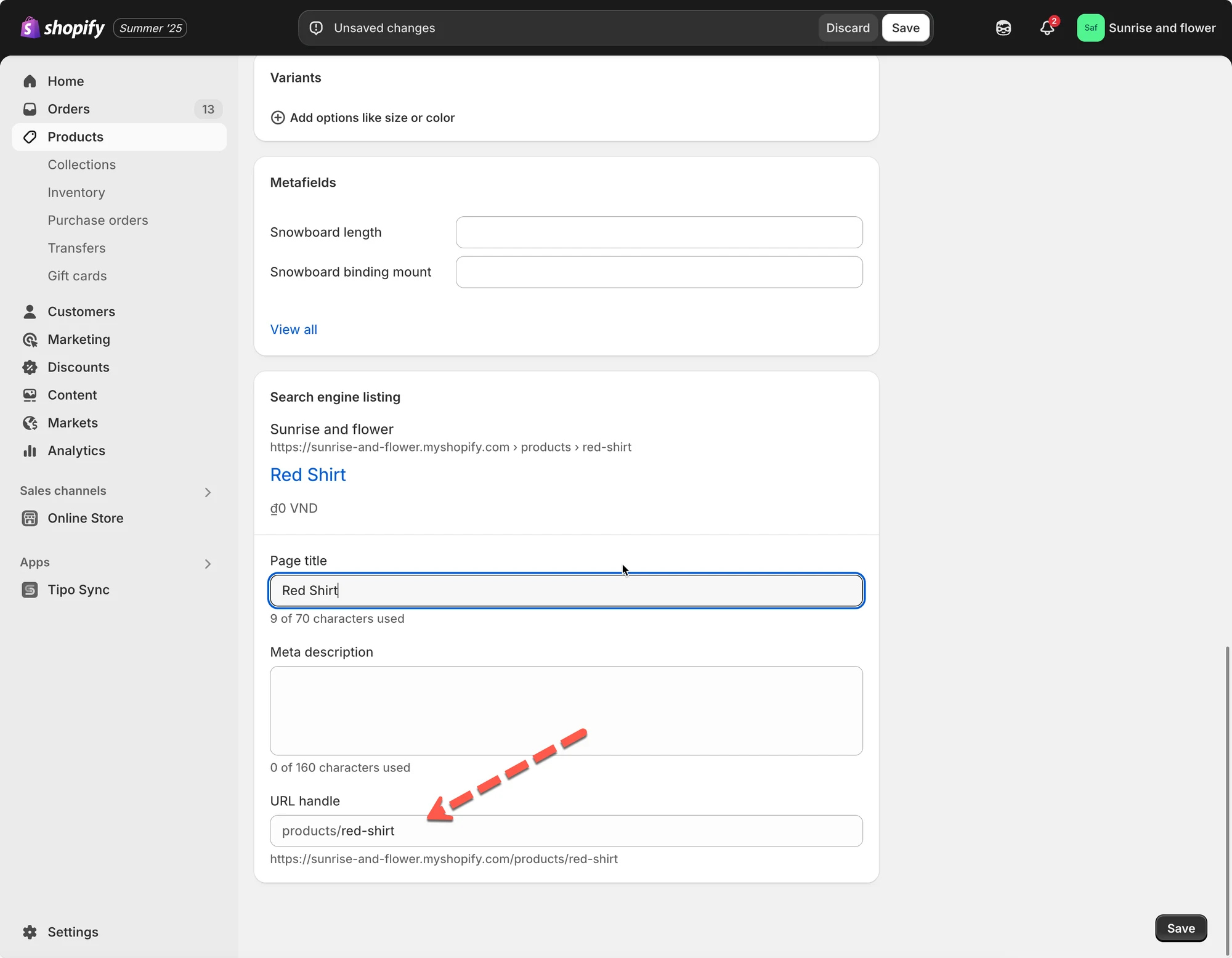 **同步逻辑:**\
如果 Source store 中的商品与 Destination store 中的某件商品具有相同的 handle,应用会将它们视为同一件商品并同步数据。
**示例:**
| Source Store | Destination Store |
| -------------------------- | -------------------------- |
| Product Title: "Red Shirt" | Product Title: "Red Shirt" |
| Handle: `red-shirt` | Handle: `red-shirt` |
由于 handle 一致,这件商品**可以正确同步**。
❗**提示:** 如果您的各商店商品结构完全相同,请始终使用 handle 同步。
***
#### 2. SKU (Stock Keeping Unit)
**说明:**\
SKU 是您为每个商品变体分配的编码,用于追踪库存。
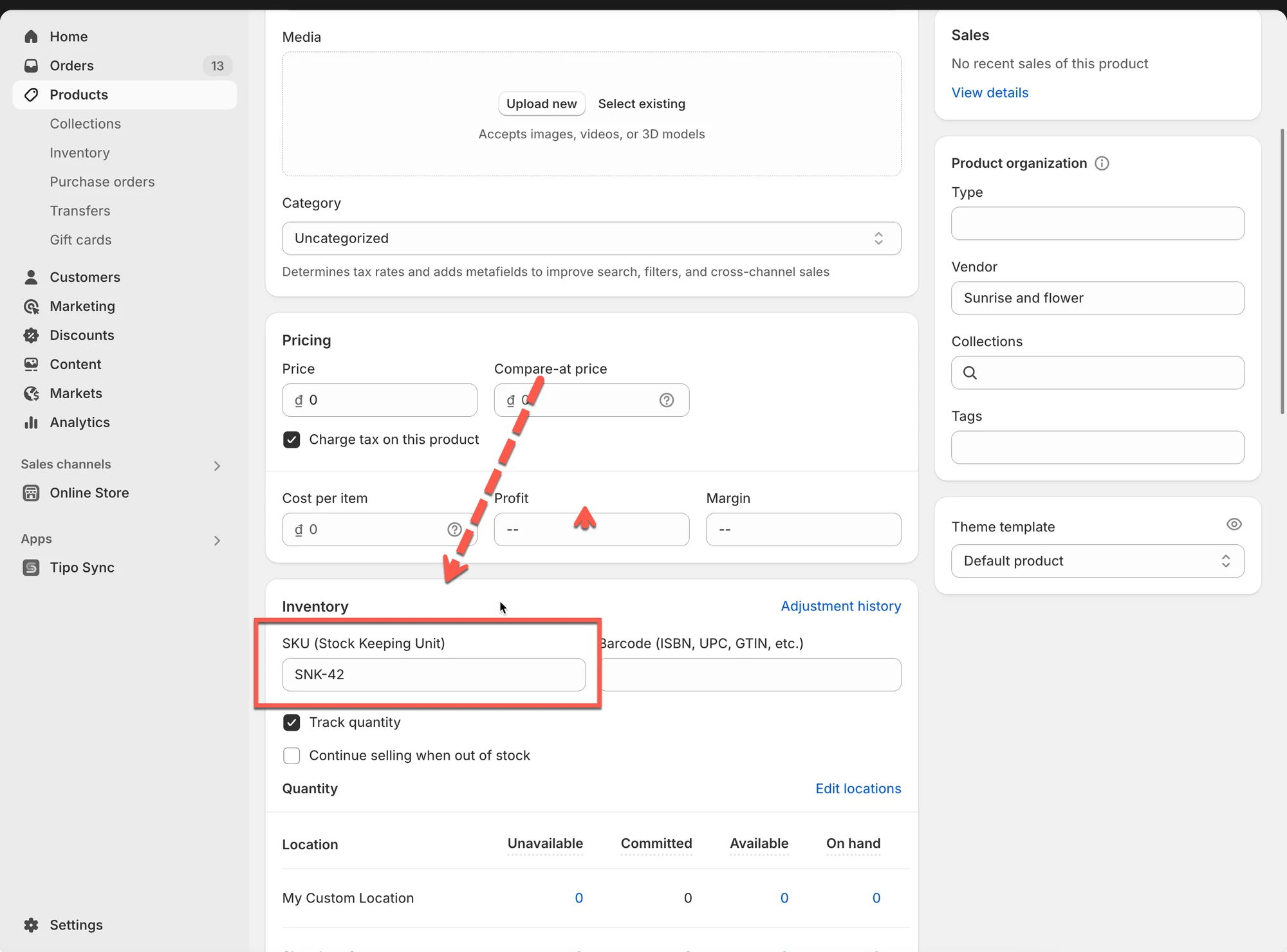 **同步逻辑:**\
应用会根据两个商店中相同的 SKU 来匹配商品变体。
**示例:**
| Source Store | Destination Store |
| -------------------------------- | -------------------------------- |
| Product: "Sneakers" | Product: "Sneakers" |
| Variant: Size 42 - SKU: `SNK-42` | Variant: Size 42 - SKU: `SNK-42` |
由于 SKU 一致,这个变体可以同步。
❗**警告:** 如果多个商品的变体共用同一个 SKU,可能会导致匹配错误。
***
#### 3. Barcode
**说明:**\
**条形码**是全球唯一的商品标识符,通常用于零售扫描系统。
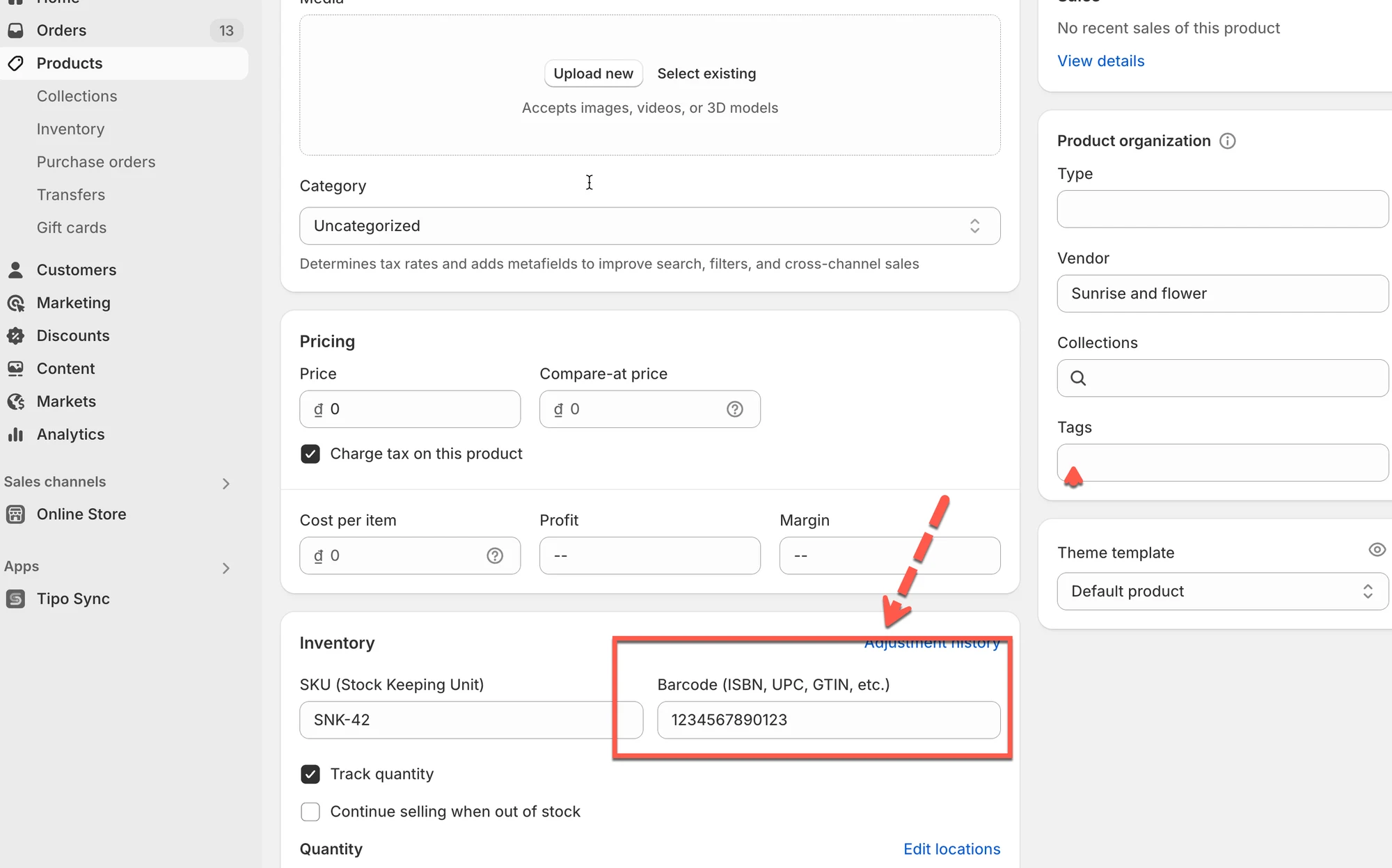 **同步逻辑:**\
应用会根据 Shopify 中的条形码字段来匹配**商品变体**。
**示例:**
| Source Store | Destination Store |
| ----------------------------------------- | ----------------------------------------- |
| Product: "Water Bottle" | Product: "Water Bottle" |
| Variant: 500ml - Barcode: `1234567890123` | Variant: 500ml - Barcode: `1234567890123` |
使用条形码,这件商品可以正确同步。
❗**注意:**
仅当各商店中的所有变体都使用唯一条形码时,才使用此选项。
***
### ⚙️ **选择标识符的步骤**
#### **对于新连接:**
连接之前,请先在[此处](/product-syncs/select-products-to-sync)检查并选择您想同步的商品信息。
1\. 在 **Destination** store 中打开应用 > 点击 **Stores** > 点击 **Connect store** 按钮
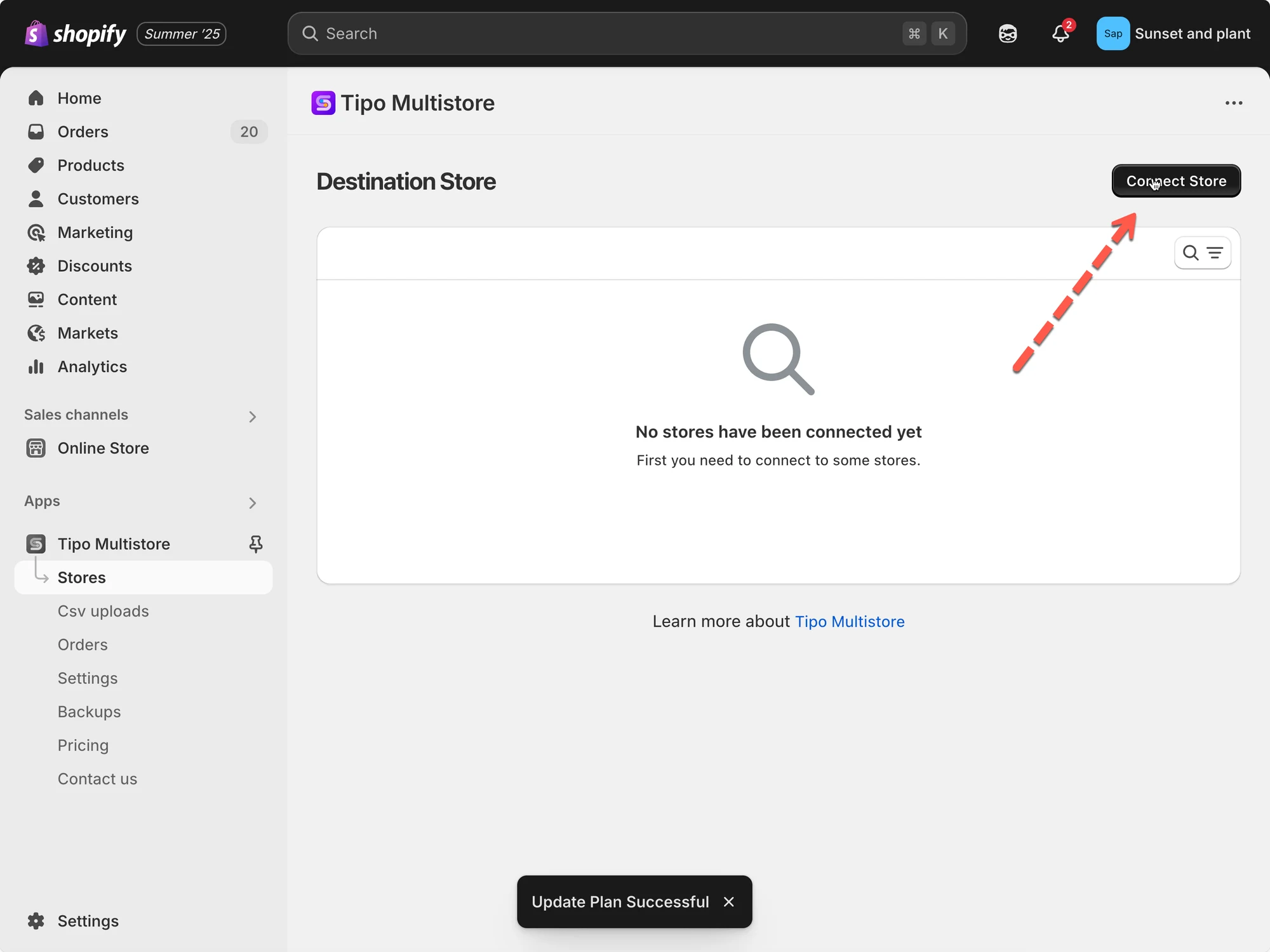 2\. 输入从 Source Store 获取的 **Connection Code**(位于 Source Store 中应用的 Settings 下)。
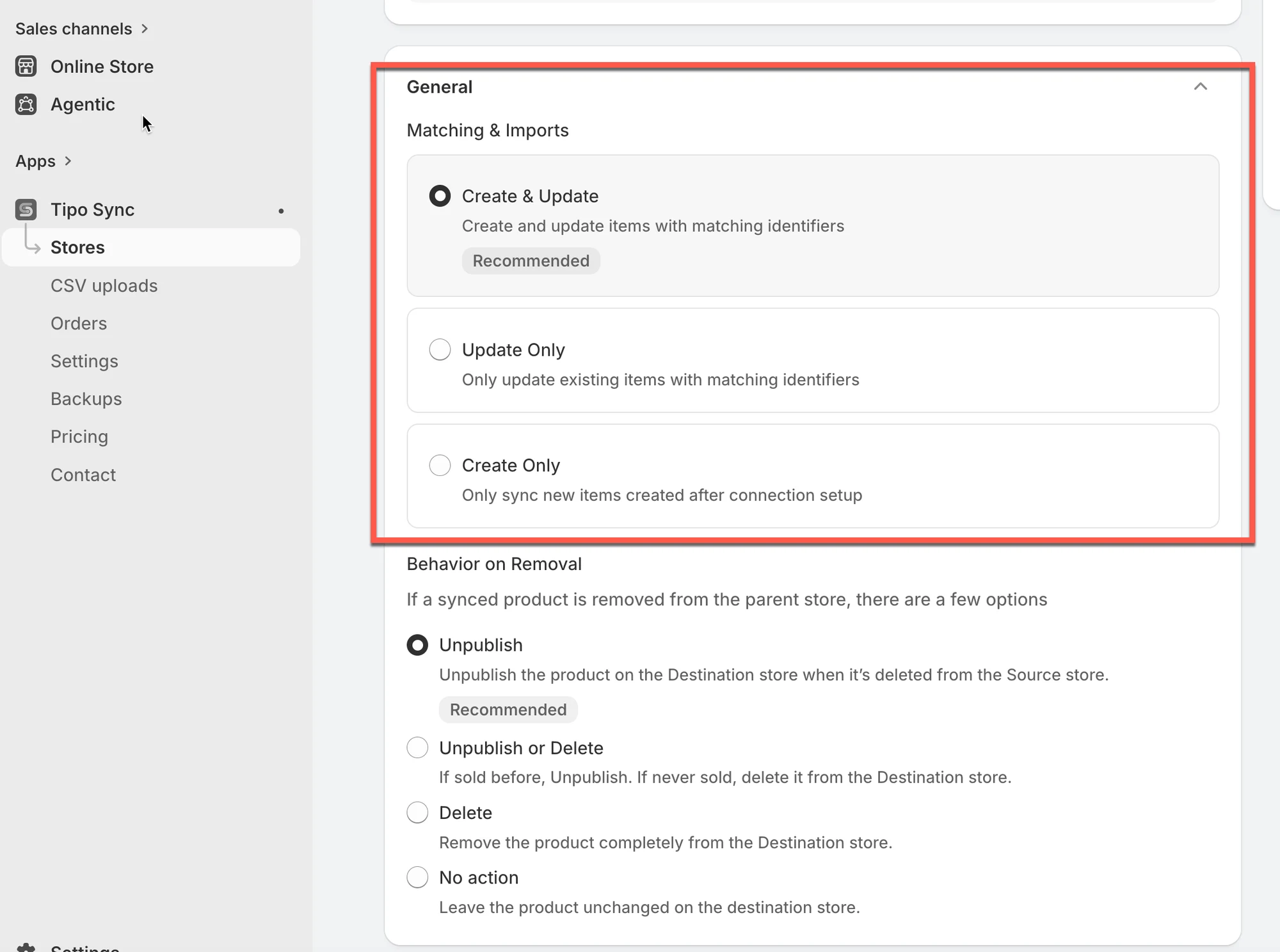
3\. 在 **General** > **Matching & Imports** 部分 > 选择 **Create new items if not exist and update current items that have the same handle**
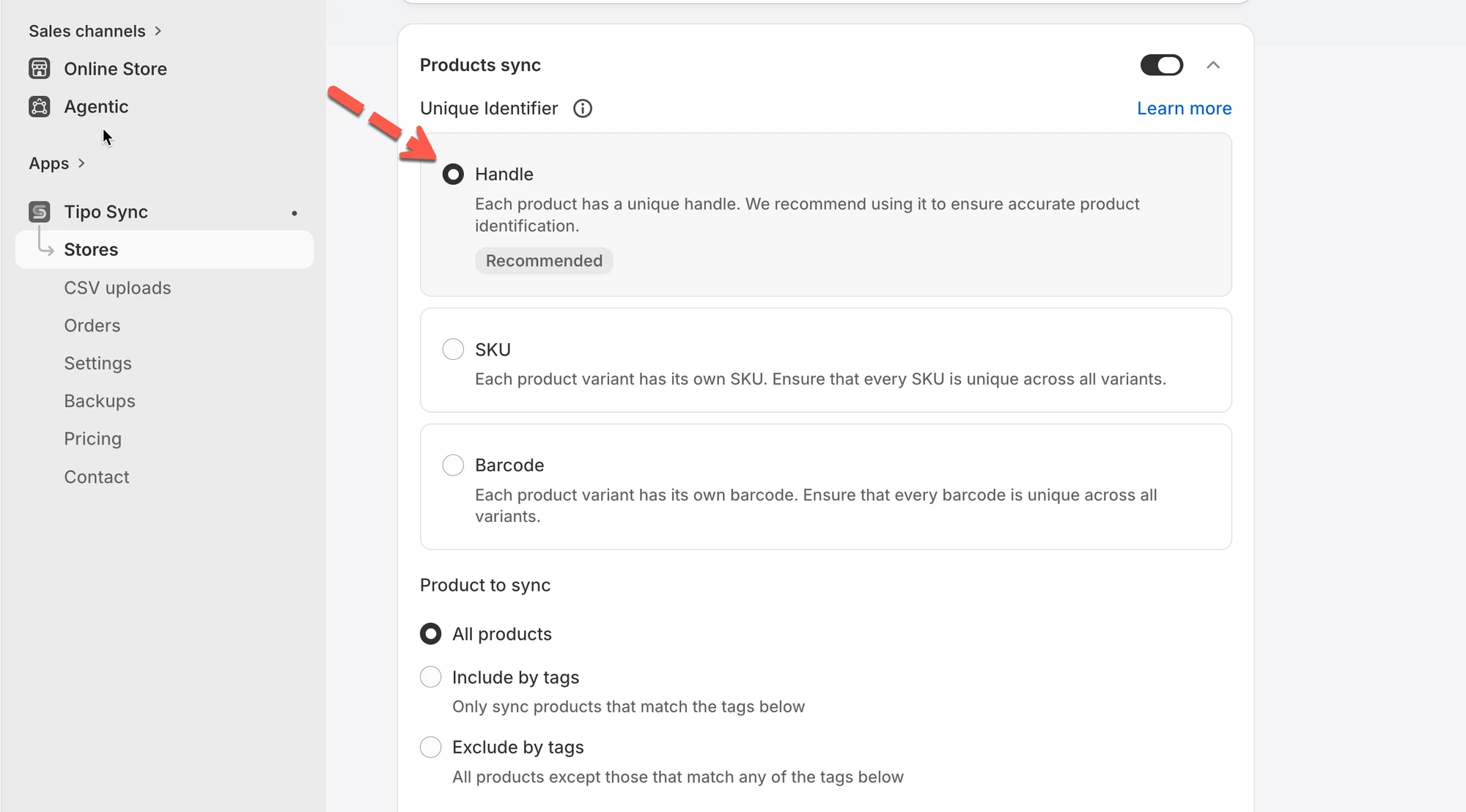
 4\. 启用 **Product sync** 设置 > 选择 **Unique Identifier**,以基于它同步商品
例如:如果选择 handle,则 handle 相同的商品将在各商店之间同步。
 5. 保存以开始连接
#### **对于正在运行的连接**
1\. 前往 **Destinations** 商店 > 点击 **Stores** > 点击 Source 商店的网址以查看连接详情
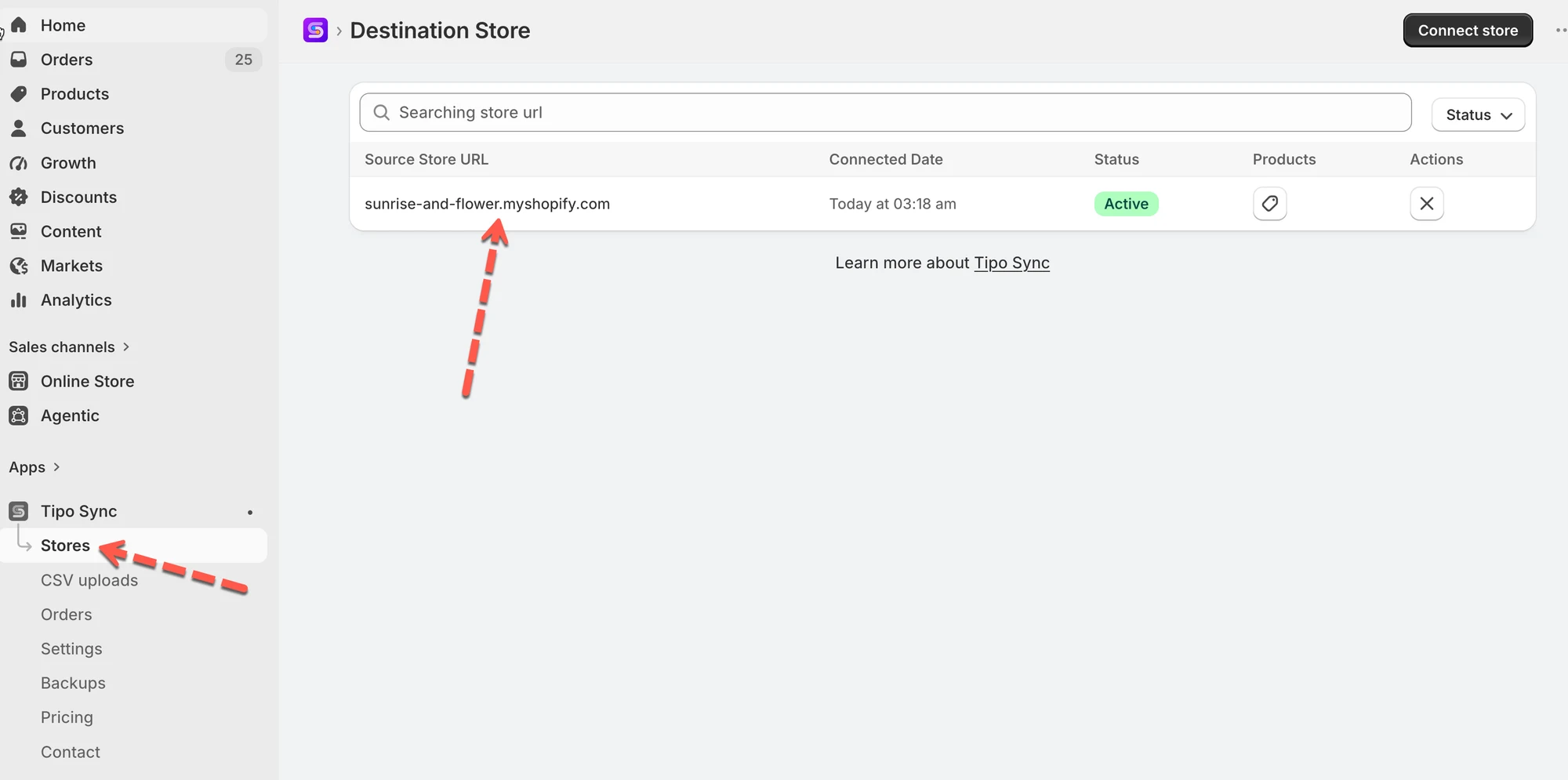 2\. 选择一个唯一标识符,以基于它同步商品
3. 点击 **Save** 以应用更改。
***
### 🔄 同步过程中会发生什么?
🧪 示例(Handle 匹配)
**Source store 商品**
* 商品:Ceramic Table Lamp
* Handle:`ceramic-table-lamp`
**Destination store**
* 如果存在 handle 为 `ceramic-table-lamp` 的商品 → 该商品将被更新
* 如果不存在 → 将被导入(如已启用)
**⚙️ 同步时的匹配方式**
同步运行时:
1. Tipo Sync 从 Source store 读取商品
2. 在 Destination store 中搜索具有相同标识符的商品
3. 然后做出判断:
* **找到匹配** → 更新现有商品字段(根据您的同步选择)
* **未找到匹配** → 导入/创建新商品(如果您的导入模式允许)
***
### 🌟 最佳实践
* 如果各商店的商品结构相同,请**使用 Handle**。
* 仅当每个变体都有**唯一的 SKU** 时,才**使用 SKU**。
* 在持续使用条形码的零售环境中,请**使用 Barcode**。
***
**🙋 还需要支持吗?**
如果您仍需要帮助,请随时通过 联系我们。我们很乐意为您提供进一步协助。