# 仅同步商品库存
本指南说明如何仅将库存数量从 Source store 同步到 Destination store,而不更改价格、图片或描述等其他商品数据。
### ✅ “仅同步库存”是什么意思?
Tipo Sync 将会:
* 更新您商店中的库存数量(可售件数)
* 根据您的地点映射同步库存
* ❌ 不更新商品内容 (描述、图片)
* ❌ 不更新价格(除非您单独启用价格同步)
如果您的各个商店共享相同的商品,而您只想保持库存水平一致,这是理想的选择。
***
### 🛠️ 选择要同步的商品信息
1. 在 Destination store 上打开应用 S**ettings** > **Product Fields to Synchronize**
2. 对于您不想同步的商品数据,选择 **Ignore** 选项
**Ignore**:该字段不会被同步,在 Destination Store 中保持独立。
3. 点击 **Save**
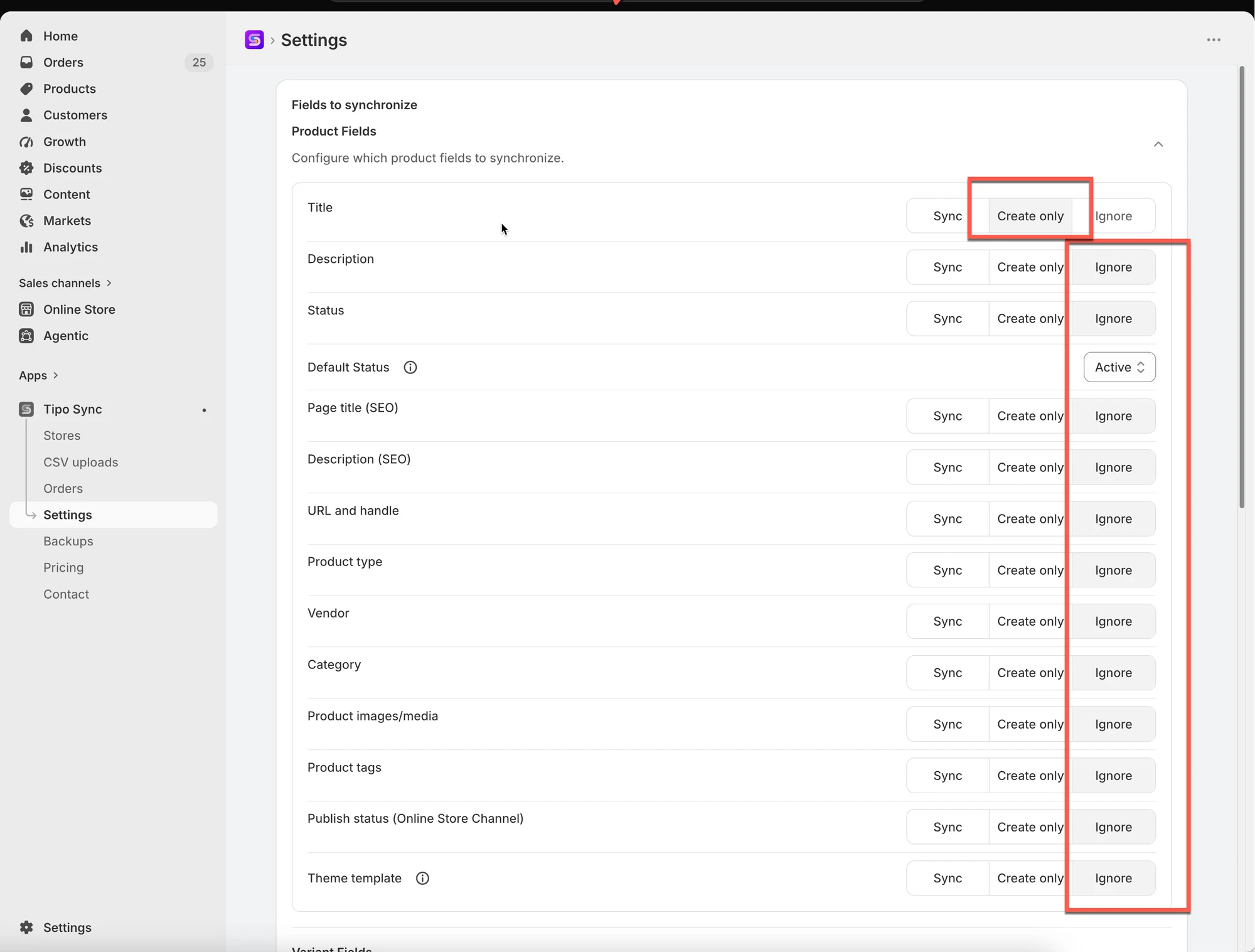 > 对于商品**标题**和**变体标题**,请选择 **Create only** 选项
>
> 原因:首次将新商品从 Source Store 同步到 Destination Store 时,商品标题和变体标题是必需的。
***
### 🛠️ **启用库存同步**
#### **在 Source store 中:**
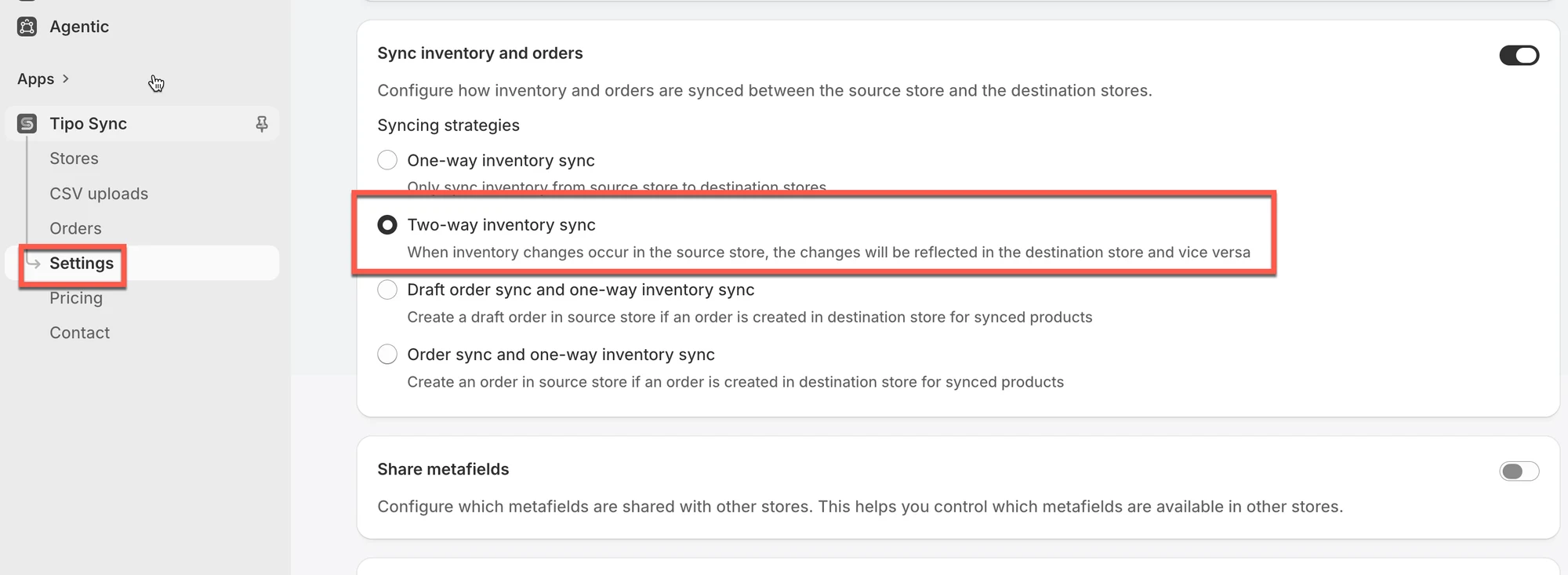
在 **Source** 商店中打开应用 > 点击 **Settings** > 选择 2 个库存设置之一 > **Save**
* **One-Way Inventory Sync**:仅将库存变化从 Source Store 同步到 Destination Store。
* **Two-Way Inventory Sync**:允许两个商店的库存变化相互同步。
 #### **在 Destination store 中:**
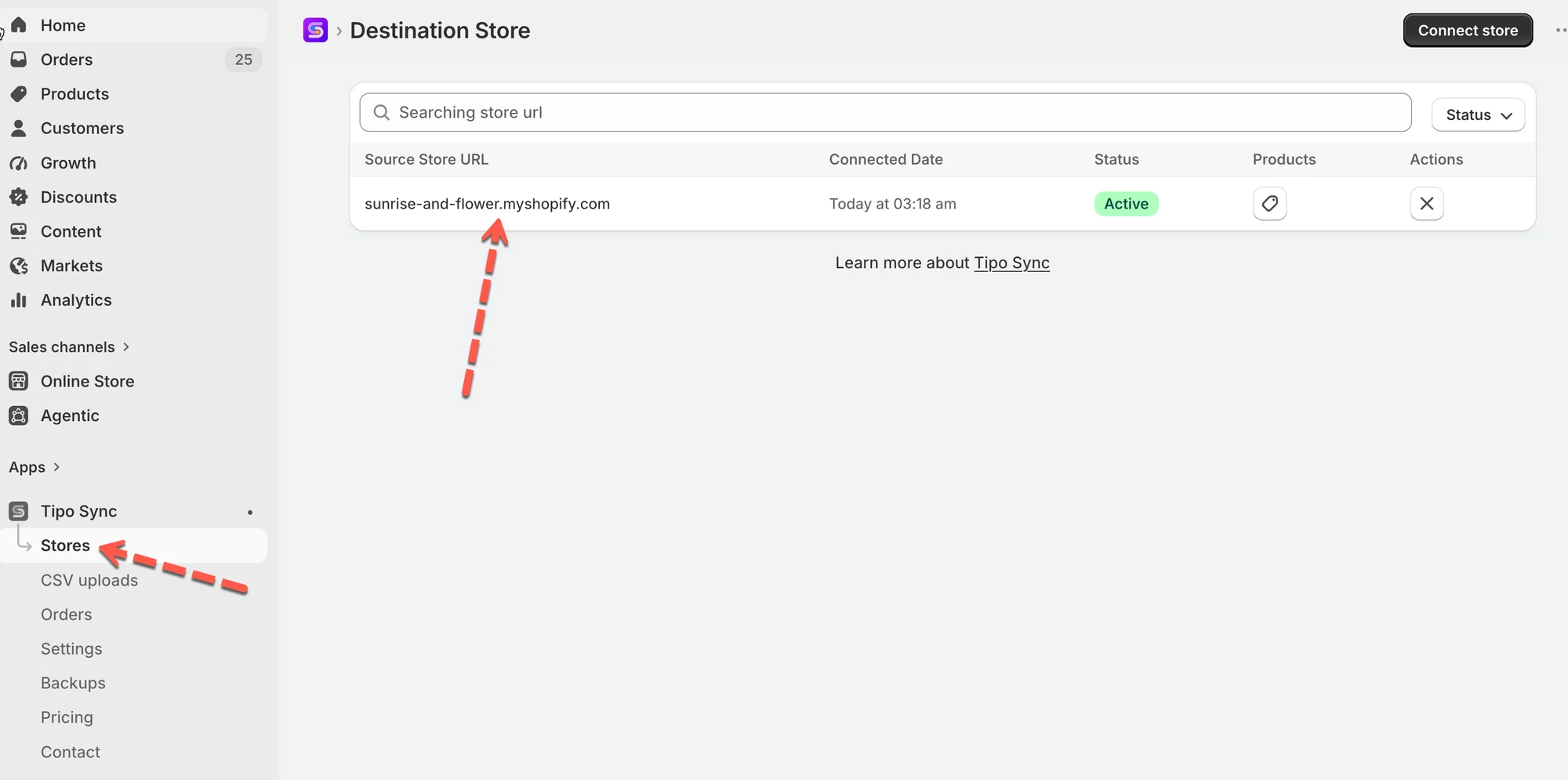
1\. 在 Destination store 中打开应用 > 创建新连接或查看当前连接
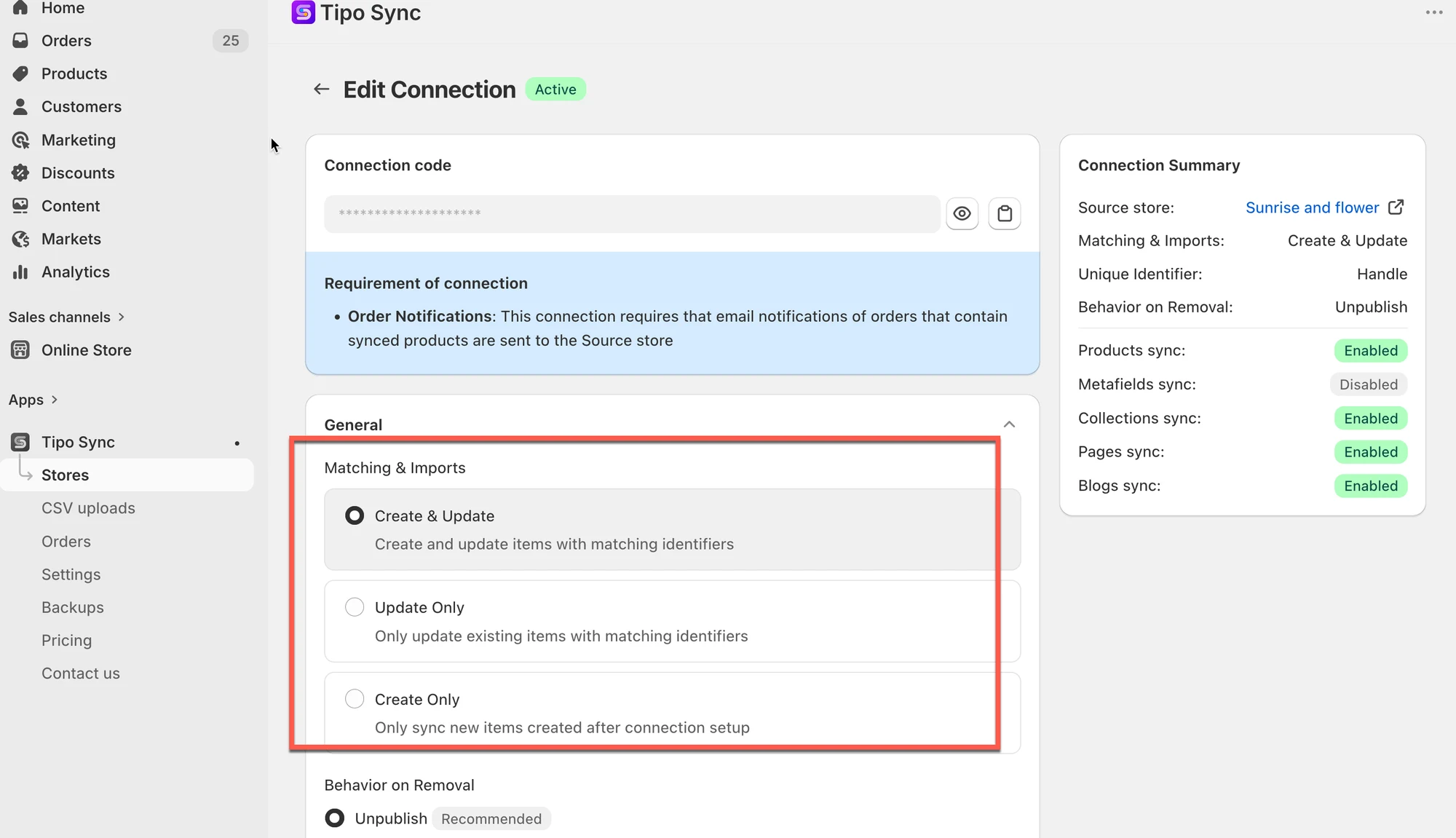
 2\. 在 **Matching & Imports** 部分,选择其中一种商品同步规则
| 如果您想... | 推荐选项 |
| ----------------------------------- | ------------------ |
| 让两个商店完全保持同步 | 🔄 Create & Update |
| 仅更新现有商品 | 🔁 Update Only |
| 仅导入新商品 | ➕ Create Only |
 3\. 前往连接详情中的 **Products sync** 设置,选择需要同步库存的商品并完成连接。
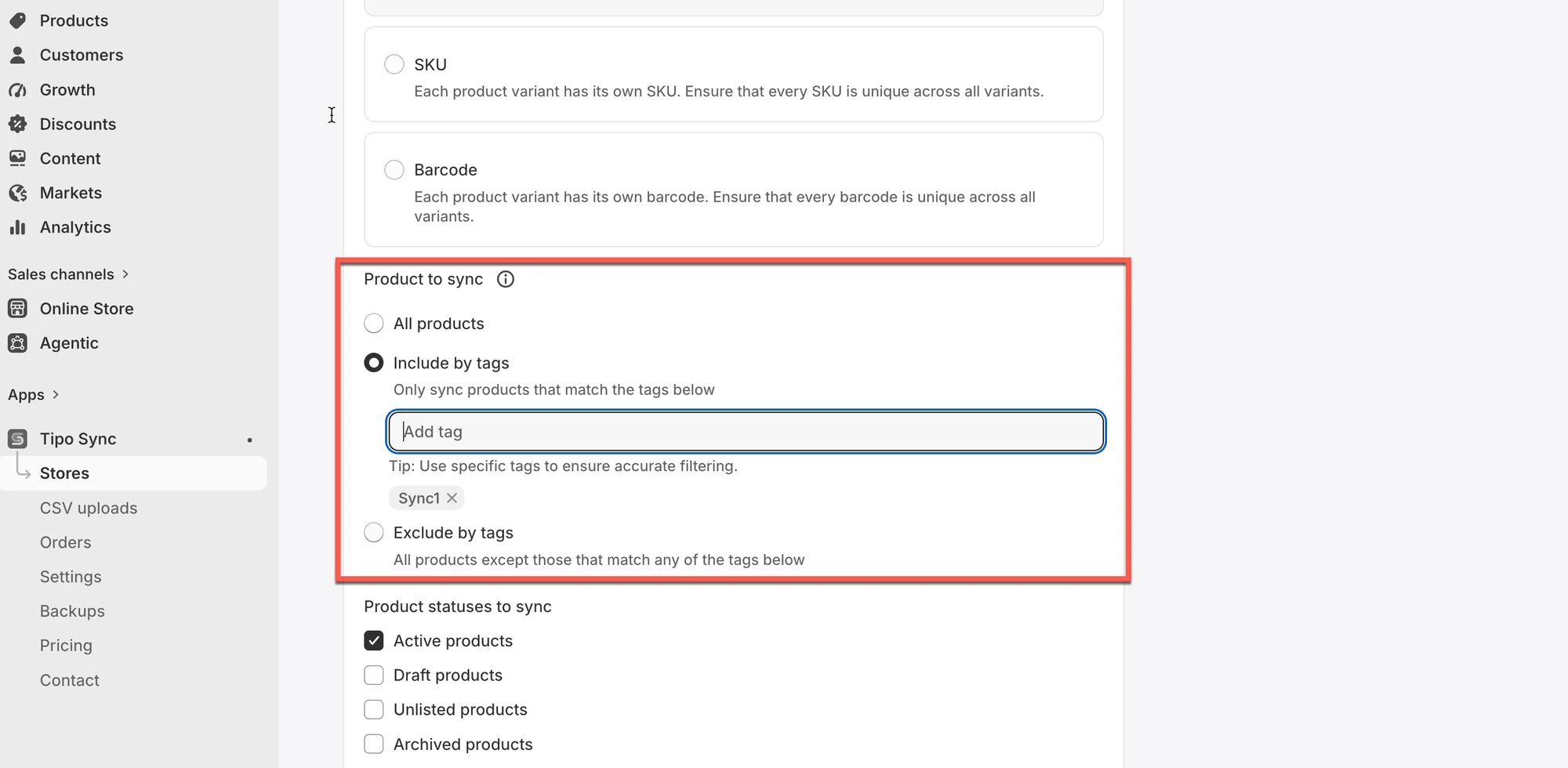 4. 点击 Save
***
### **🧪 示例:仅同步商品库存**
商店:
* Source Store:`https://urbanwear-eu.myshopify.com`
* Destination Store:`https://urbanwear-us.myshopify.com`
正在同步的商品:
* 商品名称:`Slim Fit Denim Jacket`
* Handle:`slim-fit-denim-jacket`
* 此商品在两个商店中**均已存在**,且 handle 和变体相同。
同步的是什么?
✅ 仅同步库存水平。
❌ 标题、描述、价格、图片等商品详情不会同步。
❌ 不会创建新商品。
同步前
| 商店 | 商品 Handle | 库存水平 |
| ----------------- | --------------------- | --------------- |
| Source Store | slim-fit-denim-jacket | 50 |
| Destination Store | slim-fit-denim-jacket | 30 |
在 Source Store 中下单后
* 一位客户从 Source Store 购买了 5 件夹克
* Source Store 中的新库存:45
同步运行后:
| 商店 | 库存水平 |
| ----------------- | --------------- |
| Source Store | 45 |
| Destination Store | **45** ✅ |
Destination Store 中的库存已更新,与 Source 保持一致。
***
### 🎬 教程视频
**🙋 还需要支持吗?**
如果您仍需要帮助,请随时通过 联系我们。我们很乐意为您提供进一步协助。