# Order for the auction winner

When an auction ends, the winning bidder can complete their purchase through the winning email notification or from the **Auction history** section in their customer account.

This guide explains how the winner is selected, how they can access checkout, and what happens after they complete their order.

### 🔄 What Happens When an Auction Ends?

When an auction reaches its end time or is manually stopped:

<div class="guide-steps">

<div class="guide-step">

The auction ends, auction widget is hidden on the site.&#x20;

</div>

<div class="guide-step">

A winner is selected automatically or manually, depending on your auction settings.

</div>

<div class="guide-step">

The winning bidder receives access to checkout.

</div>

<div class="guide-step">

The winner can complete the purchase using the final winning bid price

</div>

</div>

**Example:**

* Product: 18-karat Gold Diamond Necklace
* Highest bid: $100
* Winner: Customer A

Customer A wins the auction with a final bid of $100 and can proceed to checkout to purchase the product.

### 📩 Option 1: Complete the Order from the Winning Email

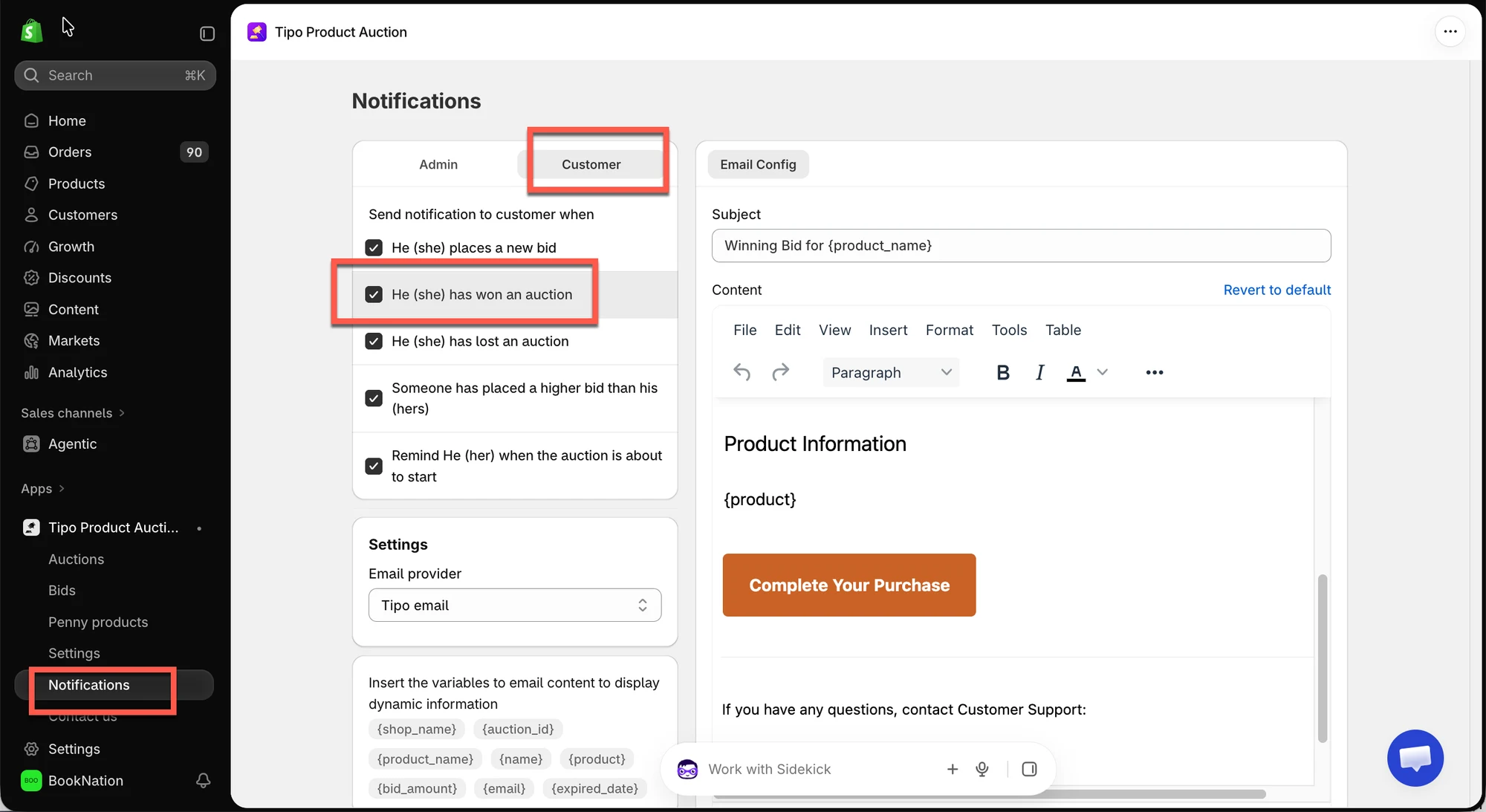
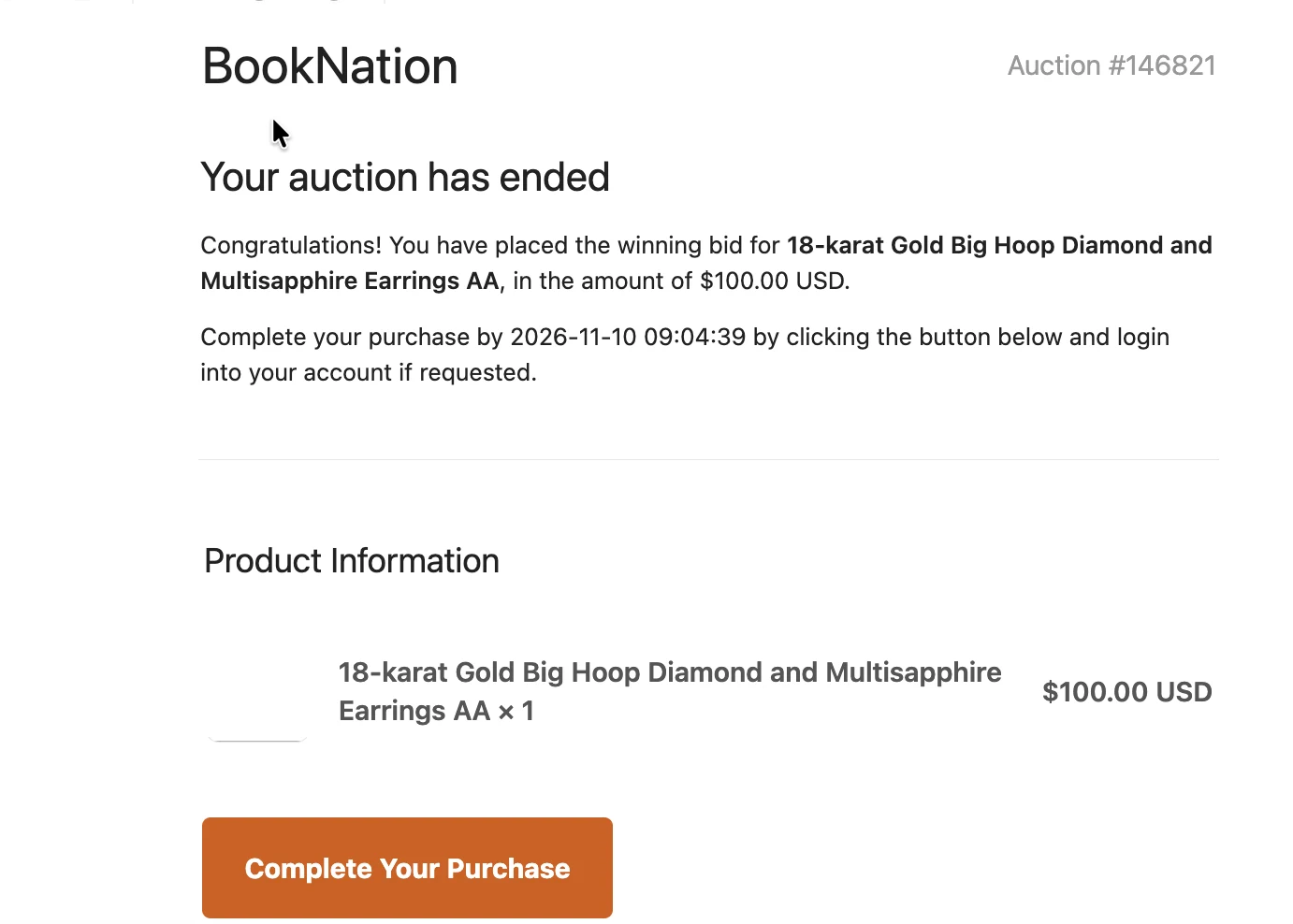
After the auction ends and a winner is selected, Tipo Auction sends a winning notification to the winner's email address. Enable the email template in the app.
<figure><img src="/media/472a23d1a0e10f963038.webp" alt="" loading="lazy" decoding="async"><figcaption></figcaption></figure>

The winner can complete the purchase by following these steps:

1. Open the winning email notification.
2. Click **Complete your purchase**.
3. The store redirects the winner to the Shopify checkout page.
4. Review the order details and complete the payment.

<figure><img src="/media/d441b7b079735b06c7e9.webp" alt="" loading="lazy" decoding="async"><figcaption></figcaption></figure>

<figure><img src="/media/292119864eb5a473ef70.webp" alt="" loading="lazy" decoding="async"><figcaption></figcaption></figure>


:::note


#### Winner Email Notifications: Plan Availability

* **Gold and higher plan:** automatic winning email ftom Tipo app
* **Free and Silver plan:** no automatic winning email; manually send an invoice from Shopify Orders.
  
:::


### 👤 Option 2: Complete the Order from Auction History

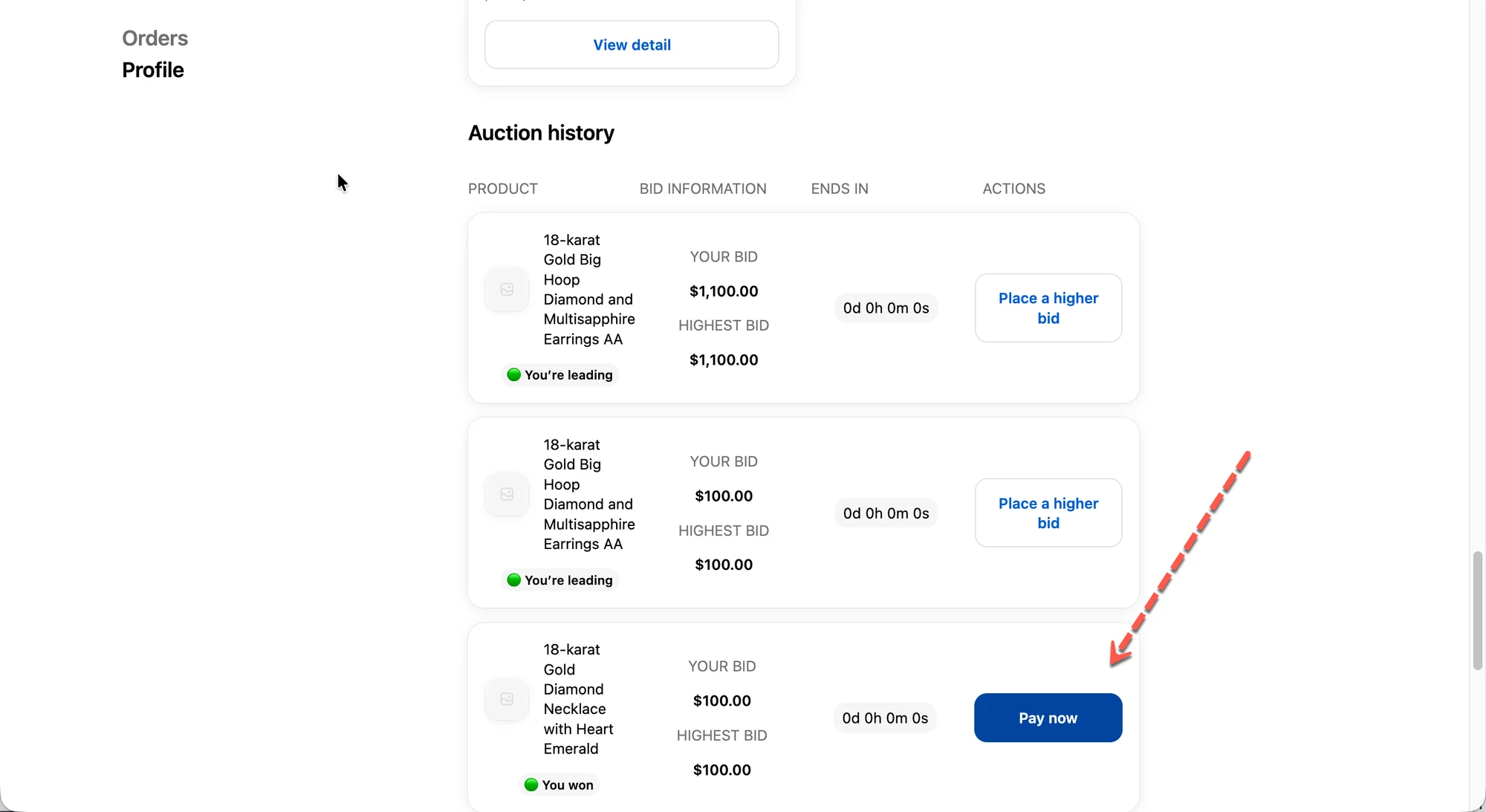
The winner can also access checkout directly from their customer account without using the email notification.

Follow these steps:

1. Log in to the customer account on your Shopify store.
2. Open **Auction history**.
3. Find the auction product you won.
4. Click **Pay now**.
5. Continue to Shopify checkout and complete the payment.

<figure><img src="/media/85b15aa0965d49ab7d12.webp" alt="" loading="lazy" decoding="async"><figcaption></figcaption></figure>

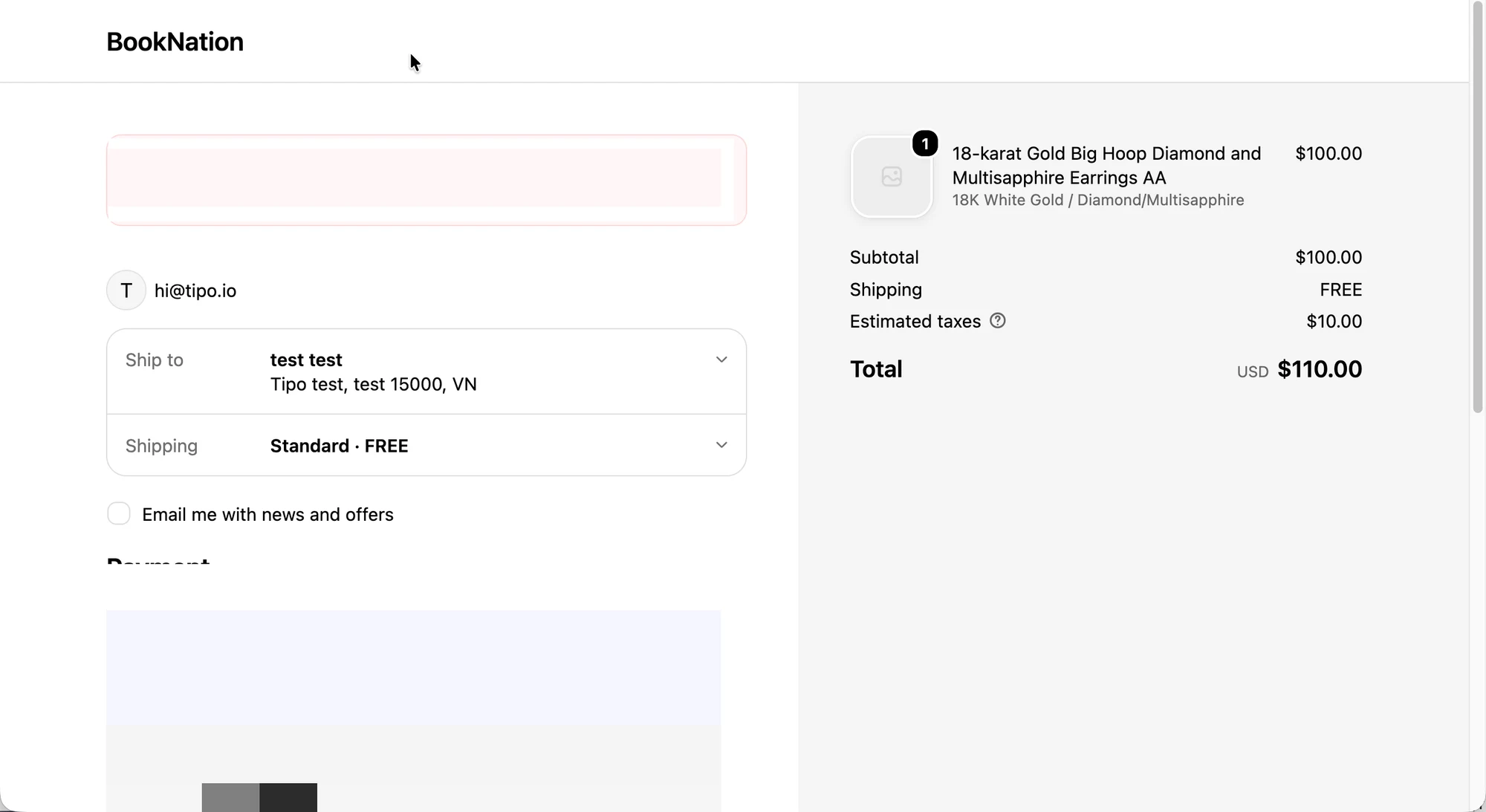
After clicking **Pay now** in Auction history, the winner is redirected to the Shopify checkout page.

### 📦 5. What the Store Admin Sees

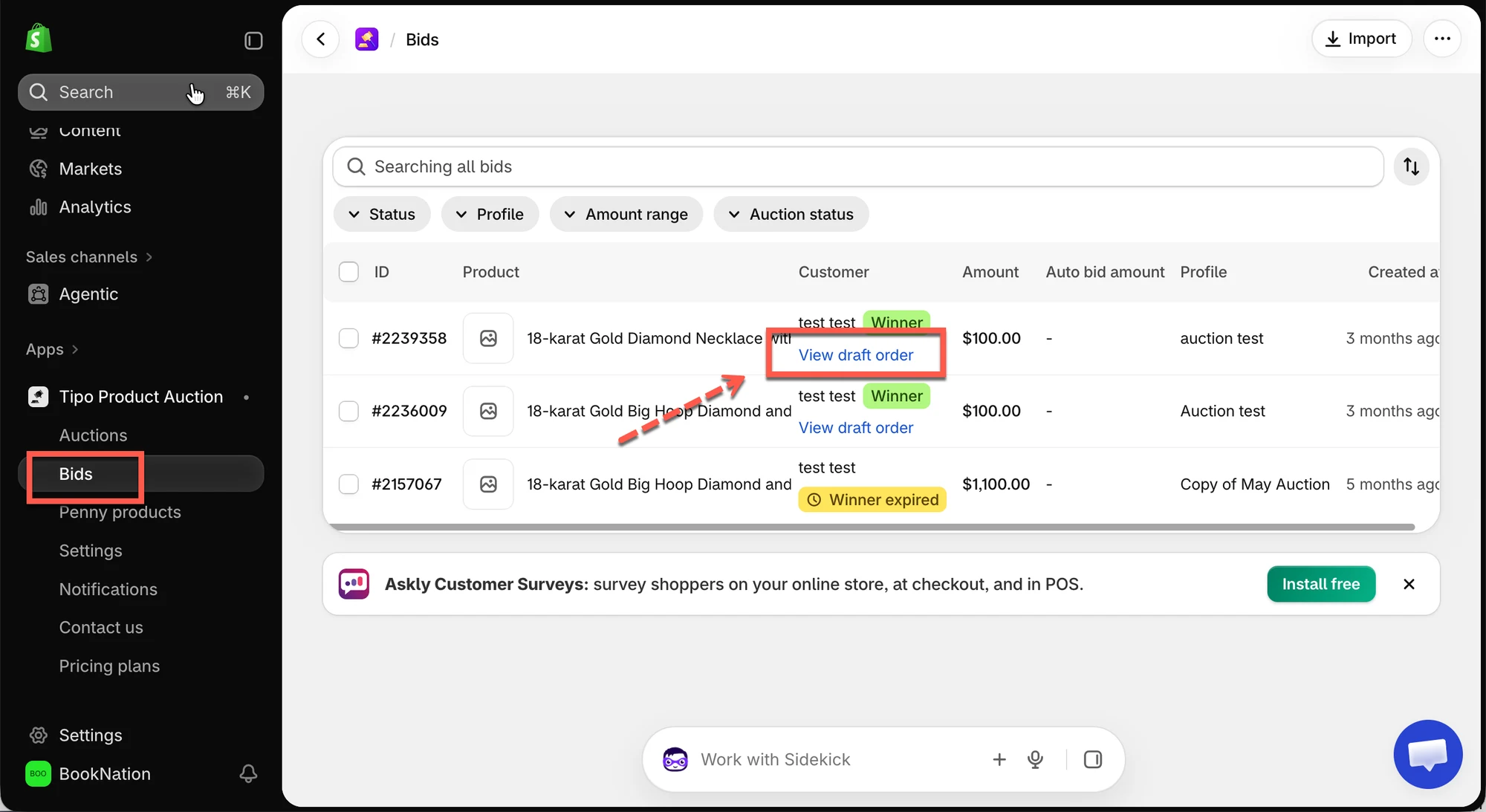
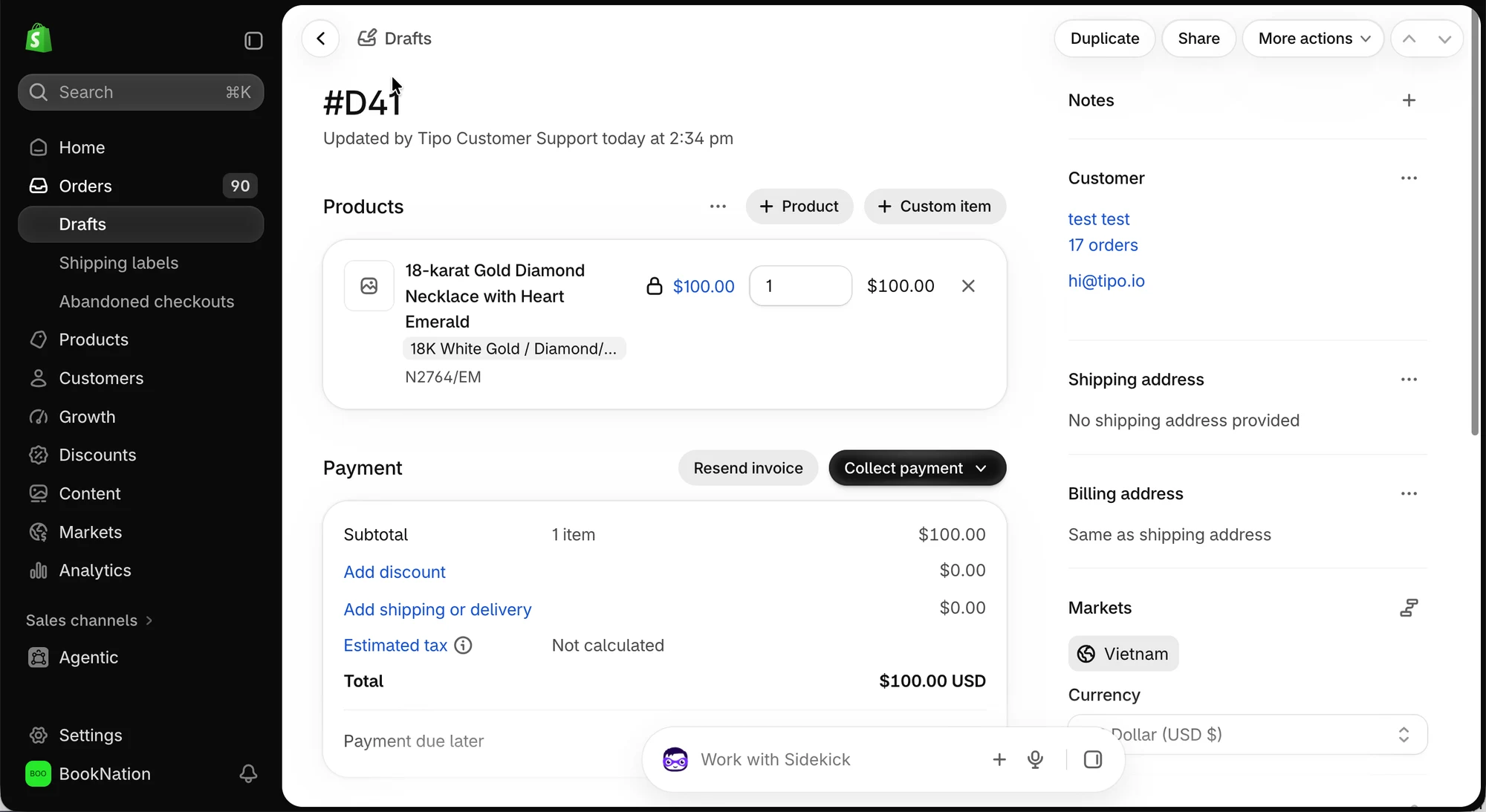
After the winner completes checkout, the order is available in **Shopify Admin → Orders**.

The admin can review the order details, including:

* The auction product.
* The order price.
* The winning customer's information.
* The order and payment status.

You can manage and fulfill the order through Shopify as you would with a regular store order.

<figure><img src="/media/962c4e20887f2a1e1420.webp" alt="" loading="lazy" decoding="async"><figcaption></figcaption></figure>

<figure><img src="/media/567c072bd508bf68e994.webp" alt="" loading="lazy" decoding="async"><figcaption></figcaption></figure>

## ❓Troubleshooting

**The winner cannot find the Pay now button.**

Check that:

* The auction has ended.
* A winner has been selected.
* The customer is logged in to the correct account.
* The winner's payment period has not expired.

**The winner cannot access checkout from the email.**

Ask the winner to check their winning notification and try accessing the product through **Auction history** in their customer account.

**The winner cannot complete payment.**

Check whether the payment period has expired and whether the store's Shopify checkout and payment settings are working correctly.

For more details, see [Set Payment Time for Winners](/tipo-auction/winner-and-checkout-flow/checkout-deadline-for-auction-winners).