# How to hide Buy buttons and product price
When a product is being sold through an auction, you may want to hide the regular **Add to Cart** button and product price to prevent customers from purchasing the item directly at its original price.
> The app hides the Add to Cart button and product price using JavaScript after the page loads. Because of this, these elements may briefly appear for a moment before being hidden.
### ⭐ Recommended Solution
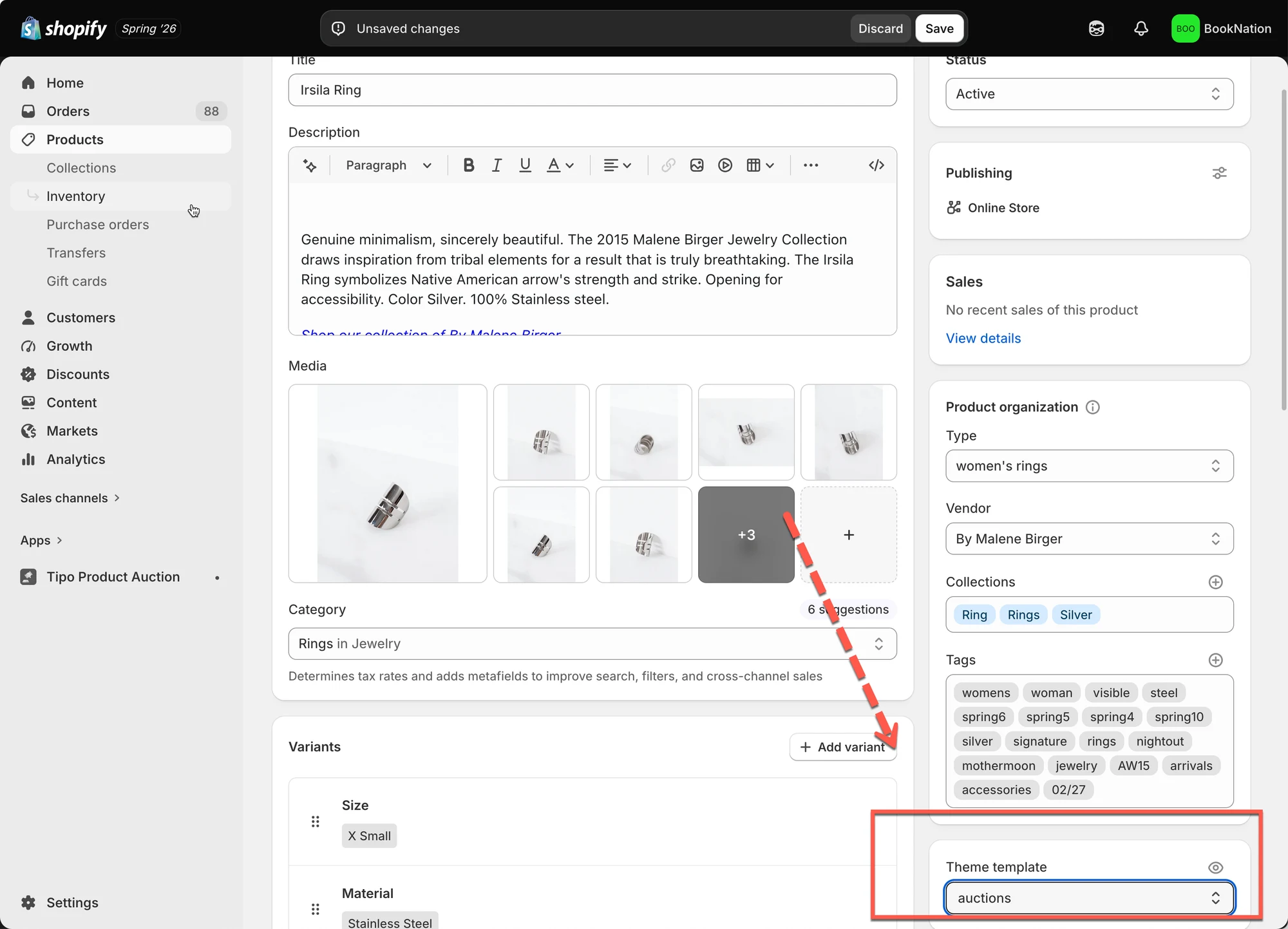
For the most reliable result, we recommend creating a dedicated product template for auction products and removing the price and buy button directly in your Shopify theme.
### 🛠️ **Steps to manage**
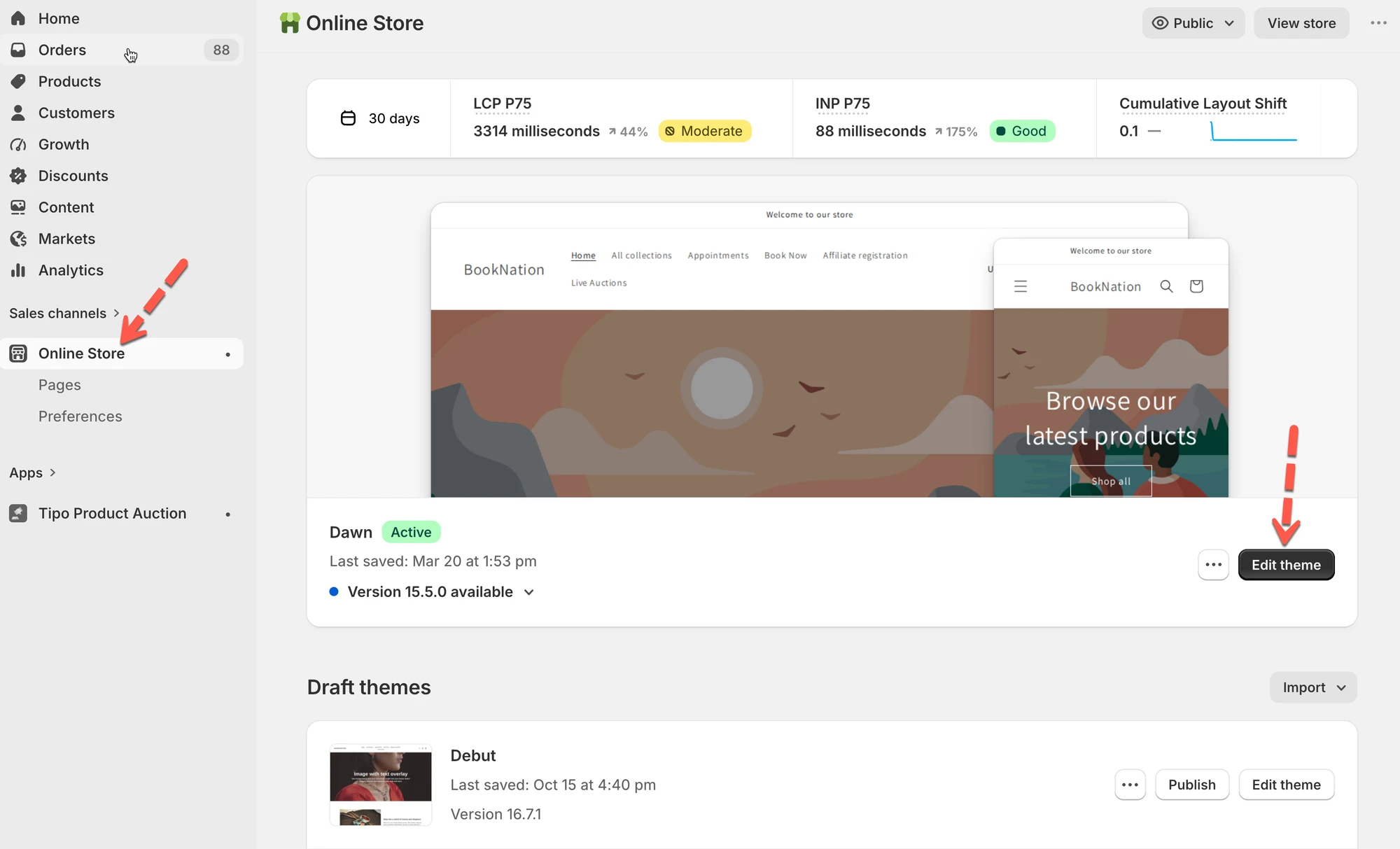
* Open the theme editor > create a new product template
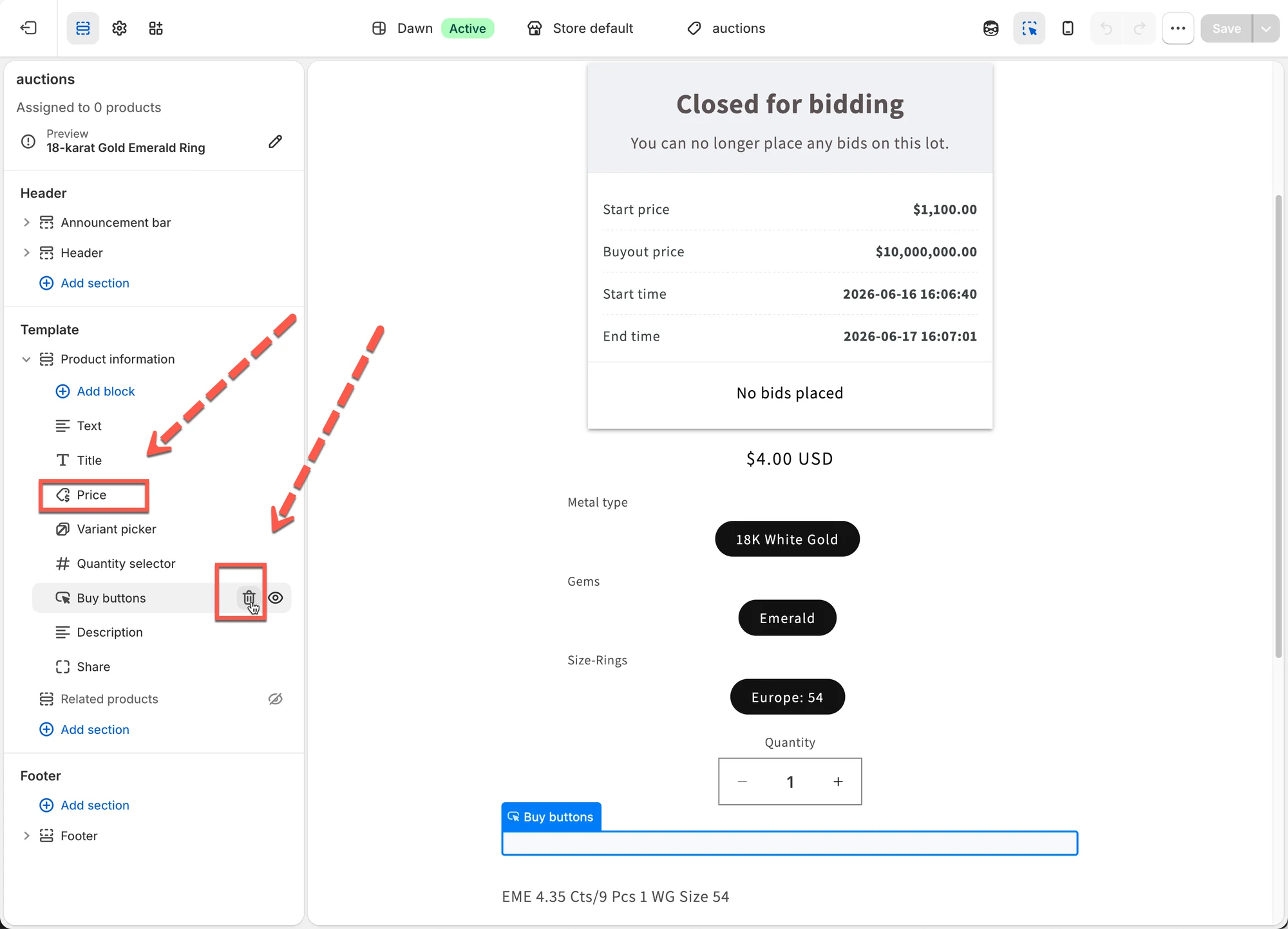
* In the new product template, hide the price and buy button
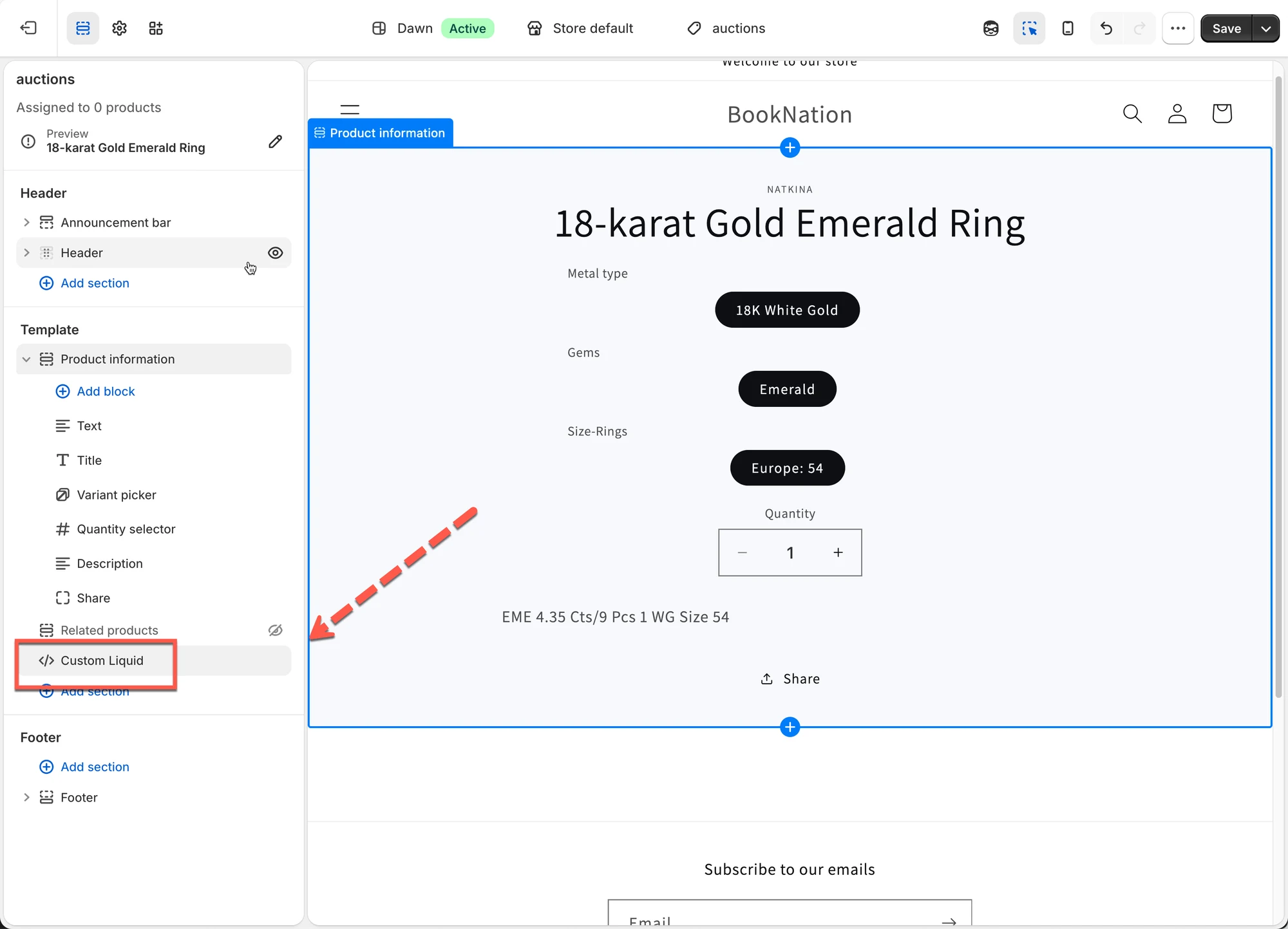
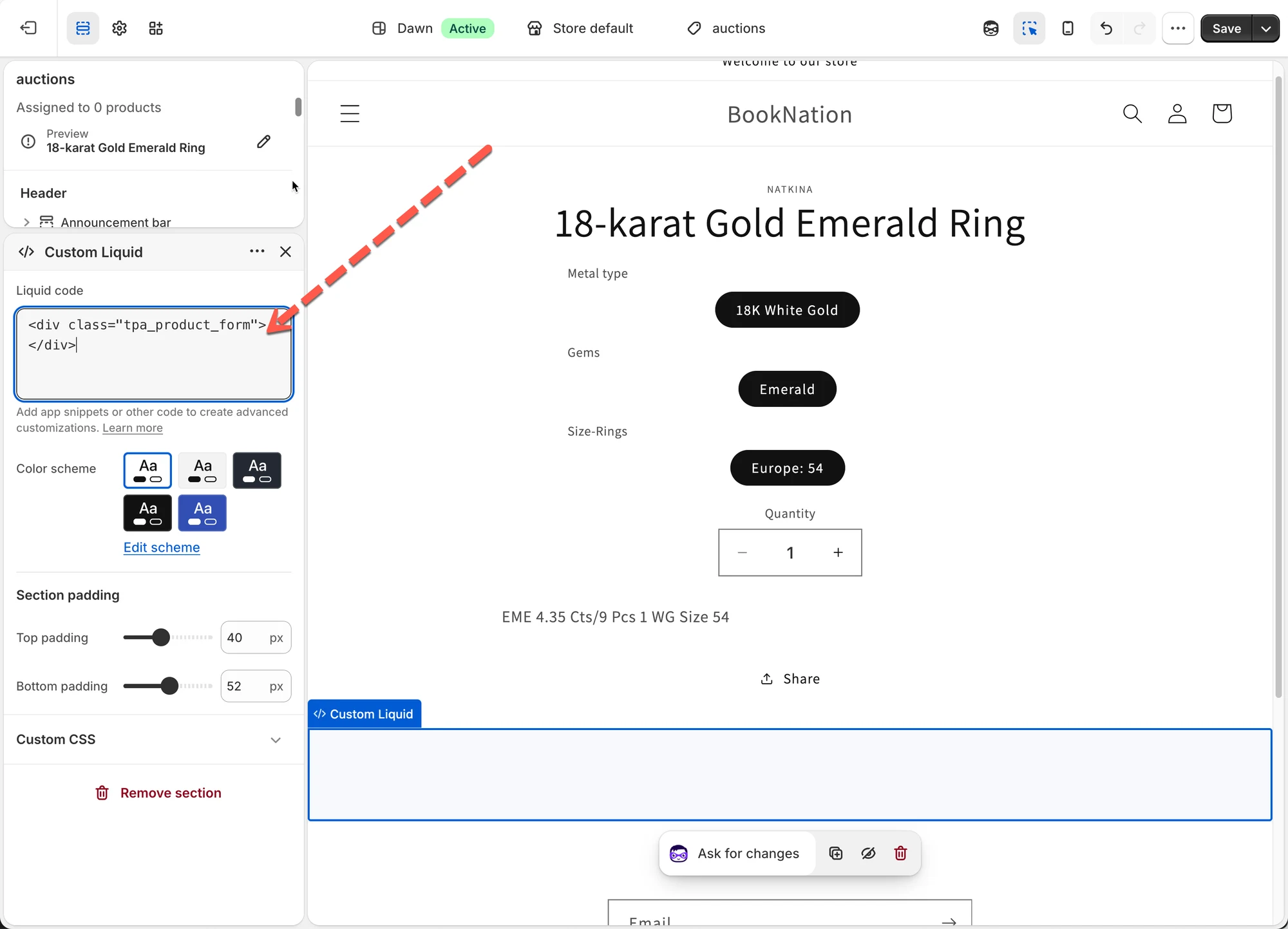
* Click **Add block** > add a **custom liquid** > paste the code below > save
```
```
* If you want to apply the auction to products, assign the products to new template
* Then check how it works on the product page
***
**🙋 Still need support?**
If you still need help, please feel free to contact us at . We’ll be happy to assist you further.