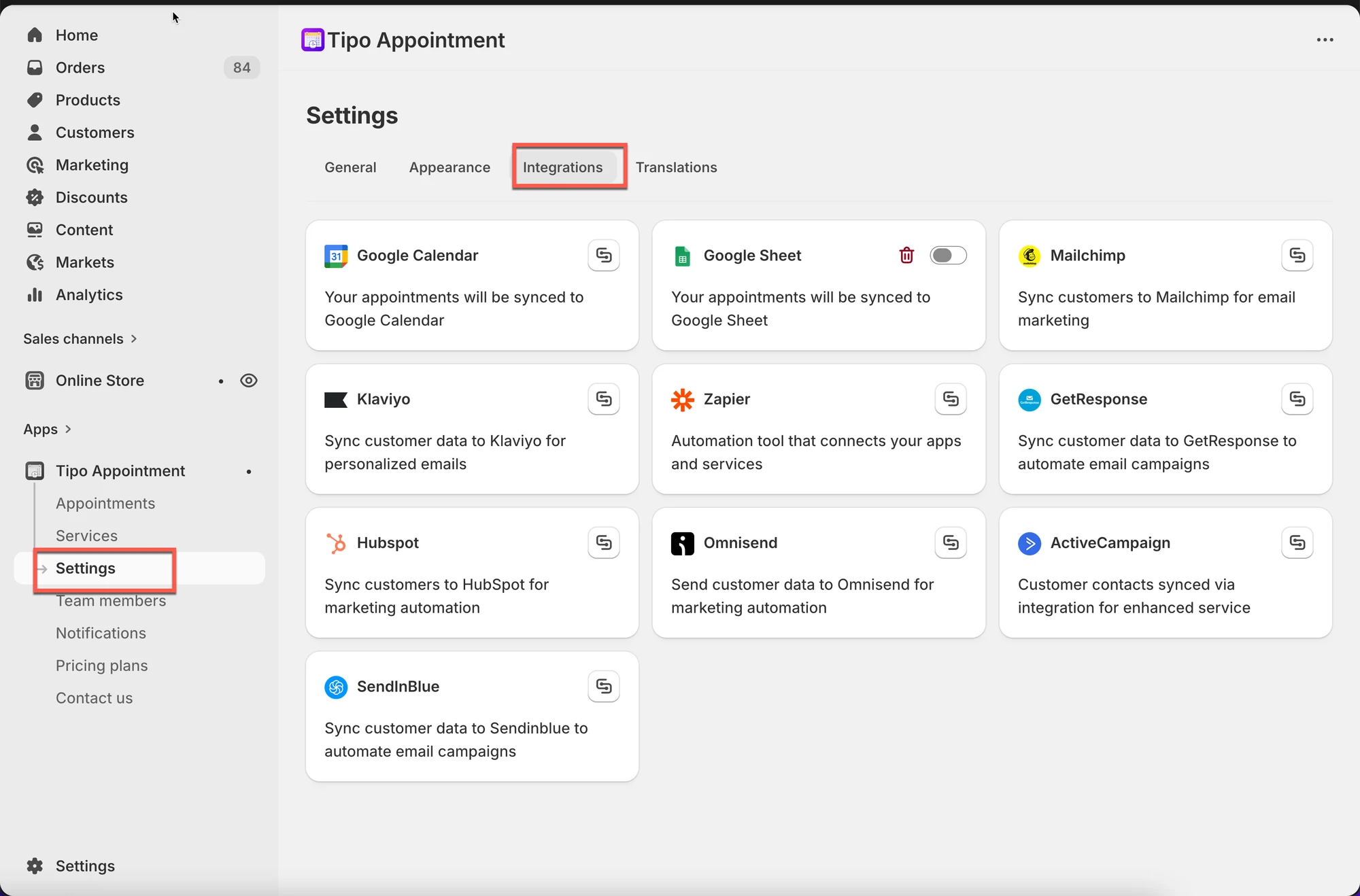
# Integrations overview
Integrations connect Tipo Appointment to other tools you already use so your booking data can automatically sync to calendars, spreadsheets, marketing apps, and automation platforms.
### 🧩 What integrations do
When an integration is activated, Tipo can send booking information (like service, date/time, customer details) to another platform.
Common examples:
* **Google Calendar**: add bookings to your calendar
* **Google Sheets**: export bookings into a spreadsheet
* **Klaviyo / Mailchimp / HubSpot**: use booking data for marketing or CRM automation
* **Zapier**: connect Tipo to thousands of apps (Slack, Trello, Airtable, etc.)
***
### 🛠️ How to set
1. Open Tipo app > click **Settings**
2. Open the **Integrations** tab
3. Turn on the option you want
4. Connect your account (authorize access if required)
5. Save
6. Test with a booking
***
### **💡** Types of integrations
#### Calendar & scheduling
Use these to keep your team’s schedule in sync.
* **Google Calendar**
#### Reporting & exports
Use these to track bookings and create reports.
* **Google Sheets**
#### Marketing & CRM
Use these to segment customers and trigger follow-up flows.
* **Klaviyo, Mailchimp, HubSpot, Omnisend, Brevo (Sendinblue), GetResponse**
#### Automation
Use these to connect Tipo to other tools and build workflows.
* **Zapier**
***
### ✅ When you should use integrations
Integrations are helpful if you want to:
* avoid manually copying booking info to another tool
* keep staff schedules up to date
* build automated follow-ups (reminders, thank-you emails, review requests)
* track bookings in a spreadsheet for reporting
***
### ⚠️ Important notes
* Some integrations require you to log in and grant permission (Google, CRM tools).
* If syncing stops, you may need to reconnect your account.
* Turning an integration on usually affects new or updated bookings going forward.
***
**🙋 Still need support?**
If you still need help, please feel free to contact us at . We’ll be happy to assist you further.