# Set start day of the week
### ⚙️ **How to set**
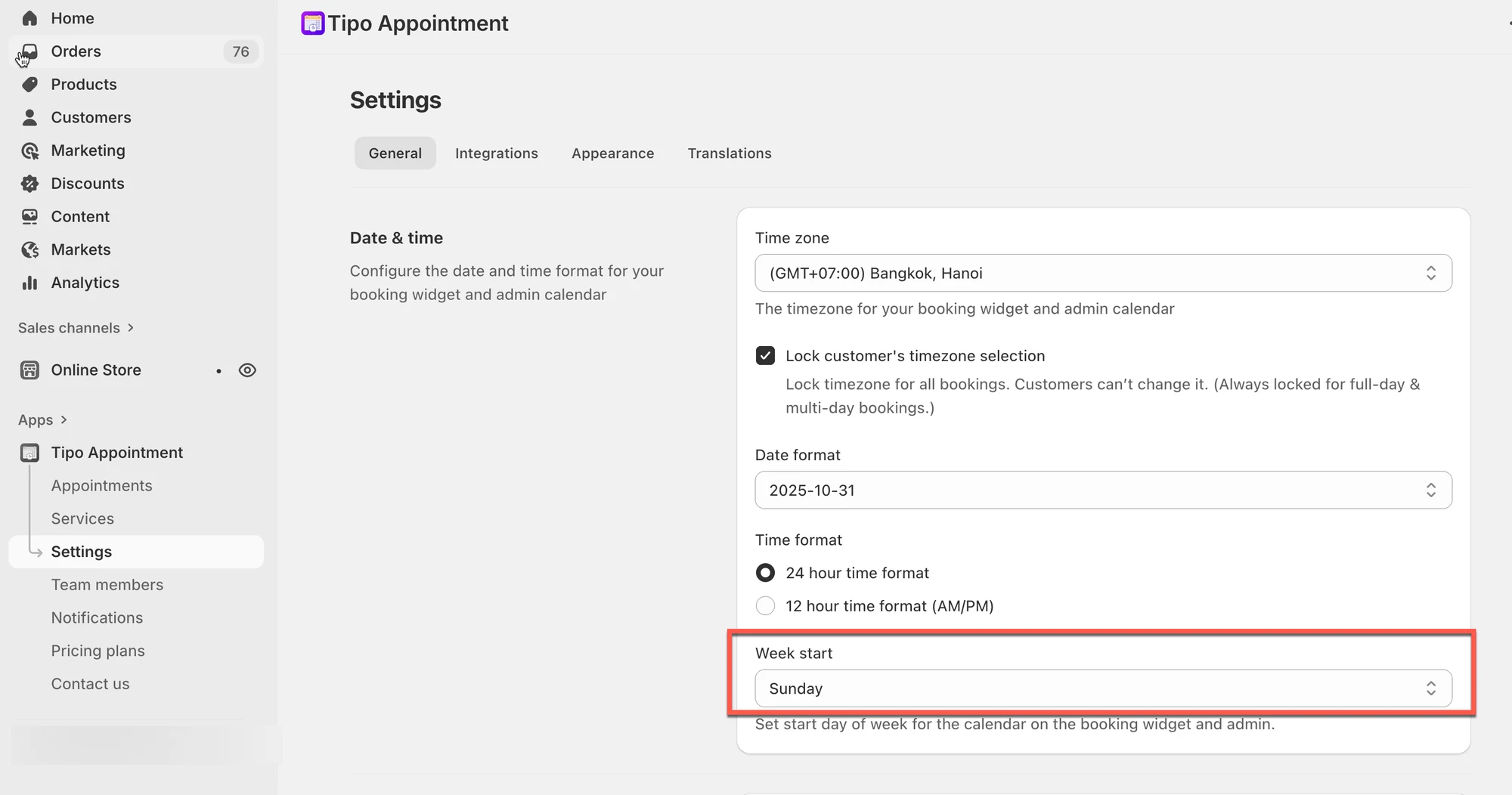
1. Open the app > click **Settings** > **General**
2. In **Date & time** > **Week** **start** field > choose the day you want (example: **Sunday**)
3. Click **Save**
***
### ✅ What changes after you update it?
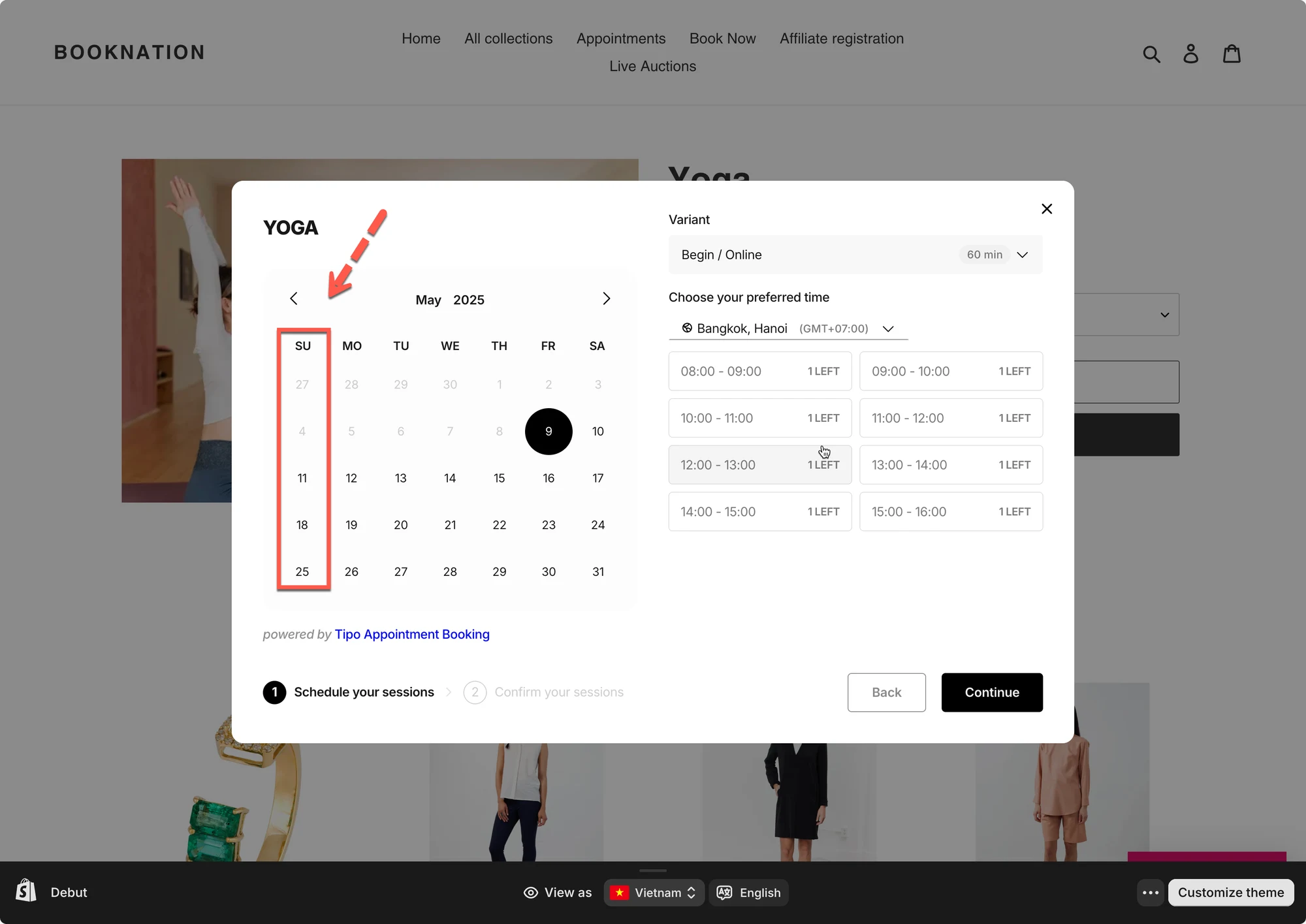
After updating **Week start**, you’ll see the new calendar layout in:
* **Appointments calendar** (admin)
* **Booking widget calendar** (customer view)
**Notes**
* This setting changes **calendar display only** (it does *not* change appointment times).
* If you don’t see changes on the storefront immediately:
* refresh the page
* try incognito mode
***
**🙋 Still need support?**
If you still need help, please feel free to contact us at . We’ll be happy to assist you further.