# Unsync products
This guide explains how to **unsync** products between your **Source store** and **Destination store**. Unsyncing removes the link (mapping) so the product will no longer receive updates from the Source store.
### ❓ What happens when you unsync?
When you unsync a product:
* The mapping between Source and Destination is removed
* Future updates from Source will no longer apply to that product in Destination
* The product may remain in the Destination store
***
### 🛠️ **Steps to unsync specific product**
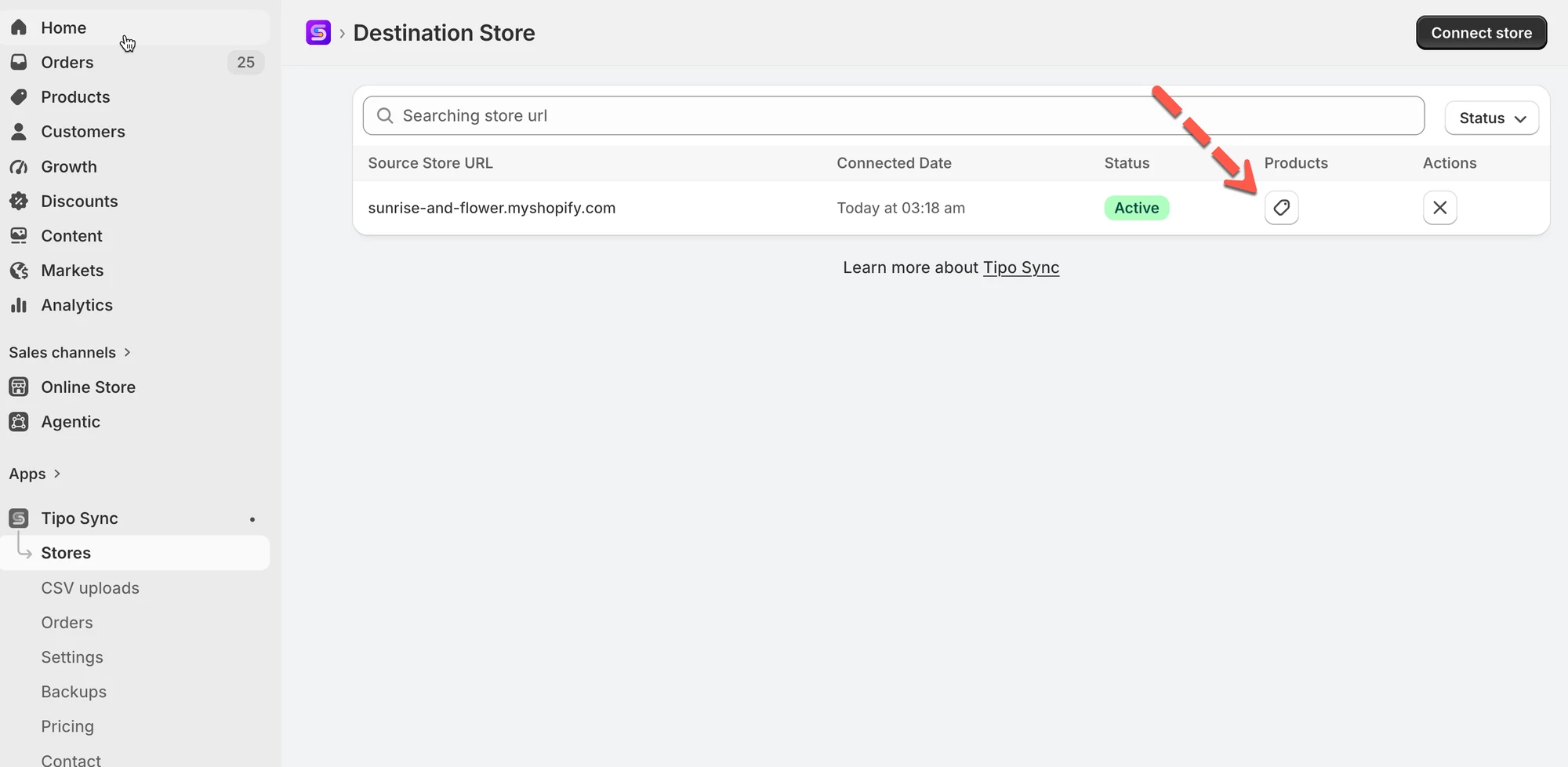
1\. Go to the **Destinations** store, open the app Dashboard > click **Stores** > click **Products** to see the synced product list of the connection
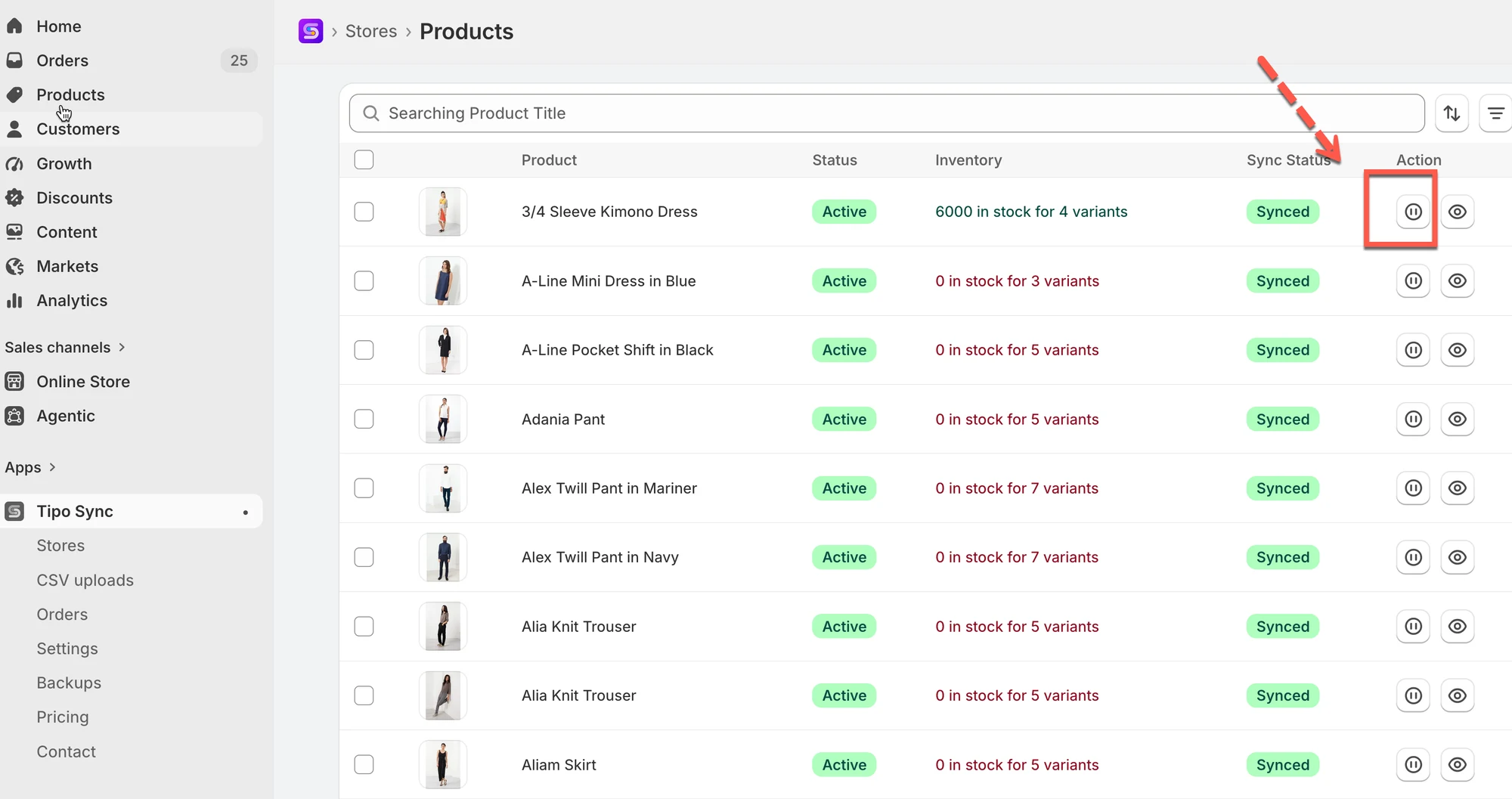
2\. Click this icon to stop sync for each product
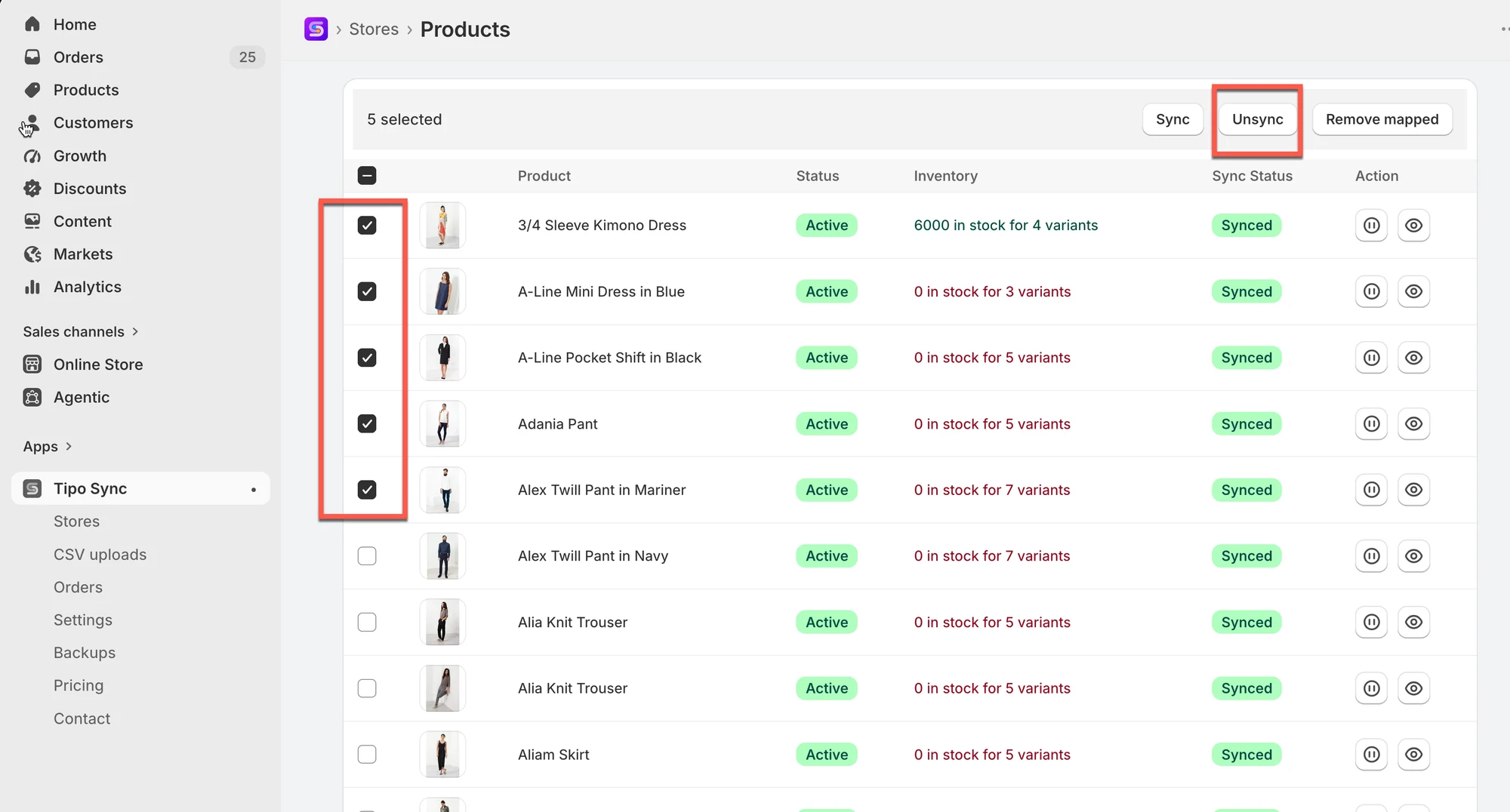
3\. For bulk action: select the products you want to sync. Select **Select all 25+ products** if you want to select all products in the list > click **Unsync** button on the right side
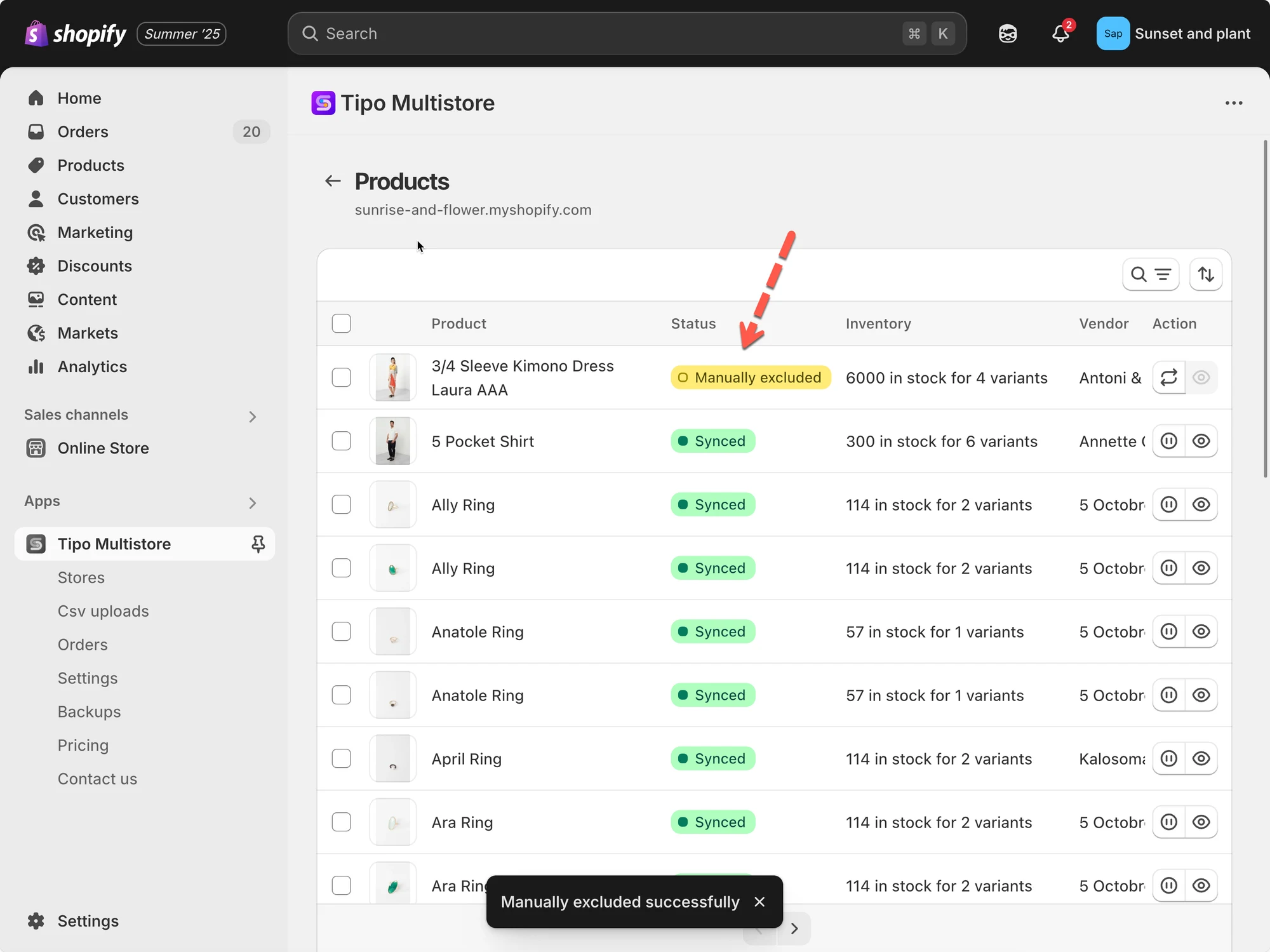
After unsyncing, these products will be marked as **Manually Excluded**, indicating they are no longer synchronized with the Source Store.
This screenshot is unavailable in the original documentation.
If you want to continue the sync again, select the products again and click **Sync** button instead of **Unsync** button.
**📝 Note**
> **Unsyncing does not delete the product.**\
> It only stops future updates from the **Source store** from syncing to the **Destination store**. The product will still remain in your Destination store unless you manually delete it.
***
#### 🙋 Still need support?
If you still need help, please feel free to contact us at **\[your support email or link]**. We’ll be happy to assist you further.