# Remove connection

Use this guide to stop syncing between two stores, or to remove a connection so you can create a new one.


:::caution

&#x20;**Important:** You must remove the connection in the **Stores** section of the app in **both stores**: the Source store and the Destination store. If you remove it in only one store, the connection is not fully removed and you cannot create a new one.

:::


**What happens when you remove a connection:**

* Syncing of products, inventory, and orders stops for that pair of stores.
* Mapped products are unsynced.
* In the Destination store, you choose what to do with the synced products: keep, unpublish, or delete them.

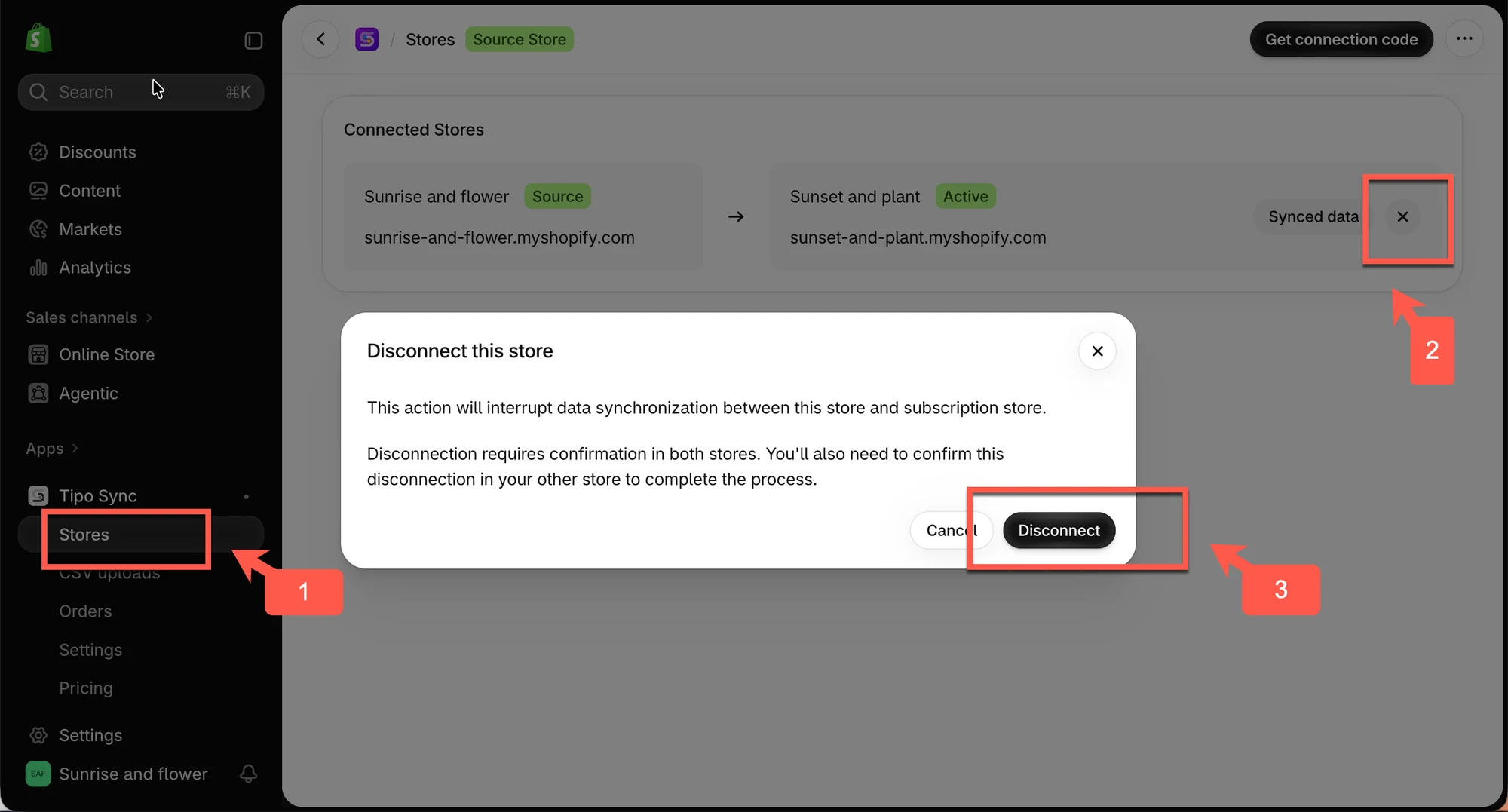
## 1️⃣ Remove the connection in the Source store

1. Open the app in the **Source store**
2. Click **Stores**
3. Click the **disconnect** icon next to the connected store

<figure><img src="/media/ade449e38d2b372b064d.webp" alt="" loading="lazy" decoding="async"><figcaption></figcaption></figure>

The connection is removed right away.

***

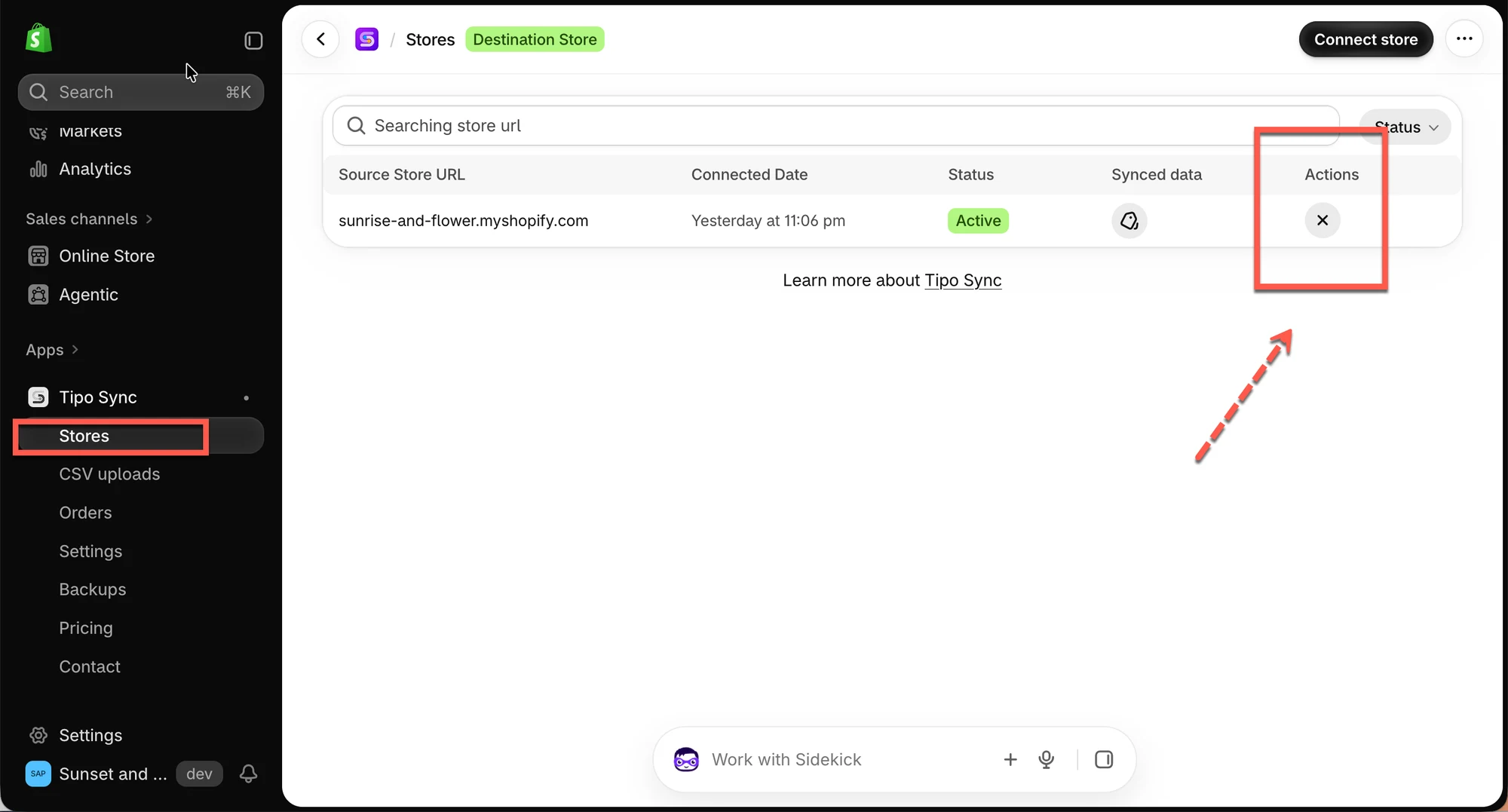
## 2️⃣ Remove the connection in the Destination store

1. Open the app in the **Destination store**
2. Click **Stores**
3. Click the **disconnect** icon next to the connected store
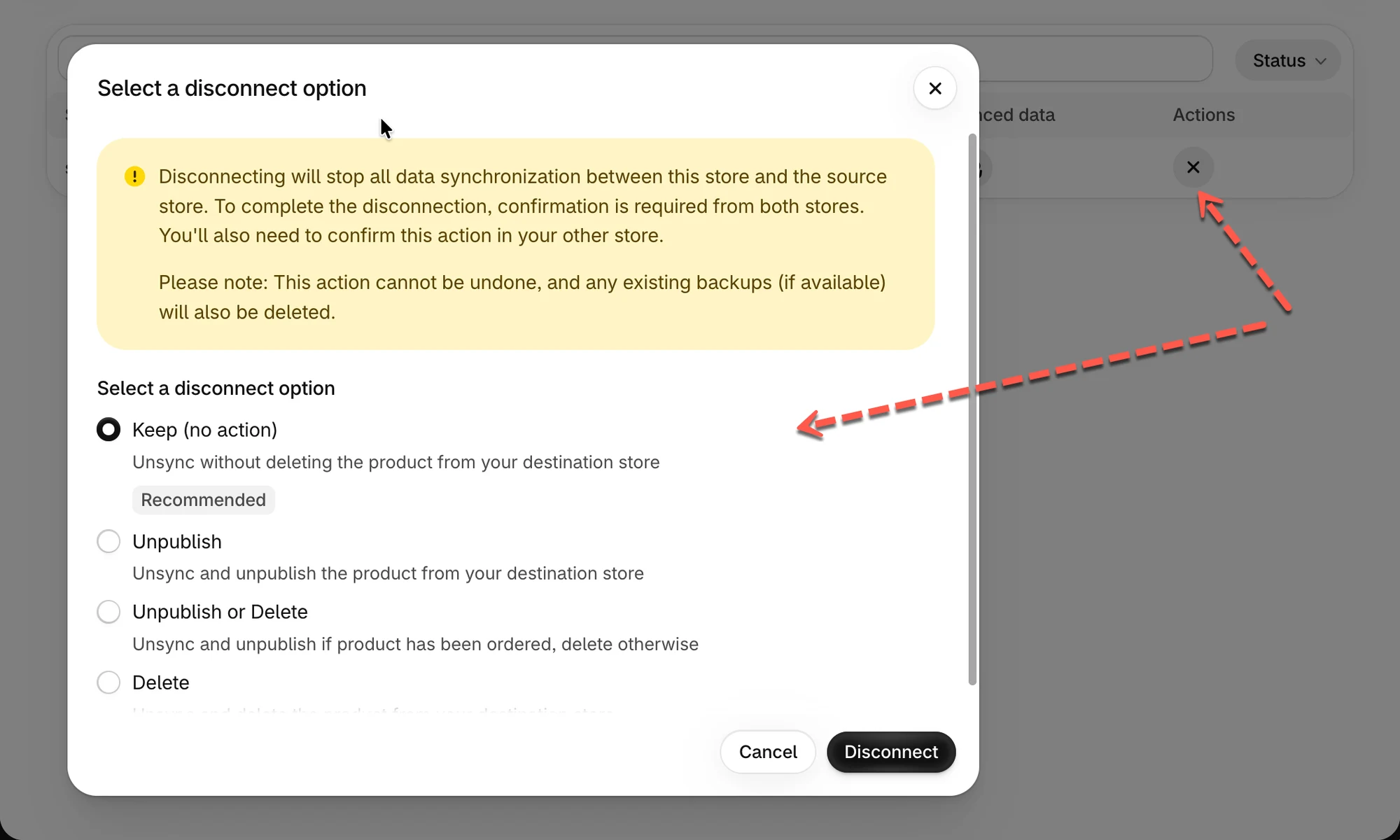
4. Choose what to do with the products that were synced from the Source store:

<table data-header-hidden><thead><tr><th width="173.8802490234375"></th><th></th></tr></thead><tbody><tr><td>Option</td><td>What happens to synced products</td></tr><tr><td><strong>Keep (no action)</strong></td><td>Unsynced. Products stay in your store as they are.</td></tr><tr><td><strong>Unpublish</strong></td><td>Unsynced and unpublished. Products are hidden but not deleted.</td></tr><tr><td><strong>Unpublish or Delete</strong></td><td>Products that have been ordered are unpublished. All other products are deleted.</td></tr><tr><td><strong>Delete</strong></td><td>Unsynced and deleted from your store.</td></tr></tbody></table>

<figure><img src="/media/04bf007306b3a967380c.webp" alt="" loading="lazy" decoding="async"><figcaption></figcaption></figure>

<figure><img src="/media/59c85710b9602e375664.webp" alt="" loading="lazy" decoding="async"><figcaption></figcaption></figure>

> 💡 **Tip:** Not sure which to pick? Choose **Keep** to be safe. You can always unpublish or delete the products yourself later.

***

## ⏳ Before you create a new connection

Removing a connection can take a few minutes to process. Wait until the app finishes, then you can create a new connection. See [Connect stores](/overview/connect-stores).

**🙋 Still need support?**

If you still need help, please feel free to contact us at <hi@tipo.io>. We’ll be happy to assist you further.