# Tijdnotatie
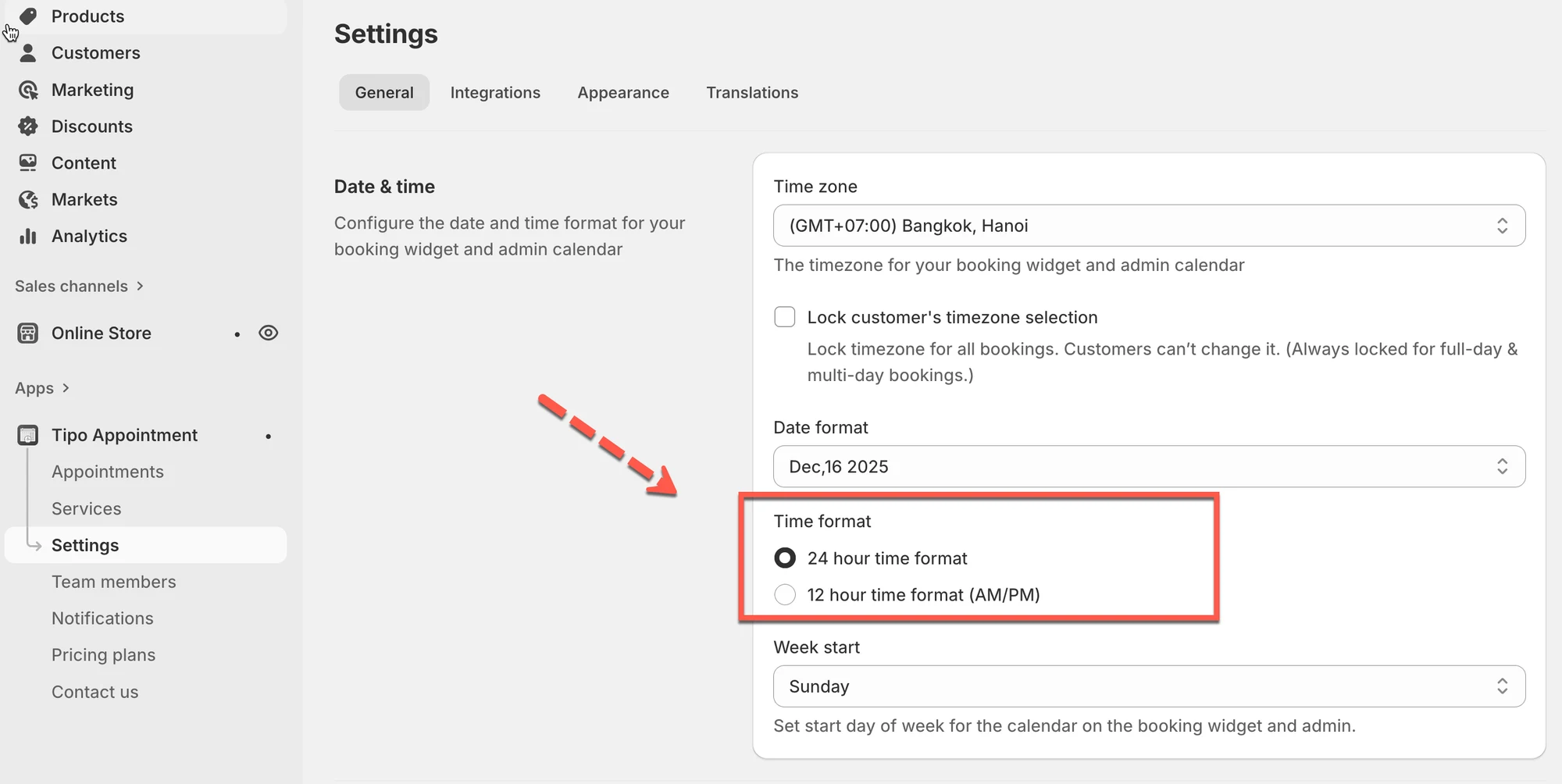
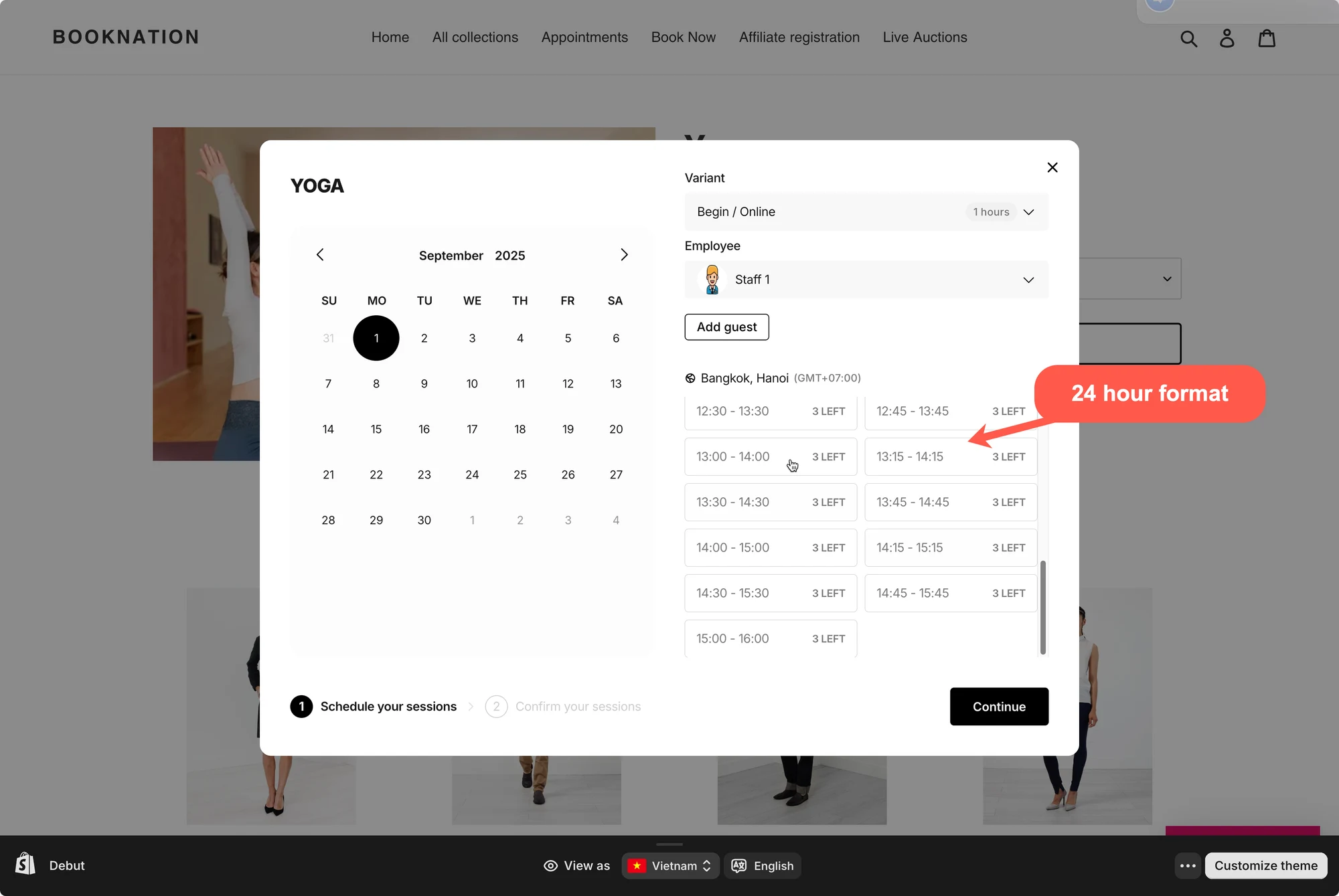
Kies hoe de tijd in het boekingswidget wordt weergegeven: 24-uursnotatie of 12-uursnotatie (AM/PM).
Voorbeelden:
* **24-uurs:** `13:30`
* **12-uurs:** `1:30 PM`
**Zo stelt u dit in**
1. Open de app > klik op **Settings** > **General**
2. Zoek bij **Date & time** naar **Time format** > kies een optie:
* **24 hour time format**
* **12 hour time format (AM/PM)**
3. Klik op **Save**
De instelling wordt direct bijgewerkt. Controleer het resultaat in het boekingswidget in de online winkel.
Let op: de tijd in de app is altijd in 24-uursnotatie. De instelling wordt alleen toegepast op de tijd in het boekingswidget in de online winkel.
***
**🙋 Heb je nog steeds ondersteuning nodig?**
Als je nog steeds hulp nodig hebt, neem dan gerust contact met ons op via . We helpen je graag verder.