# Google スプレッドシート連携

予約を Google スプレッドシートにエクスポートすると、予約状況を管理したり、レポートを作成したり、チームとデータを共有したりできます。

### 🔌 Tipo を Google スプレッドシートに接続する

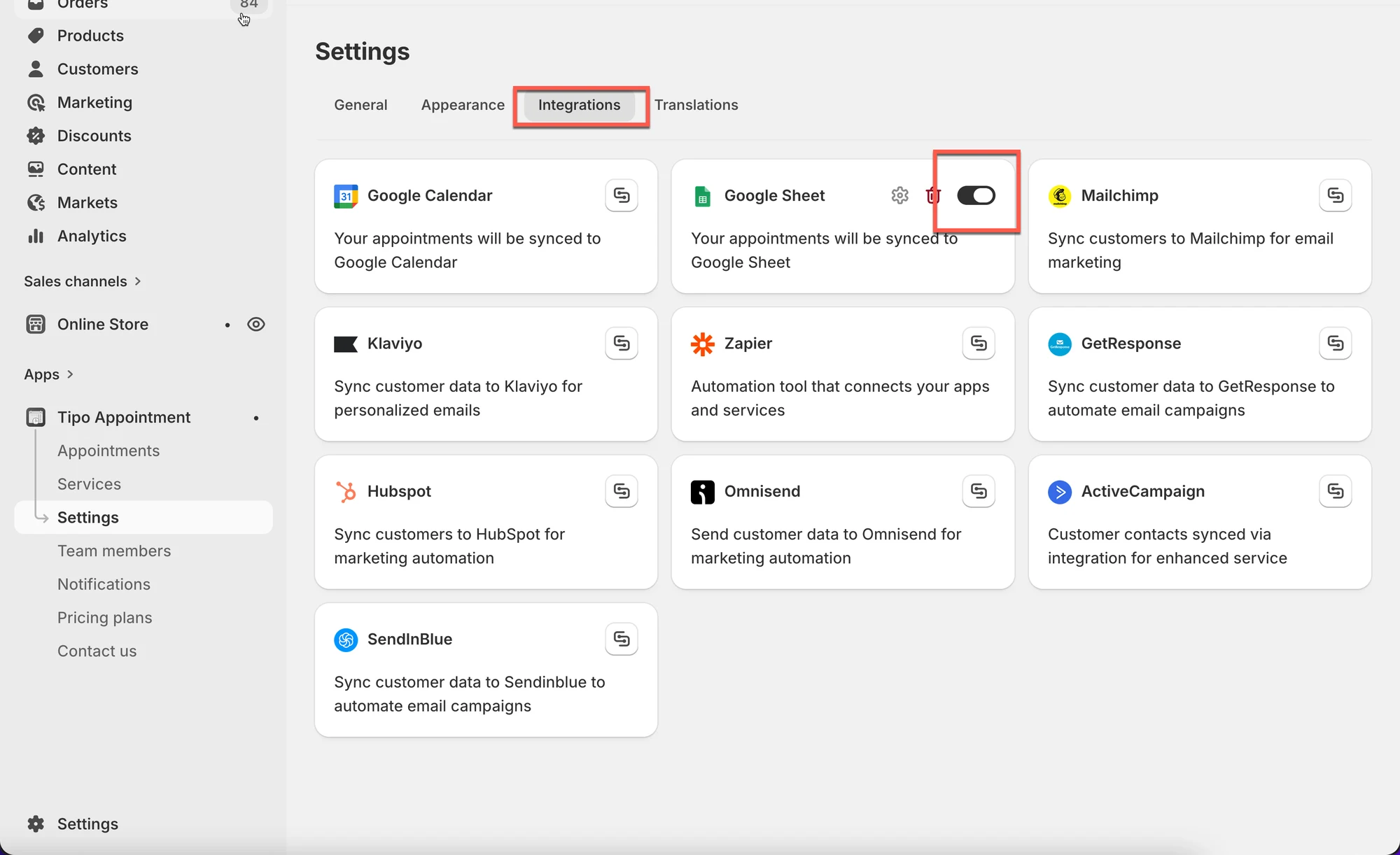
1\. アプリを開き、**Settings** > **Integrations** をクリックして、**Google Sheets** オプションを見つけます

2. **Google Sheets** オプションをオンにします

<figure><img src="/media/6d47b21fe4672eaf6e2e.webp" alt="" loading="lazy" decoding="async"><figcaption></figcaption></figure>

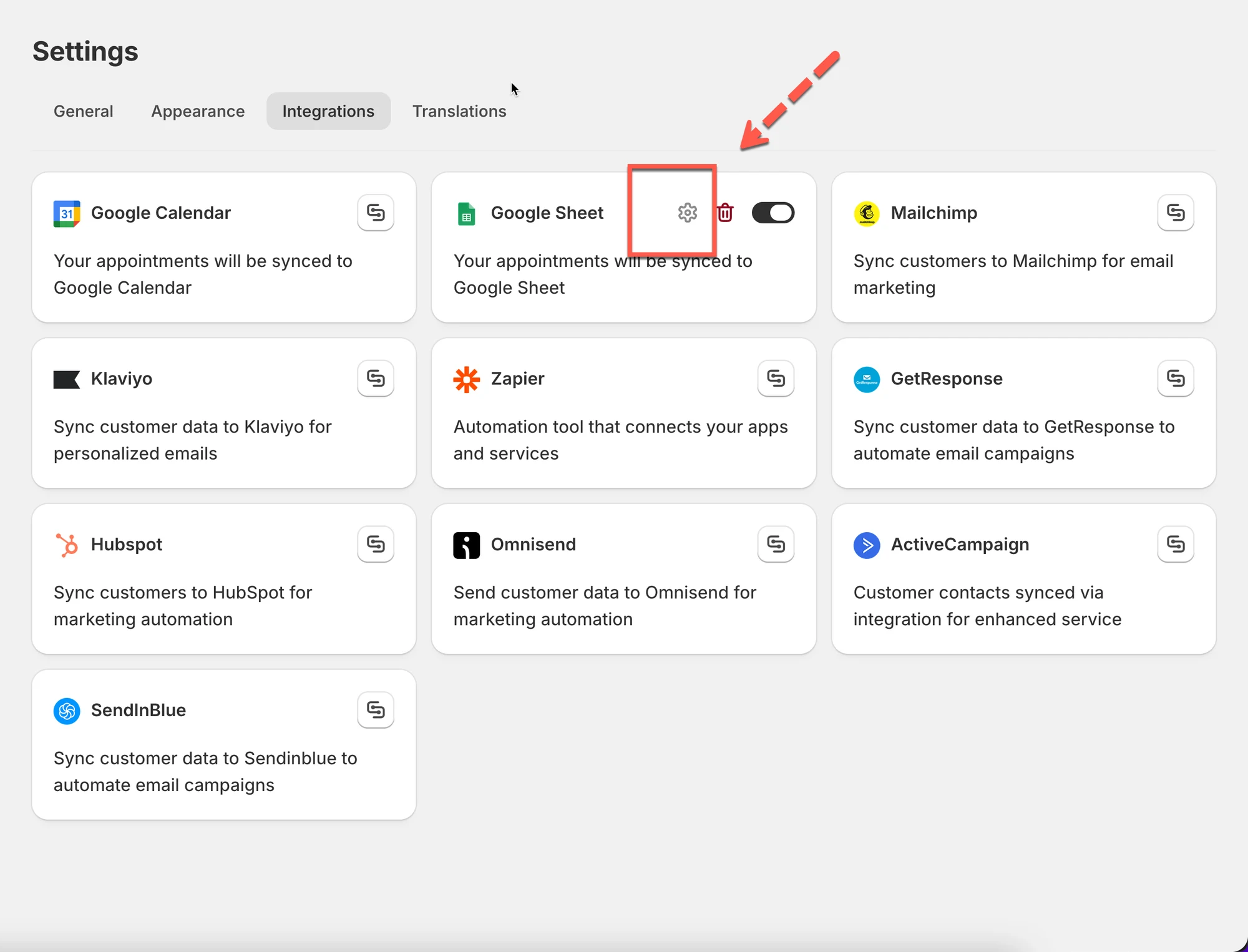
3. 歯車アイコンをクリックして設定します

<figure><img src="/media/975ef4383de2d103f7bc.webp" alt="" loading="lazy" decoding="async"><figcaption></figcaption></figure>

3. Google アカウントにログインします&#x20;
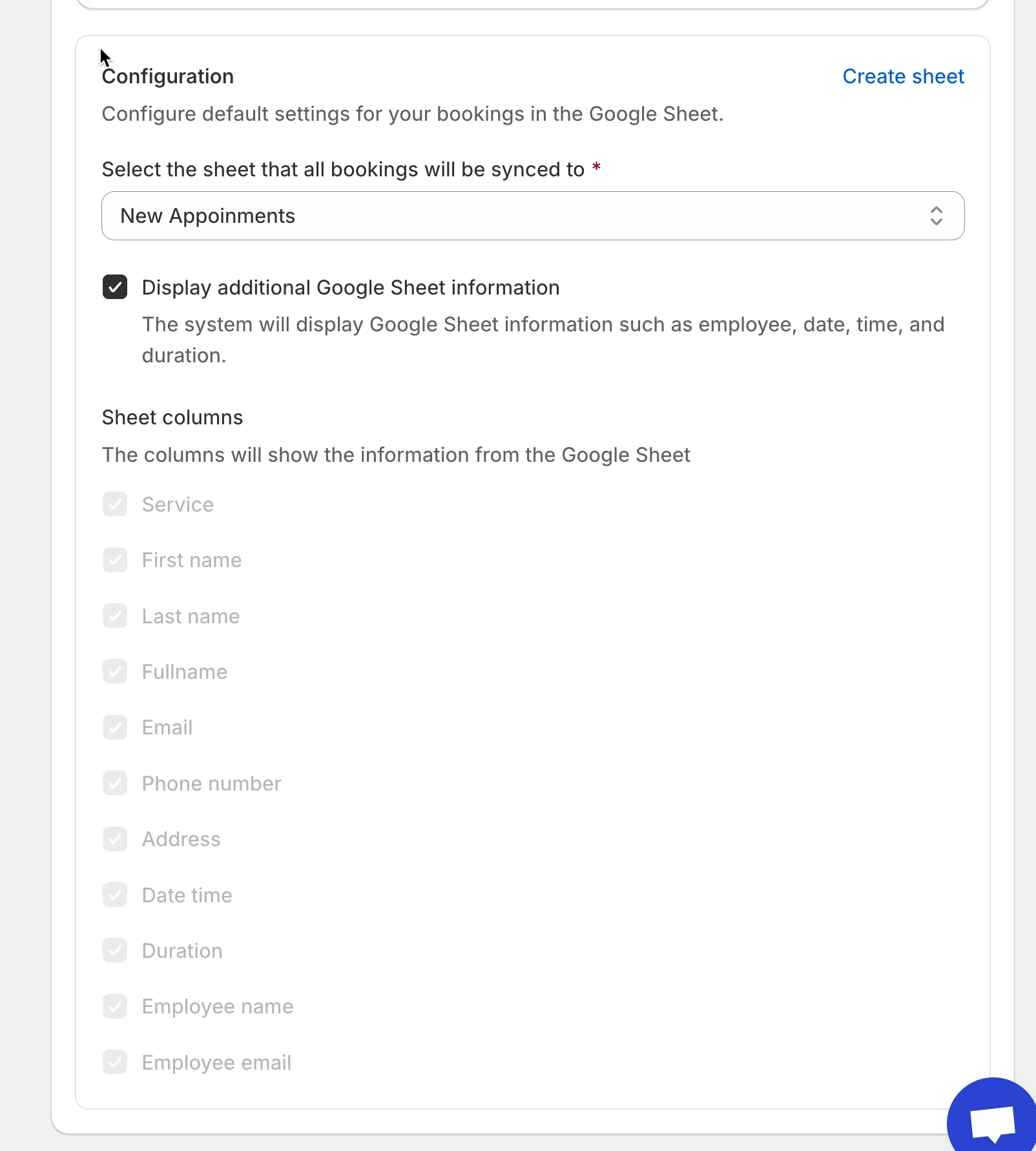
4. アカウント内の利用可能な **sheet** を選択するか、**Create sheet** をクリックして新しいリストを作成します

<figure><img src="/media/93b8e69c88b004e8fca8.webp" alt="" loading="lazy" decoding="async"><figcaption></figcaption></figure>

5. **Show appointment booking information (service, employee, date time, duration, …)** にチェックを入れます（任意）
6. **Save** をクリックします

***

### ✅ **仕組み**

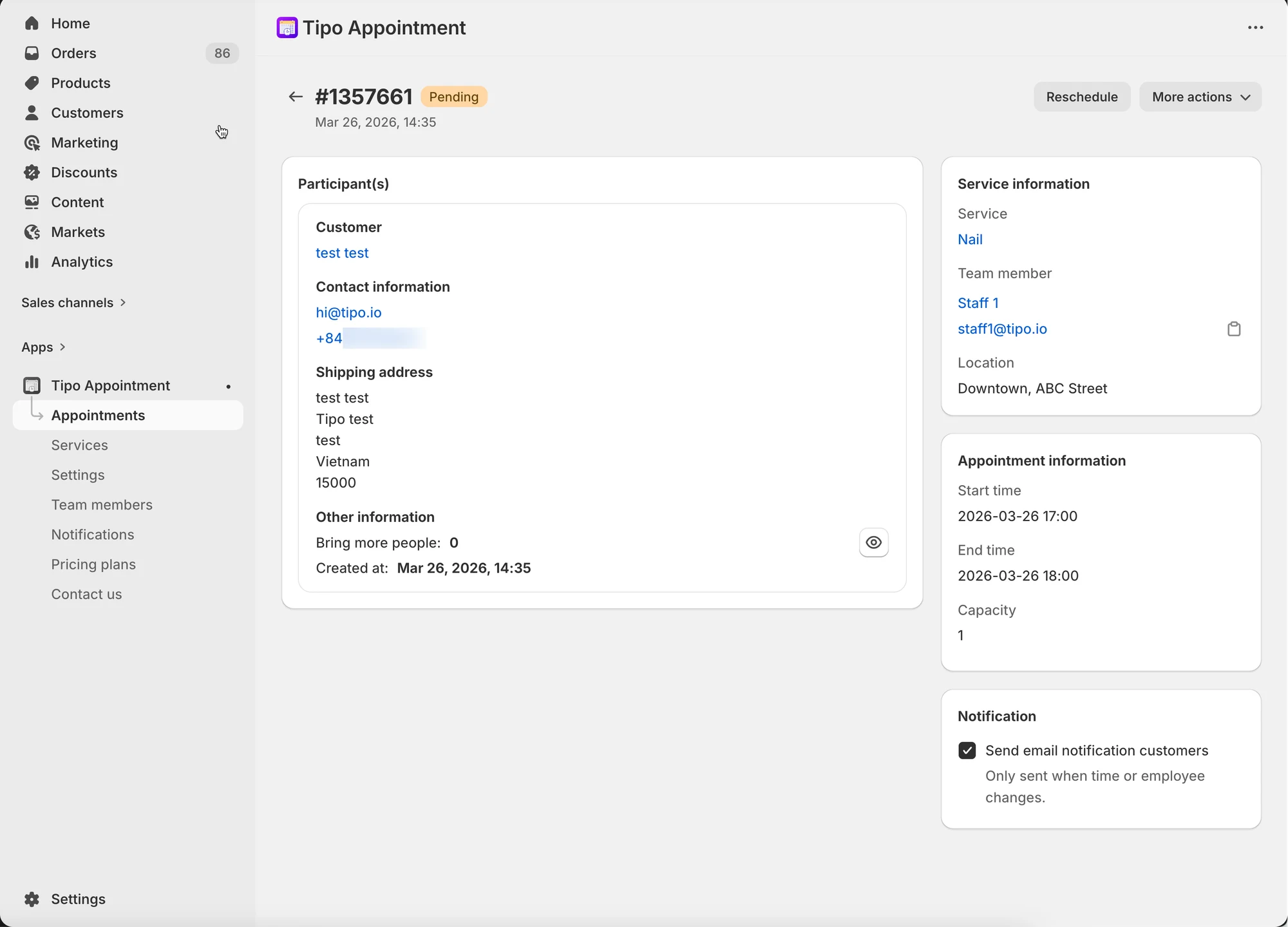
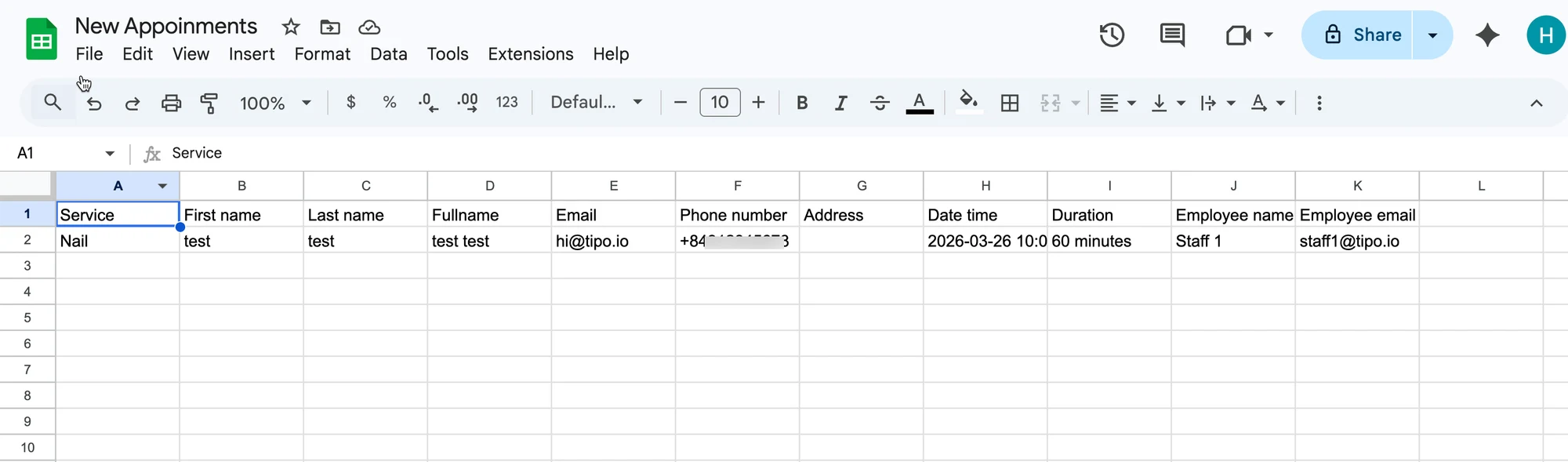
アプリで予約が入ると、そのデータが Google スプレッドシートの選択したテーブルに自動的に追加されます。

アプリ内の予約：&#x20;

<figure><img src="/media/53f03f63551ac150ec95.webp" alt="" loading="lazy" decoding="async"><figcaption></figcaption></figure>

Google スプレッドシートの選択したシートにデータが追加されます：

<figure><img src="/media/45abc953be644a1b6258.webp" alt="" loading="lazy" decoding="async"><figcaption></figcaption></figure>

<figure><span class="missing-media" role="note">This screenshot is unavailable in the original documentation.</span><figcaption></figcaption></figure>

***

**🙋 サポートが必要ですか？**

解決しない場合は、<hi@tipo.io>までお気軽にご連絡ください。引き続きサポートいたします。