# Welcome
Back up your Shopify store automatically, compare any item with its backup, and bring back exactly what you need.
**Backup & Restore Tipo** keeps a safe copy of your Shopify store. It backs up your products, collections, customers, themes and more on a schedule you choose. When something goes wrong, you can see what changed and bring back only what you need.
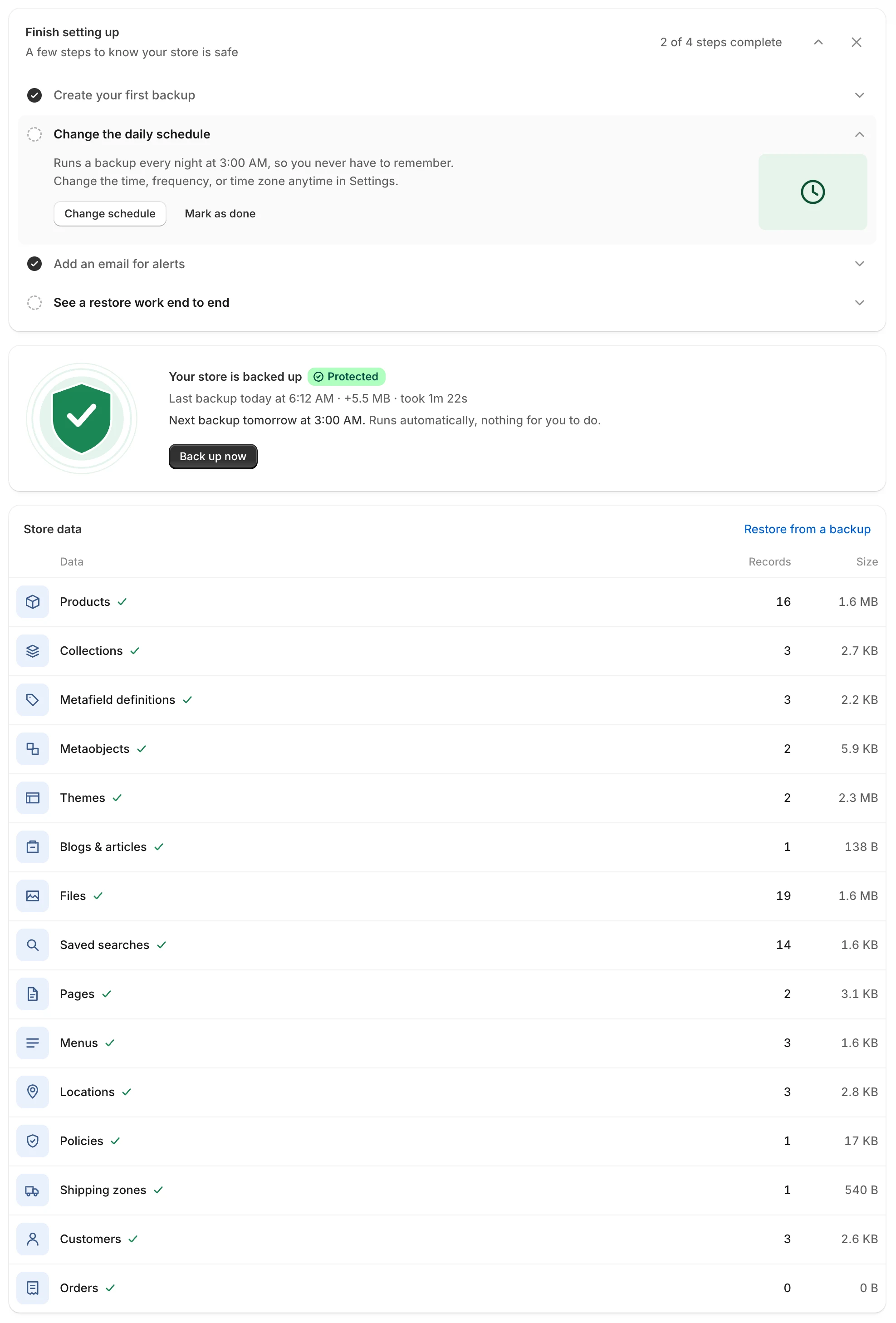
The Home page shows whether your store is protected and what each backup contains.
## What the app does
* **Back up.** The app copies your store data automatically on a schedule. You can also back up on demand with **Back up now**.
* **Browse and compare.** Open any backed-up item, including items you deleted. Put it side by side with your live store to see exactly what changed.
* **Restore.** Bring back one item, a few items, whole data types or a theme. You can restore from any completed backup, or from a file you exported earlier.
## Start here
| I want to... | Go to |
| --------------------------------------------- | --------------------------------------------------------------------------------------- |
| Take my first backup and check that it worked | [Quickstart: your first backup](/backup-and-restore-tipo/getting-started/quickstart) |
| Understand the first-time setup screens | [Set up the app](/backup-and-restore-tipo/getting-started/set-up-the-app) |
| Know what every card on Home tells me | [Home dashboard](/backup-and-restore-tipo/home/home) |
| Bring back a deleted or changed item | [Restore data](/backup-and-restore-tipo/restore/restore) |
| Change when backups run or who gets emails | [Settings](/backup-and-restore-tipo/settings/settings) |
| Check the price and limits | [Pricing](/backup-and-restore-tipo/pricing/plans) |
## What is backed up
The app backs up 15 kinds of data, called data types:
Products and variants, Collections, Metafield definitions, Metaobjects, Themes, Blogs and articles, Files, Saved searches, Pages, Menus, Locations and inventory, Policies, Shipping zones, Customers and Orders.
You choose which ones to include in [Choose what to back up](/backup-and-restore-tipo/settings/settings/what-we-back-up). Some data, such as orders, is saved for export only and can't be written back to Shopify. See [What we back up](/backup-and-restore-tipo/reference/how-it-works/what-we-back-up) for the details of each type.
## What you get
* Automatic and on-demand backups
* Full and incremental backups
* Products, collections, customers, themes and more
* Preview changes before you restore
* Restore deleted items
* Compare changes between backups
* Restore history
* Download a copy of any backup
* Email alerts when something needs attention
The app is currently free for stores that install it during this period, with limits such as 1 GB of storage and backups kept for 30 days. See [Pricing](/backup-and-restore-tipo/pricing/plans).
## Get help
* Read the [FAQ](/backup-and-restore-tipo/help/faq) for quick answers.
* Look up a message in [Troubleshooting](/backup-and-restore-tipo/help/troubleshooting).
* [Contact support](/backup-and-restore-tipo/help/contact-support) by chat, from the in-app form, or by email at .
You can also open the app listing on the [Shopify App Store](https://apps.shopify.com/backup-restore-tipo). To learn how we handle your data, read our [privacy policy](https://tipo.io/pages/privacy-policy).